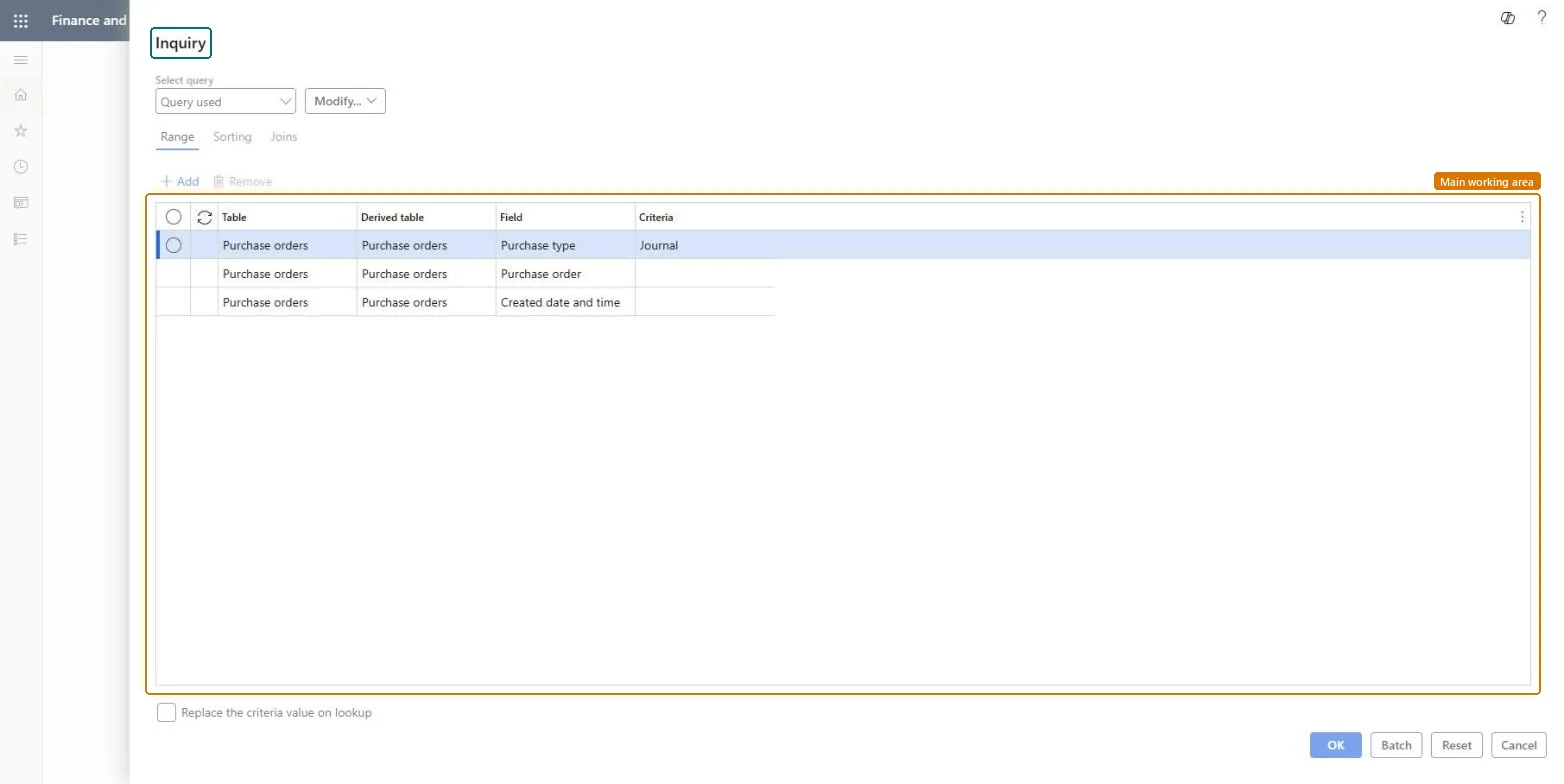
A periodic task that opens an Inquiry dialog with a query on purchase orders, set by default to the Journal purchase type, with ranges you can change for purchase order and created date and time.
Procurement and sourcingPurchase ordersPurchase journal
action:PurchJournalToPurchaseOrder
Business process
Procure goods and services
Menu item
action:PurchJournalToPurchaseOrder
Show what matters for
PAGE GUIDEWhat the page does and how to use it6 sections. Choose a role to highlight what matters to you.
Everyone
1What it is and why
What it is
A periodic task that opens an Inquiry dialog with a query on purchase orders, set by default to the Journal purchase type, with ranges you can change for purchase order and created date and time.
What you do here
Use this task to choose which purchase orders of the Journal purchase type the job works on, and to run it directly or as a batch job.
The page in Dynamics 365. page title tab to open what to set or check
Procurement and sourcing › Purchase orders › Purchase journal › Post purchase journal
End user · Functional consultant
3How to do it
About the examples: Examples and screenshots in this guide use BEAT, a demo company in a Dynamics 365 test environment. Use your own company's codes and values instead of copying them.
How to use it
Go to Procurement and sourcing > Purchase orders > Purchase journal > Post purchase journal.
On the Range tab, check that the Purchase type criteria shows Journal.
Enter criteria for the Purchase order and Created date and time fields to narrow the selection.
Select the Sorting or Joins tab if you need to change them.
Select OK to run it, or select Batch to run it as a batch job.
Source: Checked in Dynamics 365
Technical architect
4Technical
Menu item
action:PurchJournalToPurchaseOrderChecked in Dynamics 365
Form
SysQueryFormChecked in Dynamics 365
Roles to set it up and use it
To use itPurchasing agent VendPurchasingAgentPurchasing Agent - Public Sector VendPurchasingAgent_PSNBuying agent TradeBuyingAgentRetail service RetailServiceProject assistant ProjProjectClerkGive people one of these roles. On this system, 10 roles can run this page.Checked in Dynamics 365