PAGE GUIDEWhat the page does and how to use it7 sections. Choose a role to highlight what matters to you.
Everyone
1What it is and why
What it is
A periodic task that removes the intercompany link between a purchase order and its linked intercompany sales order.
What you do here
Use this periodic task to remove an incomplete intercompany link so that changes to the purchase order, such as cancelling a delivery remainder, can go through.
Example
For example, cancelling the delivery remainder on a purchase order line fails with the error "The company does not exist" because the intercompany link is incomplete.
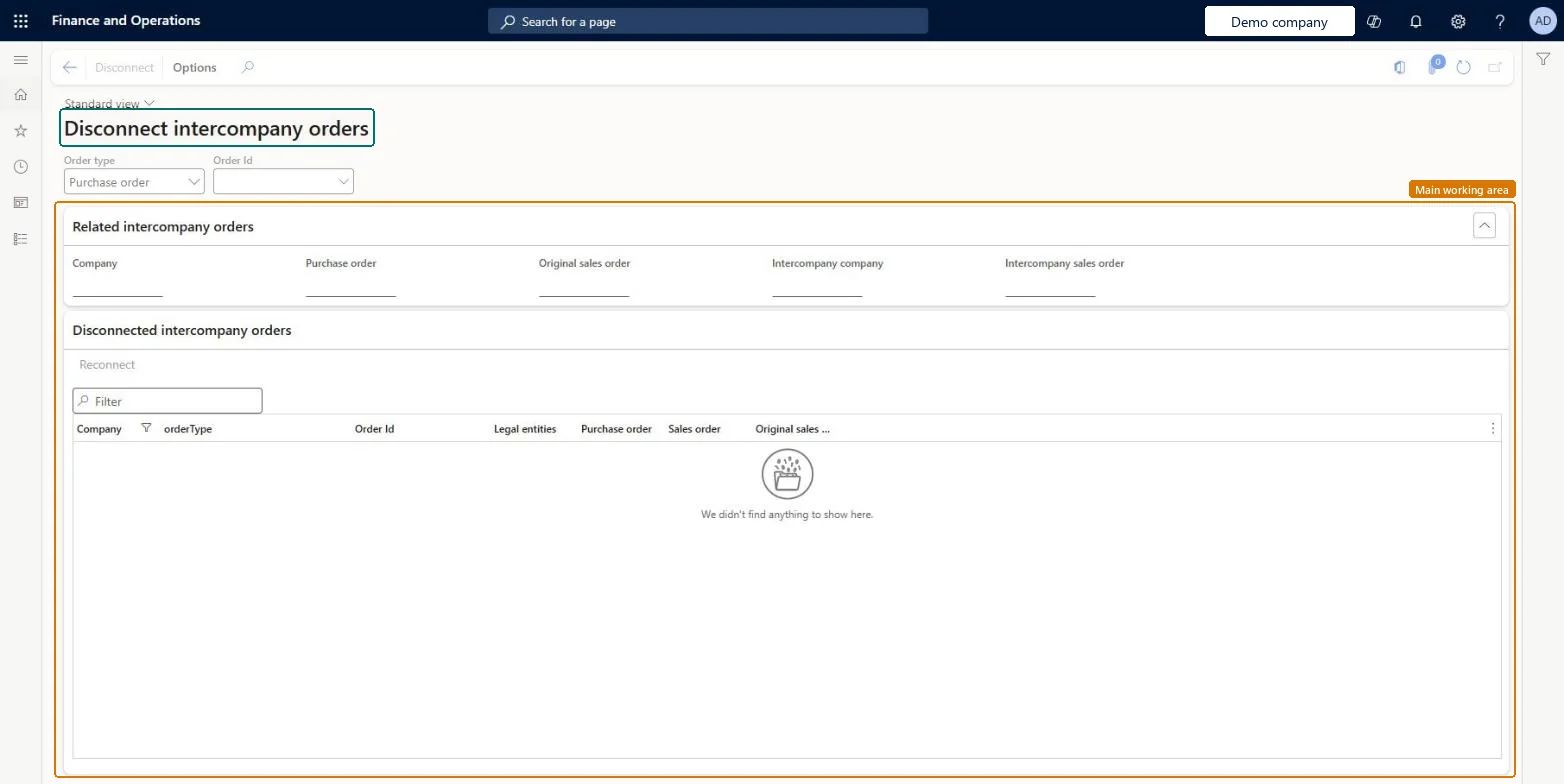
The page in Dynamics 365. page title tab to open what to set or check
Procurement and sourcing › Periodic tasks › Clean up › Disconnect intercompany orders
End user · Functional consultant
3How to do it
About the examples: Examples and screenshots in this guide use BEAT, a demo company in a Dynamics 365 test environment. Use your own company's codes and values instead of copying them.
When to run it
When to run it
When cancelling the delivery remainder on an intercompany purchase order line fails with the message that the company does not exist, and the intercompany link is no longer required.
How often
On demand, only for a purchase order with an incomplete intercompany link.
What the output shows
The purchase order and the linked sales order become independent standard orders. Neither order is deleted, and later changes no longer synchronize between them.
Go to Procurement and sourcing > Periodic tasks > Clean up > Disconnect intercompany orders.
First make sure the purchase order belongs to an intercompany chain with a linked sales order in the other legal entity, and that the link is no longer needed.
Enter the affected purchase order number.
Select Disconnect to remove the intercompany link between the purchase order and its linked sales order.
Return to the purchase order and make your change again, for example cancel the delivery remainder.
If the purchase order has an incomplete intercompany link that you no longer need, disconnect it here and cancel the delivery remainder again. Microsoft Learn
Test checklist
The delivery remainder can now be canceled.
The linked sales order still exists in the other legal entity.
No: The page doesn't restore the link. Changes stop synchronizing unless a valid intercompany link is established again. Review both orders first. Microsoft Learn
If you change it later
Removes the intercompany synchronization link; both orders remain but no longer update each other. Microsoft Learn
Technical architect
5Technical
Menu item
IntercompanyBreakLinkChecked in Dynamics 365
Form
IntercompanyBreakLinkChecked in Dynamics 365
Table
IntercompanyBreakLinkHeaderShown as “Disconnected intercompany orders” in Record infoChecked in Dynamics 365
To set it up or change itMaintain disconnecting intercompany orders IntercompanyBreakLinkMaintainGive people a role that holds these duties. On this system, 0 roles give access to this page.Checked in Dynamics 365
Actions on the page
Options: Page options, ShareChecked in Dynamics 365