About the examples: Examples and screenshots in this guide use BEAT, a demo company in a Dynamics 365 test environment. Use your own company's codes and values instead of copying them.
Fields on the page
Field
What it means
Purchase by period
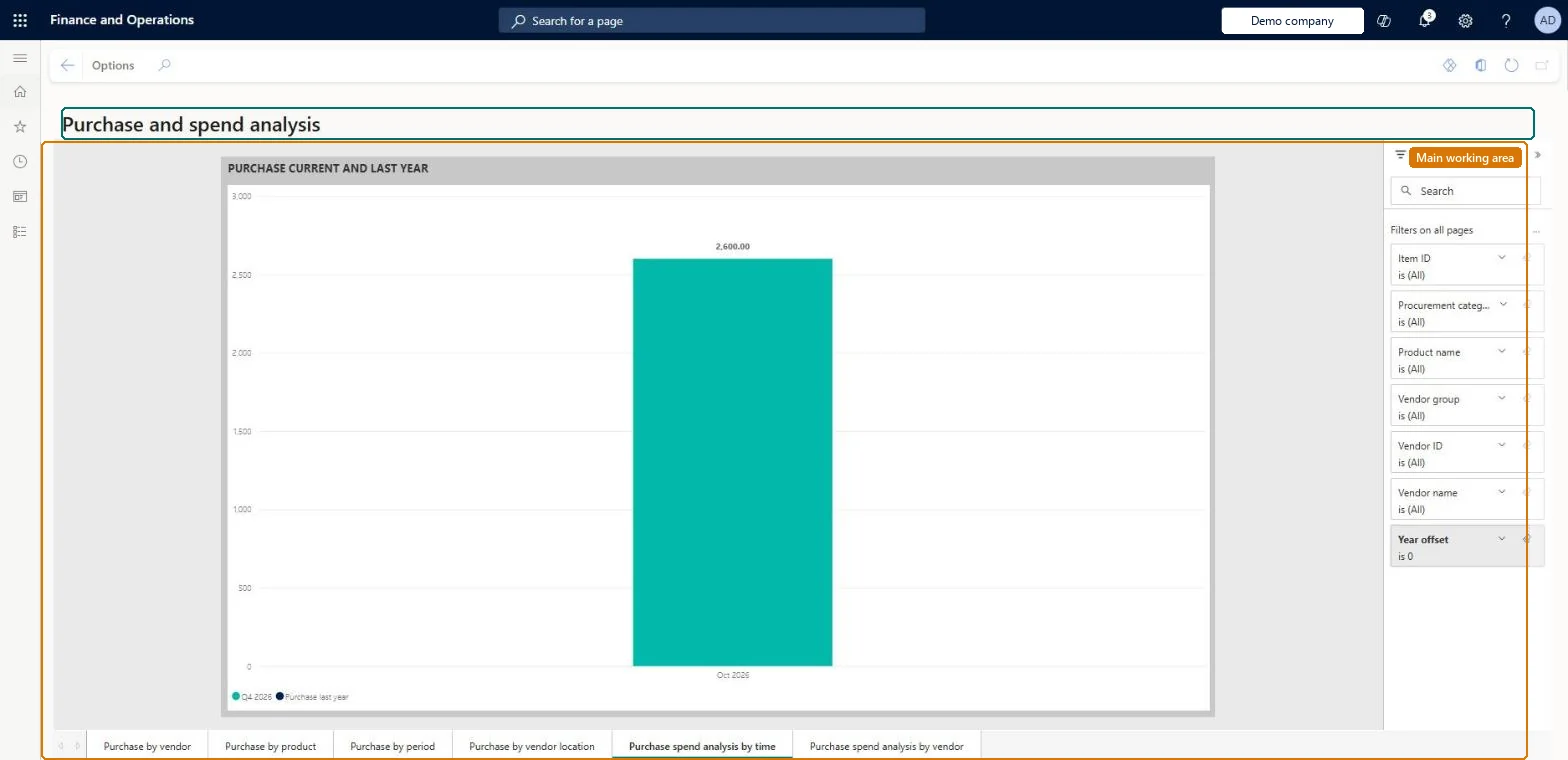
A report page that shows purchases for the current and previous years, and growth by procurement category.Microsoft Learn
Total purchase
A tile on the Purchase by vendor report page that shows total purchase spending.Microsoft Learn
Year-over-year purchase growth
A tile that shows how much purchase spending changed compared with the previous year.Microsoft Learn
Solution architect
4Design impact
If you change it later
The report shows the current calendar year by default; change the date or company filter to see other data. Microsoft Learn
Technical architect
5Technical
Menu item
PurchaseSpendAnalysisPowerBIChecked in Dynamics 365
Form
PurchaseSpendAnalysisPowerBIChecked in Dynamics 365
Who can open it
PrivilegesPurchase and spend analysis PurchaseSpendAnalysisPowerBIViewDutiesReview purchase order process performance PurchOrderProcessPerformanceReview4 security rolesChief executive officer CompanyChiefExecutiveOfficerAccountant LedgerAccountantAccounting manager LedgerAccountingManagerPurchasing manager TradePurchasingManagerChecked in Dynamics 365
Roles to set it up and use it
To use itPurchasing manager TradePurchasingManagerAccountant LedgerAccountantAccounting manager LedgerAccountingManagerChief executive officer CompanyChiefExecutiveOfficerGive people one of these roles. On this system, 4 roles can open this page.Checked in Dynamics 365
Actions on the page
Options: Personalize, Page options, Share, Power BIChecked in Dynamics 365