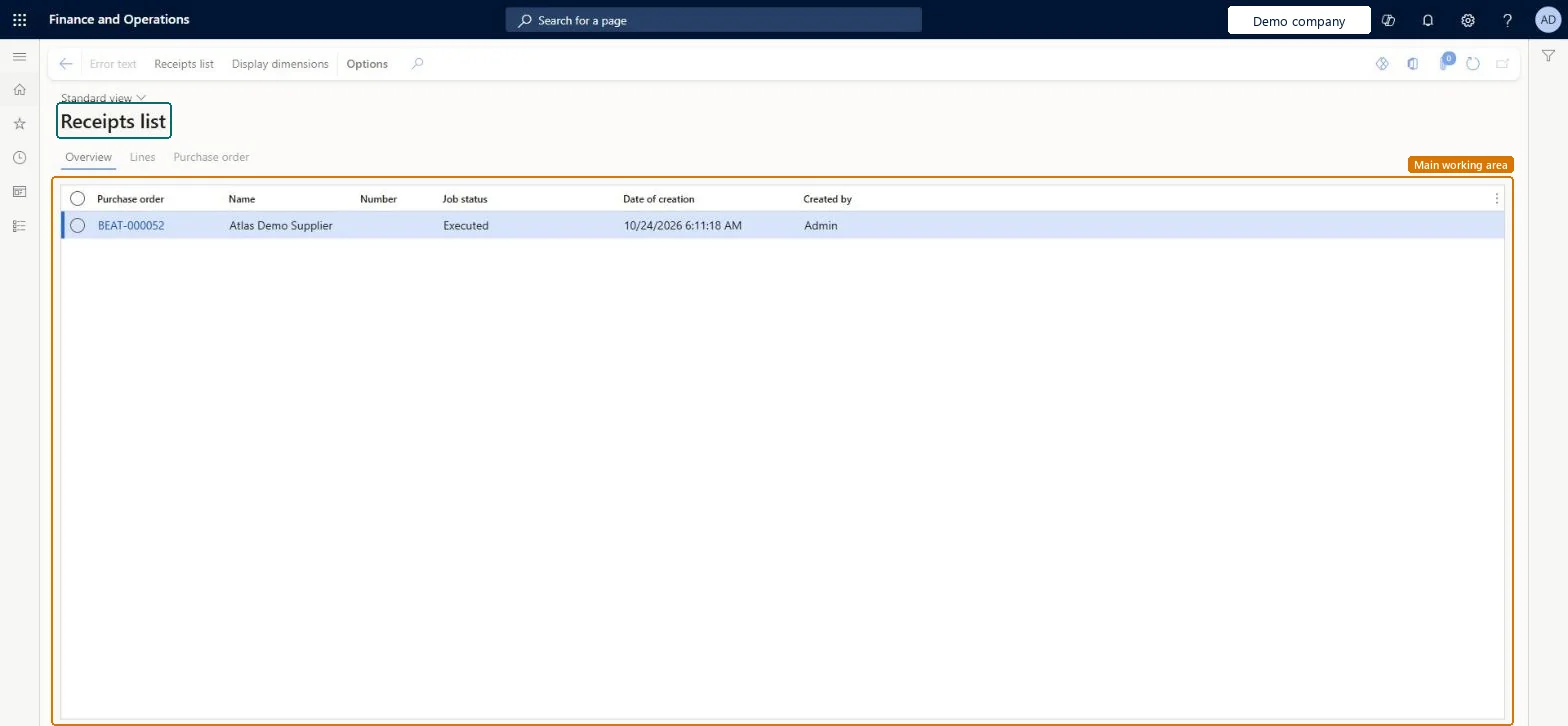
An inquiry page that lists the receipts list update jobs for purchase orders, with the purchase order, vendor name, number, job status, date of creation and who created each job.
Procurement and sourcingInquiries and reportsOrder posting
PurchPostingHistoryReceiptsList
Used by
Purchasing agent, Purchasing Agent - Public Sector, Landed cost agent and 8 more roles
Business process
Procure goods and services
Menu item
PurchPostingHistoryReceiptsList
Main table
PurchParmTable
Show what matters for
PAGE GUIDEWhat the page does and how to use it7 sections. Choose a role to highlight what matters to you.
Everyone
1What it is and why
What it is
An inquiry page that lists the receipts list update jobs for purchase orders, with the purchase order, vendor name, number, job status, date of creation and who created each job.
What you do here
Use this page to check the status of each receipts list job and to open the related purchase order.
The page in Dynamics 365. page title tab to open what to set or check
Procurement and sourcing › Inquiries and reports › Order posting › Receipts list
End user · Functional consultant
3How to do it
About the examples: Examples and screenshots in this guide use BEAT, a demo company in a Dynamics 365 test environment. Use your own company's codes and values instead of copying them.
How to use it
Go to Procurement and sourcing > Inquiries and reports > Order posting > Receipts list.
Read the Overview tab, which lists each job with its Purchase order, Name, Number, Job status, Date of creation and Created by.
Select a row to check the Job status of that receipts list job.
Select the purchase order link in the Purchase order column to open the related purchase order.
Select the Lines tab or the Purchase order tab to see more detail for the selected job.
PurchPostingHistoryReceiptsListChecked in Dynamics 365
Form
PurchPostingHistoryChecked in Dynamics 365
Table
PurchParmTableShown as “Purchase order - update table” in Record infoKey field: PurchIdChecked in Dynamics 365
Who can open it
PrivilegesProcess purchase receipts list print PurchFormLetter_ReceiptsListProcessDutiesThis duty only include privileges that are accessible by the project manager and it does not contain the privileges related to sales order and purchase order ProjProjectItemTasksMaintainMaintain purchase orders PurchOrderMaintainMaintain rental purchase orders RentalPurchOrderMaintain11 security rolesLanded cost agent ITMAgentProject assistant ProjProjectClerkProject manager ProjProjectManagerRental coordinator agent RentalCoordinatorAgentRental manager RentalManagerRental purchasing manager RentalPurchasingManagerRetail service RetailServiceRetail store manager RetailStoreManagerBuying agent TradeBuyingAgentPurchasing agent VendPurchasingAgentPurchasing Agent - Public Sector VendPurchasingAgent_PSNChecked in Dynamics 365
Roles to set it up and use it
To set it up or change itPurchasing agent VendPurchasingAgentPurchasing Agent - Public Sector VendPurchasingAgent_PSNRental manager RentalManagerRental coordinator agent RentalCoordinatorAgentBuying agent TradeBuyingAgentGive people one of these roles. On this system, 11 roles can open this page.Checked in Dynamics 365
Actions on the page
Options: Personalize, Page options, ShareChecked in Dynamics 365