About the examples: Examples and screenshots in this guide use BEAT, a demo company in a Dynamics 365 test environment. Use your own company's codes and values instead of copying them.
How to use it
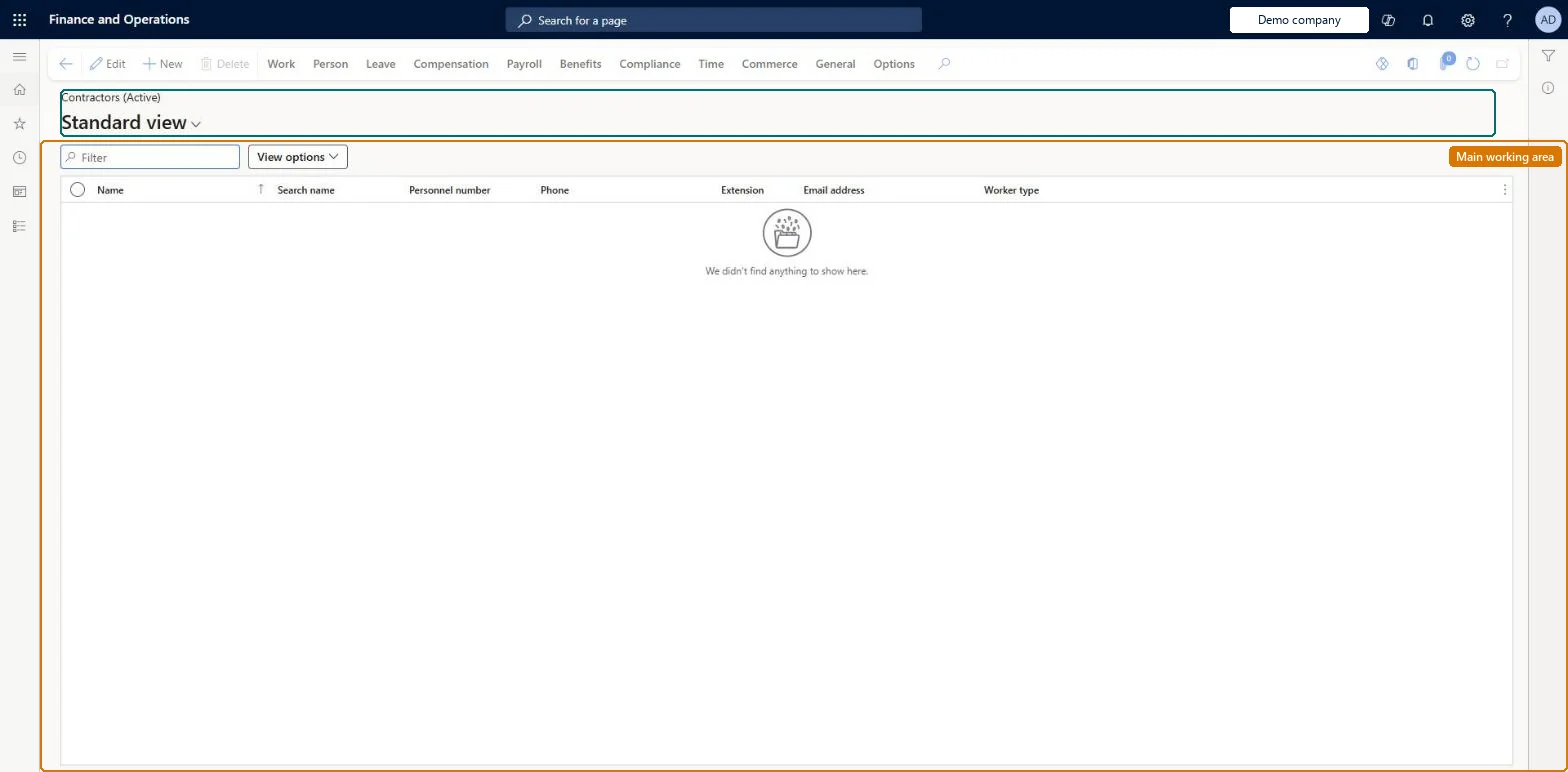
Go to Payroll > Workers > Contractors.
Use the Filter box or View options to narrow the list.
Review the Name, Search name, Personnel number, Phone, Extension, Email address and Worker type columns.
Select New to add a worker, or select a row and select Edit to change it.
Source: Checked in Dynamics 365
Fields on the page
Field
What it means
Worker type
Shows whether the worker is an employee or a contractor.Microsoft Learn
Contractor vendor
The vendor account linked to the contractor, such as the agency that supplies the contractor.Microsoft Learn
Hard to reverse: Worker and employment details can be edited from the Work history tab. A move to another legal entity needs a termination in the original legal entity and a rehire in the new one; it is not a simple field change. Microsoft Learn
Technical architect
5Technical
Menu item
HcmWorkerListPage_ContractorsChecked in Dynamics 365
Form
HcmWorkerV2Checked in Dynamics 365
Table
HcmWorkerShown as “WORKER” in Record infoKey field: Person_NameChecked in Dynamics 365
PrivilegesView limited workers HcmLimitedWorkerViewCreate workers HcmWorkerCreateEdit workers HcmWorkerEditMaintain workers HcmWorkerMaintainView workers HcmWorkerViewMaintain time registration workers JmgLimitedWorkerMaintainView limited workers JmgLimitedWorkerViewView workers RetailLimitedWorkerViewDutiesMaintain audit policies AuditPolicyMaintainCreate maintenance requests EntAssetRequestCreateMaintain maintenance requests EntAssetRequestMaintainMaintain Asset Management setup EntAssetSetupMaintainView Enterprise Asset Management setup EntAssetSetupViewInquire into benefits process HcmBenefitInquireInquire into limited worker information HcmLimitedWorkerInquireInquire into workers HcmWorkerInquireInquire into workers for CEO HcmWorkerInquireCEOMaintain worker master HcmWorkerMaintainView information about workers HcmWorkerViewInquire into time registration workers JmgLimitedWorkerInquireMaintain time registration workers JmgLimitedWorkerMaintainInquire into payroll position and worker setup PayrollPositionWorkerSetupInquireSet up payroll positions and workers PayrollPositionWorkerSetupMaintainEnable project accounting process ProjProjectAccountingProcessEnableMaintain project master ProjProjectMasterMaintainMaintain retail worker RetailWorkerMaintainTrvEmployeeCreditCardMaintainEnable expense management process TrvTravelAndExpenseProcessEnableInquire into expense management reference data TrvTravelAndExpenseReferenceDataInquire27 security rolesAuditor AuditPolicyManagerChief executive officer CompanyChiefExecutiveOfficerMaintenance clerk EntAssetMaintenanceClerkMaintenance manager EntAssetMaintenanceManagerMaintenance requester EntAssetMaintenanceRequesterExpense administrator ExpenseAdministratorField Service Integration User FieldServiceIntegrationUserCompensation and benefits manager HcmCompensationAndBenefitsManagerHuman resource assistant HcmHumanResourceAssistantHuman resource manager HcmHumanResourceManagerPayroll administrator HcmPayrollAdministratorPayroll manager HcmPayrollManagerRecruiter HcmRecruiterTraining manager HcmTrainingManagerIoT messaging service role IoTIntMessagingServiceRoleShop supervisor JmgShopSupervisorProduction manager ProdProductionManagerProject accountant ProjProjectAccountantProject manager ProjProjectManagerProject supervisor ProjProjectSupervisorRetail operations manager RetailOperationsManagerRetail service RetailServiceRetail store manager RetailStoreManagerService delivery manager SMAServiceDeliveryManagerTestRoleJmgLimitedWorkerMaintainSales manager TradeSalesManagerAccounts payable manager VendInvoiceAccountsPayableManagerChecked in Dynamics 365
Roles to set it up and use it
To set it up or change itPayroll administrator HcmPayrollAdministratorCompensation and benefits manager HcmCompensationAndBenefitsManagerRecruiter HcmRecruiterHuman resource assistant HcmHumanResourceAssistantRetail operations manager RetailOperationsManagerTo use itPayroll manager HcmPayrollManagerHuman resource manager HcmHumanResourceManagerTraining manager HcmTrainingManagerChief executive officer CompanyChiefExecutiveOfficerProduction manager ProdProductionManagerGive people one of these roles. On this system, 26 roles can open this page.Checked in Dynamics 365
Actions on the page
Work: Personnel actions, Work details, Changes timeline, Related informationPerson: Personal information, Competencies, DevelopmentLeave: Manage leave, Set upCompensation: Employee compensation, Bank accounts, Labor unions, CommissionPayroll: Taxes, Payroll, Ready to pay, GenerateBenefits: Benefits, Enrollment, Eligibility, ReportsCompliance: ComplianceTime: Maintain, Reports, Inquiries, Time assignment, Flex, Worker balancesCommerce: Set up, Media, View, External identity, POSGeneral: Cases, CAPA, Registration, Warehouses(Action Pane without tabs): New, DeleteChecked in Dynamics 365