PAGE GUIDEWhat the page does and how to use it6 sections. Choose a role to highlight what matters to you.
Everyone
1What it is and why
What it is
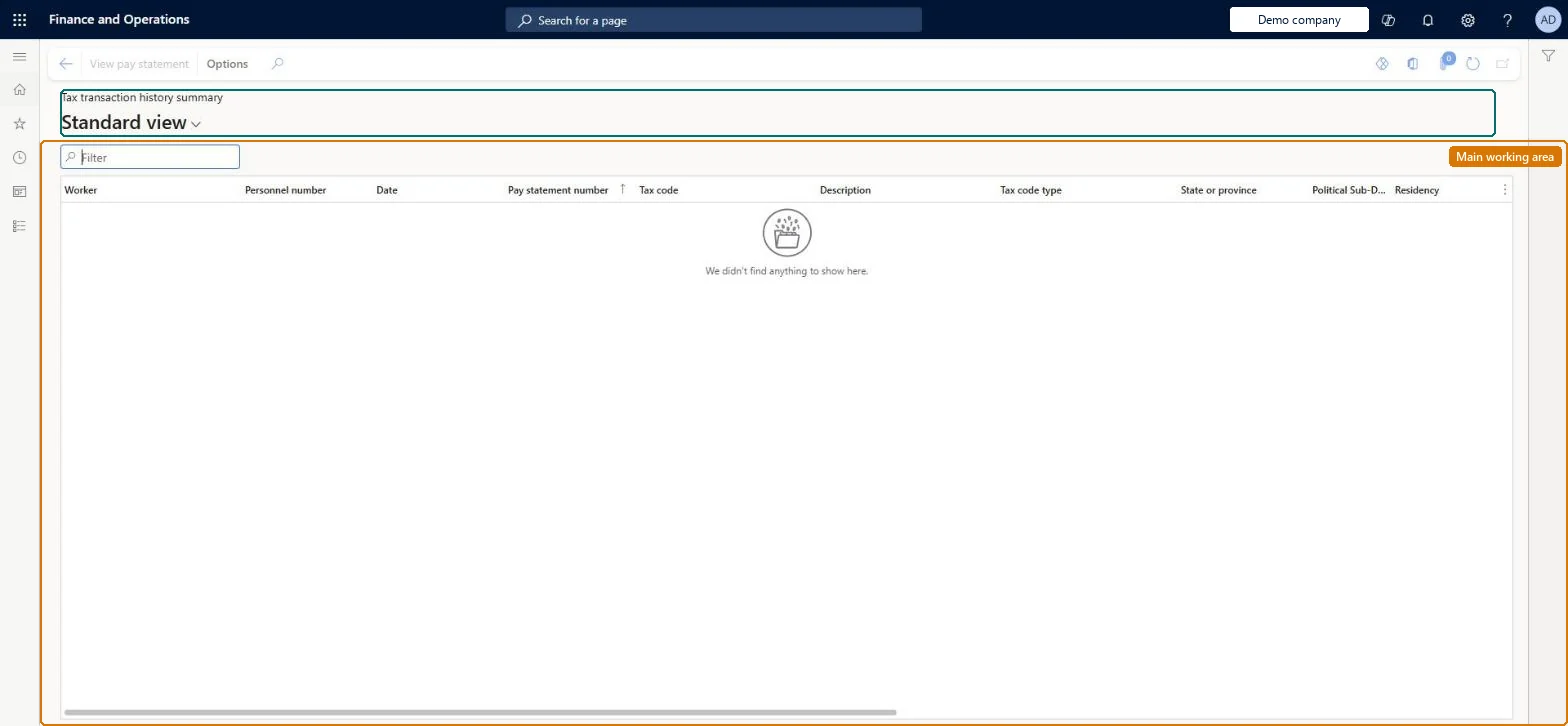
An inquiry page that shows a summary of all payroll tax transactions by worker, date and tax code.
What you do here
Use this page to review summarized payroll tax amounts and wages, export them to Excel for analysis or custom reports, and open the pay statement that created a tax transaction.
Example
For example, compare Actual combined tax with System calculated tax to find tax lines that were changed by hand on pay statements.
The page in Dynamics 365. page title tab to open what to set or check
About the examples: Examples and screenshots in this guide use BEAT, a demo company in a Dynamics 365 test environment. Use your own company's codes and values instead of copying them.
How to use it
Go to Payroll > Tax processing > Tax transaction history summary.
Use the Filter box to find tax transactions by worker, pay statement or tax code.
Review the Tax code type, State or province, Political subdivision and Residency columns.
Select a row and select View pay statement to open the related pay statement.
Source: Checked in Dynamics 365
Fields on the page
Field
What it means
Table column
Date
The date of the tax transaction, usually the pay statement date.Microsoft Learn
The accounts payable invoice that includes the amount owed to the tax vendor.Microsoft Learn
VendTransInvoice
Technical architect
4Technical
Menu item
PayrollUSTaxTransactionHistoryChecked in Dynamics 365
Form
PayrollUSTaxTransactionHistoryChecked in Dynamics 365
Table
PayrollTaxTransactionHistoryUnionShown as “PAYROLL US TAX HISTORY UNION” in Record infoChecked in Dynamics 365
Data entities
PayrollUSTaxTransactionHistorySummaryEntityTax transaction history summary Checked in Dynamics 365
Who can open it
PrivilegesMaintain payroll tax history PayrollTaxHistoryMaintainView payroll tax history PayrollTaxHistoryViewDutiesInquire into payroll payments PayrollPayStatementGenerationInquireMaintain pay statements PayrollPayStatementGenerationMaintain2 security rolesPayroll administrator HcmPayrollAdministratorPayroll manager HcmPayrollManagerChecked in Dynamics 365
Roles to set it up and use it
To use itPayroll administrator HcmPayrollAdministratorPayroll manager HcmPayrollManagerGive people one of these roles. On this system, 2 roles can open this page.Checked in Dynamics 365
Actions on the page
(Action Pane without tabs): View pay statementChecked in Dynamics 365