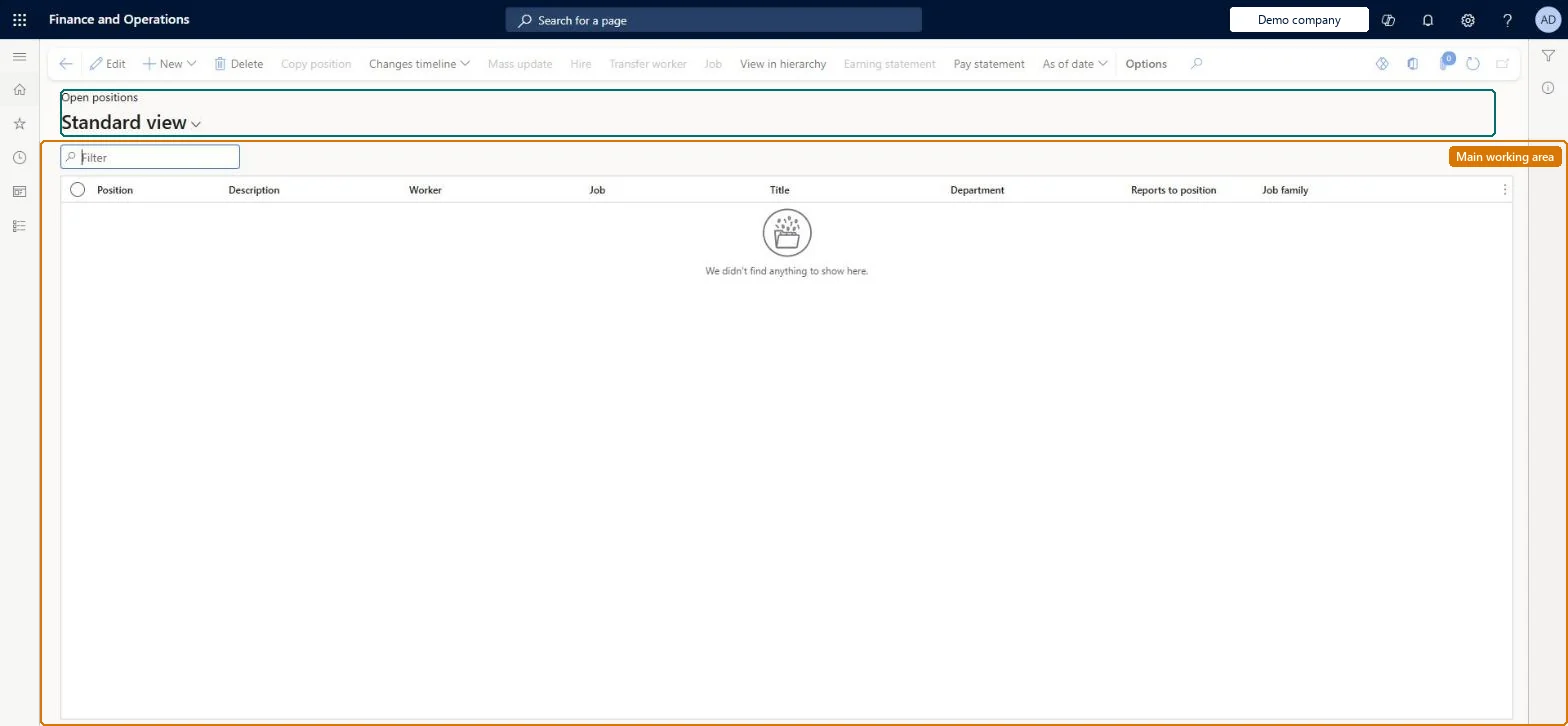
About the examples: Examples and screenshots in this guide use BEAT, a demo company in a Dynamics 365 test environment. Use your own company's codes and values instead of copying them.
How to use it
Go to Payroll > Positions > Open positions.
Use the Filter box to find a position.
Review the Position, Description, Worker, Job, Title, Department, Reports to position and Job family columns; the list shows only positions with no worker assigned.
Select New to create a position, View in hierarchy to see where it sits, or use Changes timeline and As of date to see it at another date.
Source: Checked in Dynamics 365
Test checklist
Create a position with an activation date of today and no worker.
Open Open positions and check the position is listed and the Open positions tile count went up.
Assign a worker with an assignment start date next week; check the position is still listed.
After the assignment date, check the position has left the list.
Reversible: This is a list, not a setting. A position appears when its activation date is today or earlier and it has no current worker assignment. A future-dated assignment keeps the position in the list until the assignment date is reached. Microsoft Learn
Technical architect
5Technical
Menu item
HcmPositionList_OpenChecked in Dynamics 365
Form
HcmPositionChecked in Dynamics 365
Table
HcmPositionShown as “POSITIONS” in Record infoKey field: PositionIdChecked in Dynamics 365
PrivilegesInquire into open positions BudgetOpenPositionsViewMaintain positions using a list page HcmPositionListMaintainView positions using a list page HcmPositionListViewMaintain retail worker position RetailWorkerPositionMaintainDutiesView positions using a list page BudgetOpenPositionsInquireInquire into jobs and positions HcmJobPositionInquireMaintain job and position master HcmJobPositionMaintainReview organizational information HcmOrganizationalReviewInquire into payroll position and worker setup PayrollPositionWorkerSetupInquireSet up payroll positions and workers PayrollPositionWorkerSetupMaintainMaintain retail worker RetailWorkerMaintain13 security rolesBudget manager BudgetBudgetManagerChief executive officer CompanyChiefExecutiveOfficerChief financial officer CompanyChiefFinancialOfficerCompensation and benefits manager HcmCompensationAndBenefitsManagerHuman resource assistant HcmHumanResourceAssistantHuman resource manager HcmHumanResourceManagerPayroll administrator HcmPayrollAdministratorPayroll manager HcmPayrollManagerRecruiter HcmRecruiterTraining manager HcmTrainingManagerRetail operations manager RetailOperationsManagerRetail service RetailServiceRetail store manager RetailStoreManagerChecked in Dynamics 365
Roles to set it up and use it
To set it up or change itPayroll administrator HcmPayrollAdministratorCompensation and benefits manager HcmCompensationAndBenefitsManagerRecruiter HcmRecruiterHuman resource assistant HcmHumanResourceAssistantRetail operations manager RetailOperationsManagerTo use itPayroll manager HcmPayrollManagerHuman resource manager HcmHumanResourceManagerTraining manager HcmTrainingManagerChief executive officer CompanyChiefExecutiveOfficerChief financial officer CompanyChiefFinancialOfficerGive people one of these roles. On this system, 13 roles can open this page.Checked in Dynamics 365
Actions on the page
(Action Pane without tabs): New, Delete, Copy position, Changes timeline, Mass update, Hire, Transfer worker, Job, View in hierarchy, Earning statement, Pay statement, As of dateChecked in Dynamics 365