PAGE GUIDEWhat the page does and how to use it7 sections. Choose a role to highlight what matters to you.
Everyone
1What it is and why
What it is
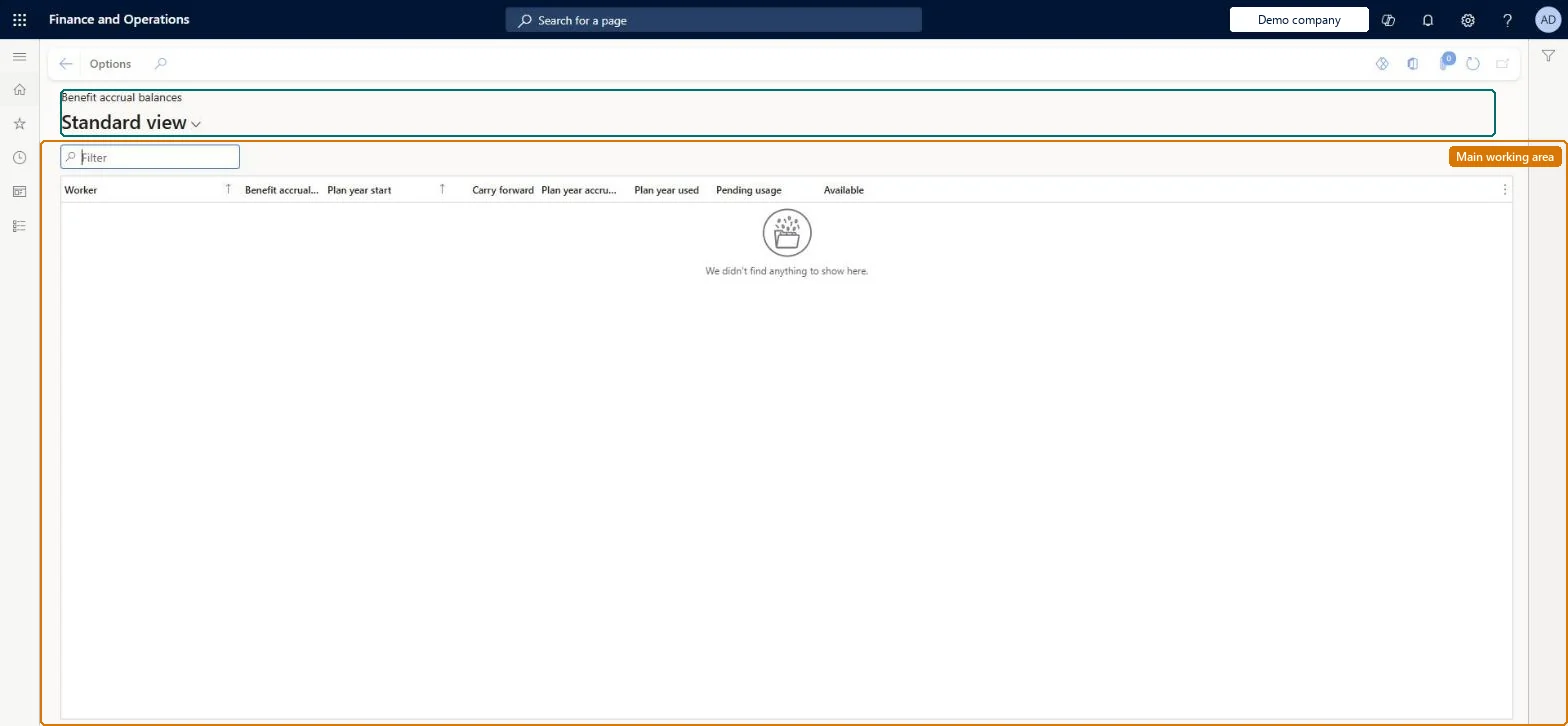
An inquiry page that shows benefit accrual plan balances, such as vacation or sick time, for all workers for the current plan year.
What you do here
Use this page to see, for each worker and benefit accrual plan, the hours carried forward, accrued, used and pending, and the balance available to use.
Example
For example, check a worker's Available hours in the vacation plan before approving time off.
The page in Dynamics 365. page title tab to open what to set or check
About the examples: Examples and screenshots in this guide use BEAT, a demo company in a Dynamics 365 test environment. Use your own company's codes and values instead of copying them.
How to use it
Go to Payroll > Inquiries and reports > Benefit accrual balances.
Use the Filter box to find a worker or benefit accrual.
Review the Plan year start, Carry forward, Plan year accrued, Plan year used, Pending usage and Available columns.
Use Options to change the view or export the balances.
Source: Checked in Dynamics 365
Fields on the page
Field
What it means
Table column
Benefit accrual plan
The accrual plans the worker is enrolled in, for the current legal entity only.Microsoft Learn
If a plan has no annual start date, the plan-year columns show every hour ever accrued or used in the plan, not just the current year. Microsoft Learn
Technical architect
5Technical
Menu item
PayrollWorkerEnrolledAccrualInquiryChecked in Dynamics 365
Form
PayrollWorkerEnrolledAccrualInquiryChecked in Dynamics 365
Table
PayrollWorkerEnrolledAccShown as “WORKER ENROLLED BENEFIT ACCRUAL” in Record infoChecked in Dynamics 365
Data entities
PayrollWorkerEnrolledAccrualEntityWorker enrolled benefit accrual Microsoft data model
Who can open it
PrivilegesView benefit accrual balances PayrollWorkerEnrolledAccrualInquiryDutiesInquire into payroll position and worker setup PayrollPositionWorkerSetupInquire2 security rolesPayroll administrator HcmPayrollAdministratorPayroll manager HcmPayrollManagerChecked in Dynamics 365
Roles to set it up and use it
To use itPayroll administrator HcmPayrollAdministratorPayroll manager HcmPayrollManagerGive people one of these roles. On this system, 2 roles can open this page.Checked in Dynamics 365