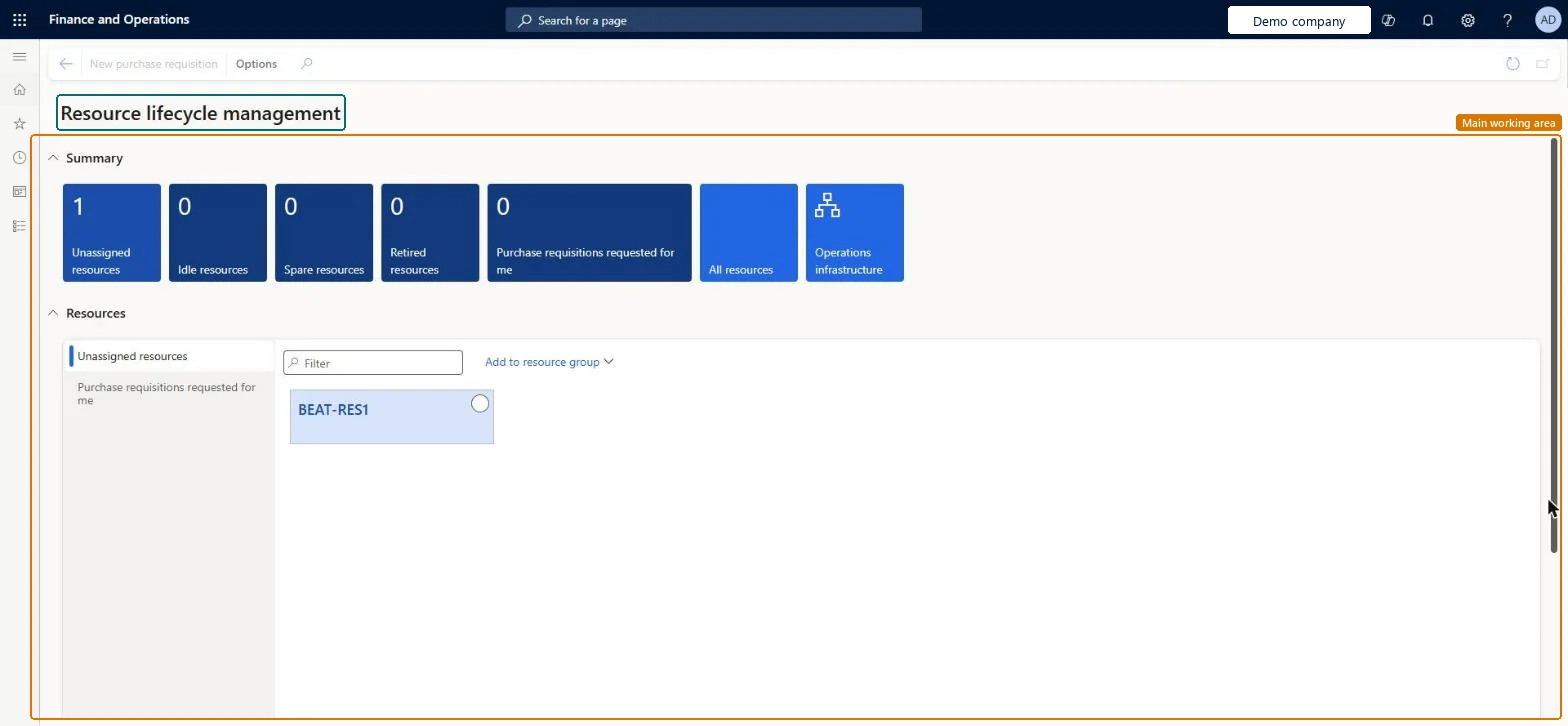
A workspace that gives an overview of operations resources, with summary tiles for unassigned, idle, spare and retired resources and for purchase requisitions requested by the user.
Production manager, Production supervisor, Project manager and 2 more roles
Menu item
OpResLifecycleManagementWorkspace
Show what matters for
PAGE GUIDEWhat the page does and how to use it6 sections. Choose a role to highlight what matters to you.
Everyone
1What it is and why
What it is
A workspace that gives an overview of operations resources, with summary tiles for unassigned, idle, spare and retired resources and for purchase requisitions requested by the user.
What you do here
Use this workspace to see how many operations resources are in each lifecycle state and to open the full resource list or the operations infrastructure. Its Resources section lists unassigned resources, which you can add to a resource group, and the purchase requisitions requested by you.
The page in Dynamics 365. page title tab to open what to set or check
About the examples: Examples and screenshots in this guide use BEAT, a demo company in a Dynamics 365 test environment. Use your own company's codes and values instead of copying them.
How to use it
Go to Organization administration > Workspaces > Resource lifecycle management.
Review the Summary tiles: Unassigned resources, Idle resources, Spare resources, Retired resources and Purchase requisitions requested for me.
Select the All resources tile to open the full resource list, or Operations infrastructure to open that area.
In the Resources section, choose Unassigned resources or Purchase requisitions requested for me.
Use the Filter box to find a line, and select Add to resource group for unassigned resources.
Select New purchase requisition on the Action Pane to start a requisition.
Source: Checked in Dynamics 365
Technical architect
4Technical
Menu item
OpResLifecycleManagementWorkspaceChecked in Dynamics 365
Form
OpResLifeCycleManagementWorkspaceChecked in Dynamics 365
To set it up or change itProduction manager ProdProductionManagerProject manager ProjProjectManagerProcess engineer RouteProcessEngineerProduction supervisor ProdProductionSupervisorProcess engineering manager RouteProcessEngineeringManagerGive people one of these roles. On this system, 5 roles can open this page.Checked in Dynamics 365