BeyondERP.Newsletter
Menu

Workflow page · Organization administration

Workflow history

An inquiry page that shows the status and history of documents that were submitted to the workflow system.

Used by
Retail service, Retail store IT, Information technology manager and 1 more role
Business process
Administer system features
Menu item
WorkflowStatus
Main table
WorkflowTrackingStatusTable
Show what matters for
PAGE GUIDEWhat the page does and how to use it7 sections. Choose a role to highlight what matters to you.
Everyone

1What it is and why

What it isAn inquiry page that shows the status and history of documents that were submitted to the workflow system.
What you do hereUse this page to follow a document through its workflow, see its work items, and resume, recall or reassign work when needed.
ExampleFor example, with Copilot turned on, the page can show a short summary of who submitted the document, its status, approvals, due dates and comments.
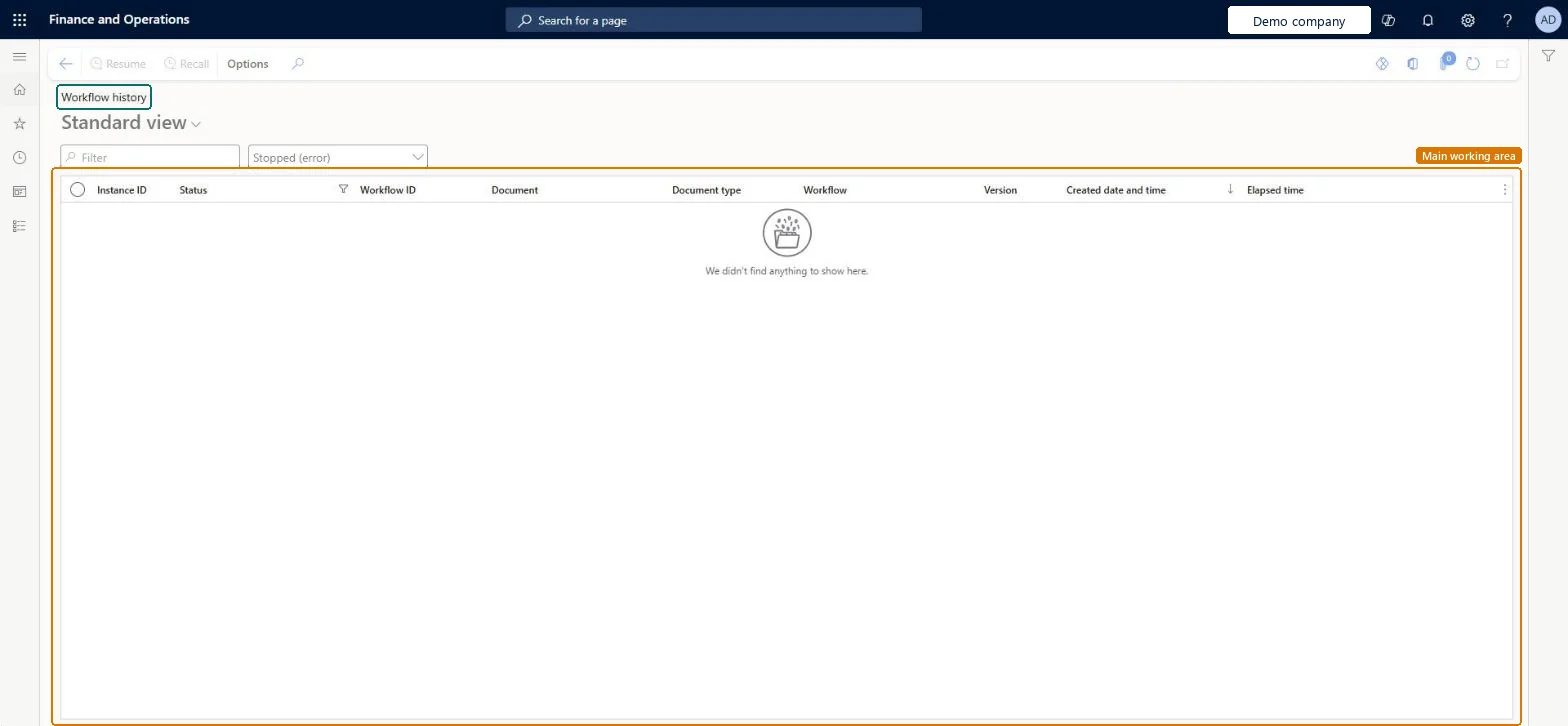
Workflow history page in Dynamics 365
The page in Dynamics 365. page title tab to open what to set or check
Functional consultant · Solution architect

2Where it fits

Business processAdminister system features
Menu pathOrganization administration › Workflow › Workflow history
End user · Functional consultant

3How to do it

About the examples: Examples and screenshots in this guide use BEAT, a demo company in a Dynamics 365 test environment. Use your own company's codes and values instead of copying them.

Steps from Microsoft

  1. Go to Organization administration > Workflow > Workflow history.
  2. Select the link in the row for the document.
  3. Expand the Work items section to see the tasks and approvals for the document.
  4. Select Reassign if a work item must go to another user.
  5. Expand the Tracking details section to see the workflow history.

Source: Microsoft Learn

Fields on the page

FieldWhat it meansTable column
Instance IDThe ID of the workflow instance that is processing, or processed, the document.Microsoft Learn InstanceNumber
StatusThe workflow status of the document.Microsoft Learn TrackingStatus
Document typeThe type of document that was submitted.Microsoft Learn DocumentType
VersionThe version of the workflow that is processing the document.Microsoft Learn ConfigurationVersionId
Elapsed timeThe time since the document was submitted.Microsoft Learn

Test checklist

  1. Submit a test document to an active workflow.
  2. Open Workflow history, find the Instance ID and check Status, Version and Elapsed time.
  3. Open the row, use Reassign on the work item and check the new user gets it.
  4. Check Tracking details lists each step.

Source: Microsoft Learn

Solution architect

4Design impact

Can it be undoneHard to reverse: Recall stops the selected document from being processed; Resume restarts a stopped workflow; Reassign moves a work item to another user. The tracking history itself isn't changed. Microsoft Learn
Technical architect

5Technical

Menu itemWorkflowStatus Checked in Dynamics 365
FormWorkflowStatus Checked in Dynamics 365
TableWorkflowTrackingStatusTableShown as “Workflow tracking status table” in Record infoChecked in Dynamics 365
Who can open itPrivilegesMaintain workflow instances WorkflowManageWorkflowInstancesView workflow history WorkflowViewWorkflowHistoryDutiesUse basic functionality SysServerAXBasicMaintainMaintain workflow and alerts settings WorkflowAlertsSettingsMaintain
7 security roles AifTestSecRole EventTestRoleRetail service RetailServiceRetail store IT RetailStoreITInformation technology manager SysServerITManagerSystem user SystemUser TestEssentialsRole
Checked in Dynamics 365
Roles to set it up and use itTo use itInformation technology manager SysServerITManagerSystem user SystemUserTestEssentialsRole Retail store IT RetailStoreITRetail service RetailServiceGive people one of these roles. On this system, 5 roles can open this page.Checked in Dynamics 365
Actions on the pageOptions: Personalize, Page options, ShareChecked in Dynamics 365
Developer

6Developer

Open it by URLhttps://<your-environment>/?mi=WorkflowStatus
Table definitionWorkflowTrackingStatusTable columns and relations Microsoft data model
Everyone

7Sources