Organization administration › Setup › Calendars › Period types
End user · Functional consultant
3How to do it
About the examples: Examples and screenshots in this guide use BEAT, a demo company in a Dynamics 365 test environment. Use your own company's codes and values instead of copying them.
Step by step, with screenshots
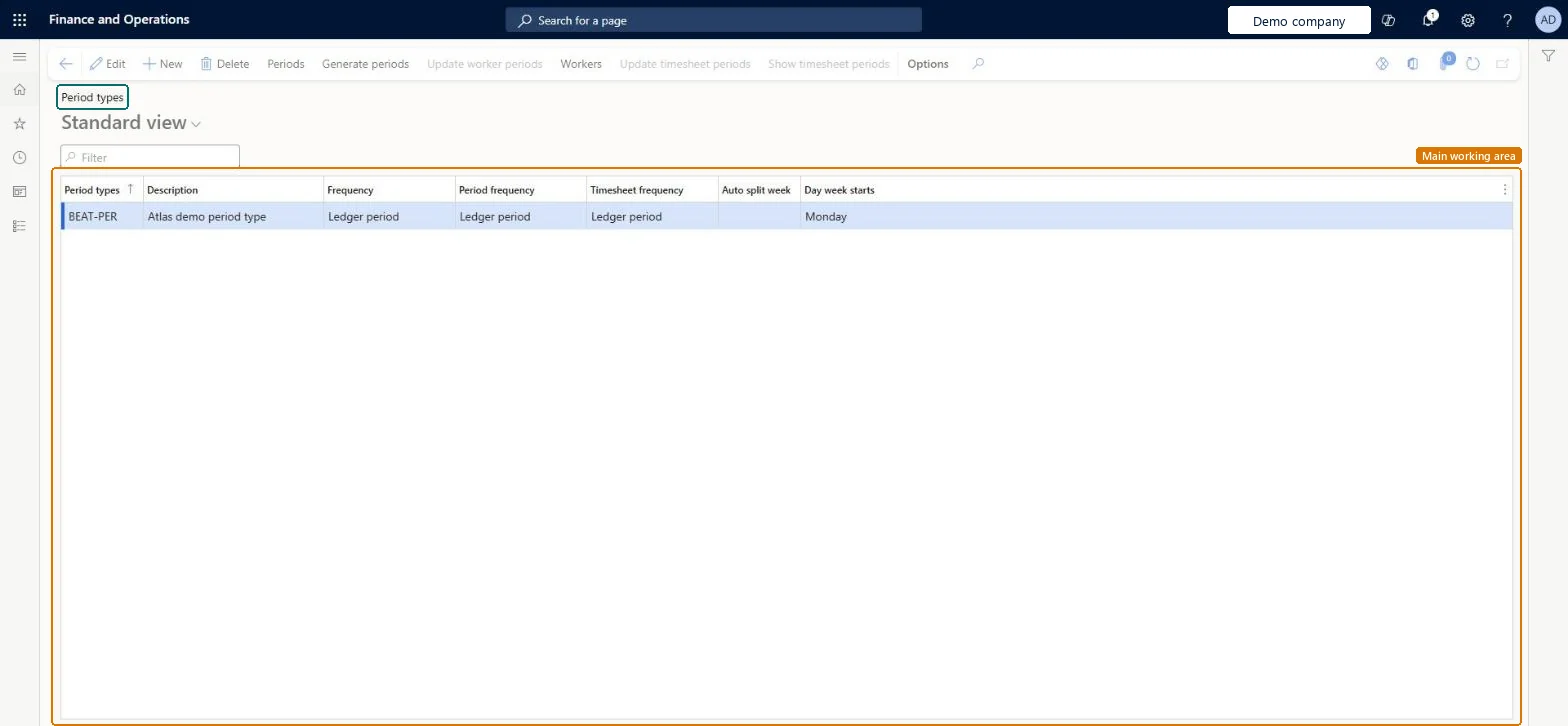
Set up Period types1 screen
Use this page to create period types, such as weekly or monthly ones, and generate their periods for uses like project revenue estimates.
Screen 1
Create a period type
Go to Organization administration > Setup > Calendars > Period types
Select New
Enter the period type and its description
Select the frequency; Ledger period follows the fiscal calendar
Select the day the week starts
Select Save; use Generate periods to create the periods
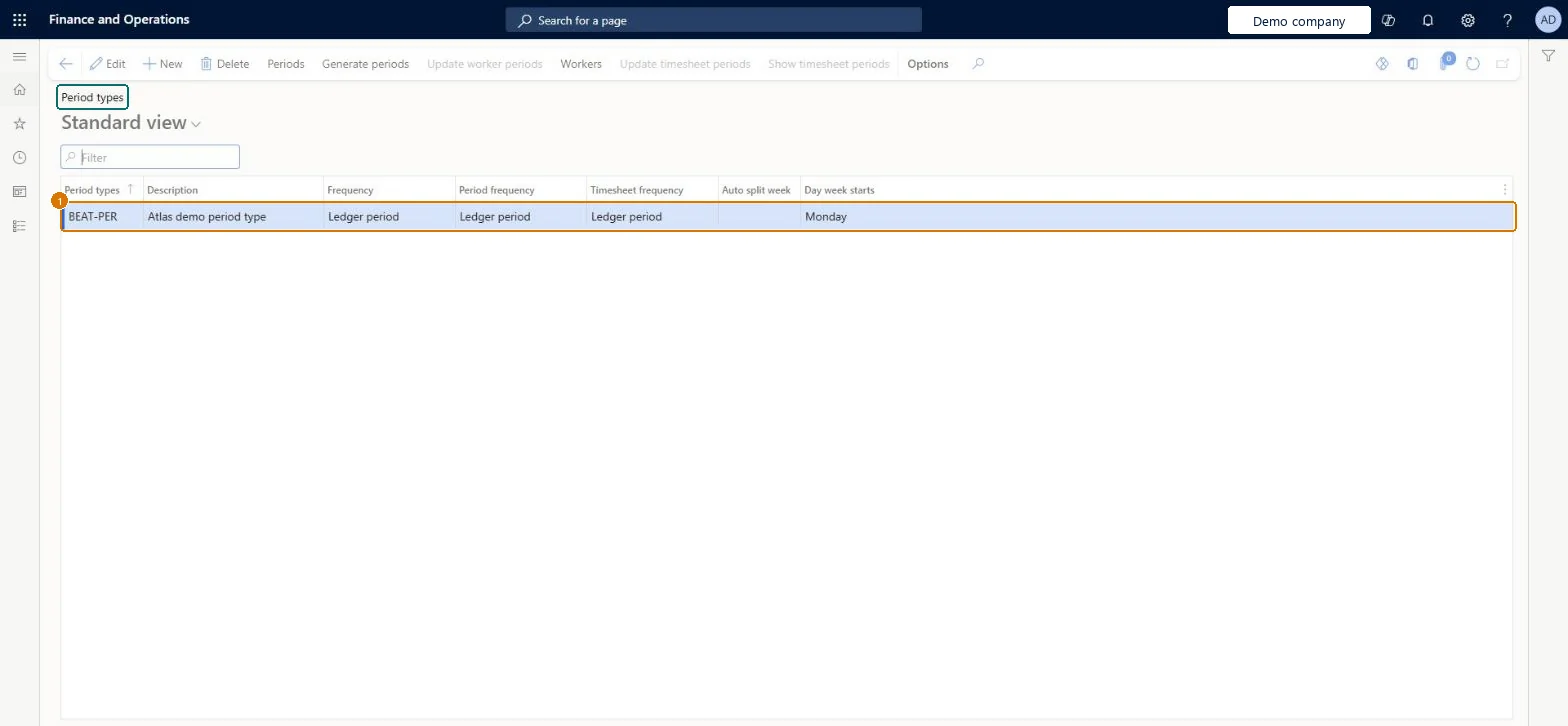
1Period types
BEAT-PER
Description
Period type
Frequency
Ledger period
Day week starts
Monday
Show the full screen page title tab to open what to set or check
Steps from Microsoft
Go to Organization administration > Setup > Calendars > Period types.
Select New, and enter a name and description.
In the Frequency field, select a value.
Select the period type, and then select Generate periods.
Enter a start date or the number of periods, if asked.
How often periods occur, such as Week, Month or Quarter. Ledger period uses the general ledger periods, and Unlimited lets you enter custom periods.Microsoft Learn
Ledger period
Period types
WEEKLY
PeriodId
Description
A short description of the period type.Checked in Dynamics 365
Period type
Description
Day week starts
Monday
WeekStart
Test checklist
Create a period type with Frequency Month.
Select Generate periods with a start date and number of periods.
Select Periods and check monthly periods were created.
Create a type with Ledger period and check its periods match the fiscal calendar.
Reversible: You can generate further periods for a period type at any time from Generate periods, choosing a start date or number of periods where the frequency allows. Microsoft Learn
To set it up or change itInformation technology manager SysServerITManagerBusiness Performance Planning app role BPPBudgetPlanningAppRoleData management migration user DataManagementMigrationUserDemand planning app role ScpDemandPlanningAppRoleData management administrator DataManagementAdministratorTo use itProject manager ProjProjectManagerGive people one of these roles. On this system, 8 roles can open this page.Checked in Dynamics 365
Checked in a working Dynamics 365 system, version 10.0.49: the menu item, form, table and security, the page, the demo records and the values in the screenshots.