PAGE GUIDEWhat the page does and how to use it7 sections. Choose a role to highlight what matters to you.
Everyone
1What it is and why
What it is
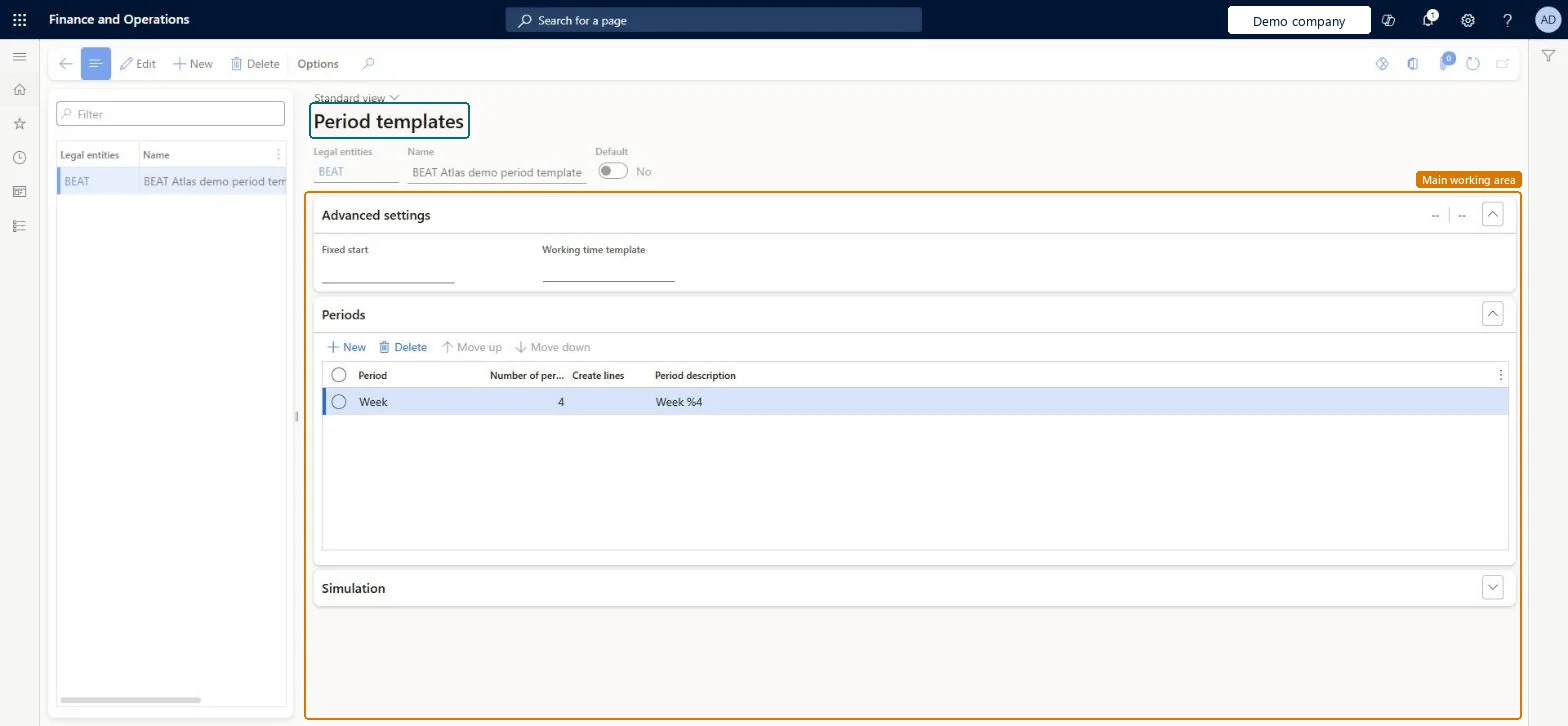
A setup page that lists period templates by legal entity and name, each with a Default setting, advanced settings and periods.
What you do here
Use this page to maintain period templates. For each template you set the name, whether it is the default, a Fixed start and a Working time template, and you maintain its Periods and Simulation sections.
The page in Dynamics 365. page title tab to open what to set or check
About the examples: Examples and screenshots in this guide use BEAT, a demo company in a Dynamics 365 test environment. Use your own company's codes and values instead of copying them.
Step by step, with screenshots
Set up Period templates1 screen
Screen 1
Create a period template
Go to Organization administration > Setup > Calendars > Period templates
Select New
Select the legal entity and enter a name
On the Periods section, select New and choose the period length and how many periods to show
Select Save
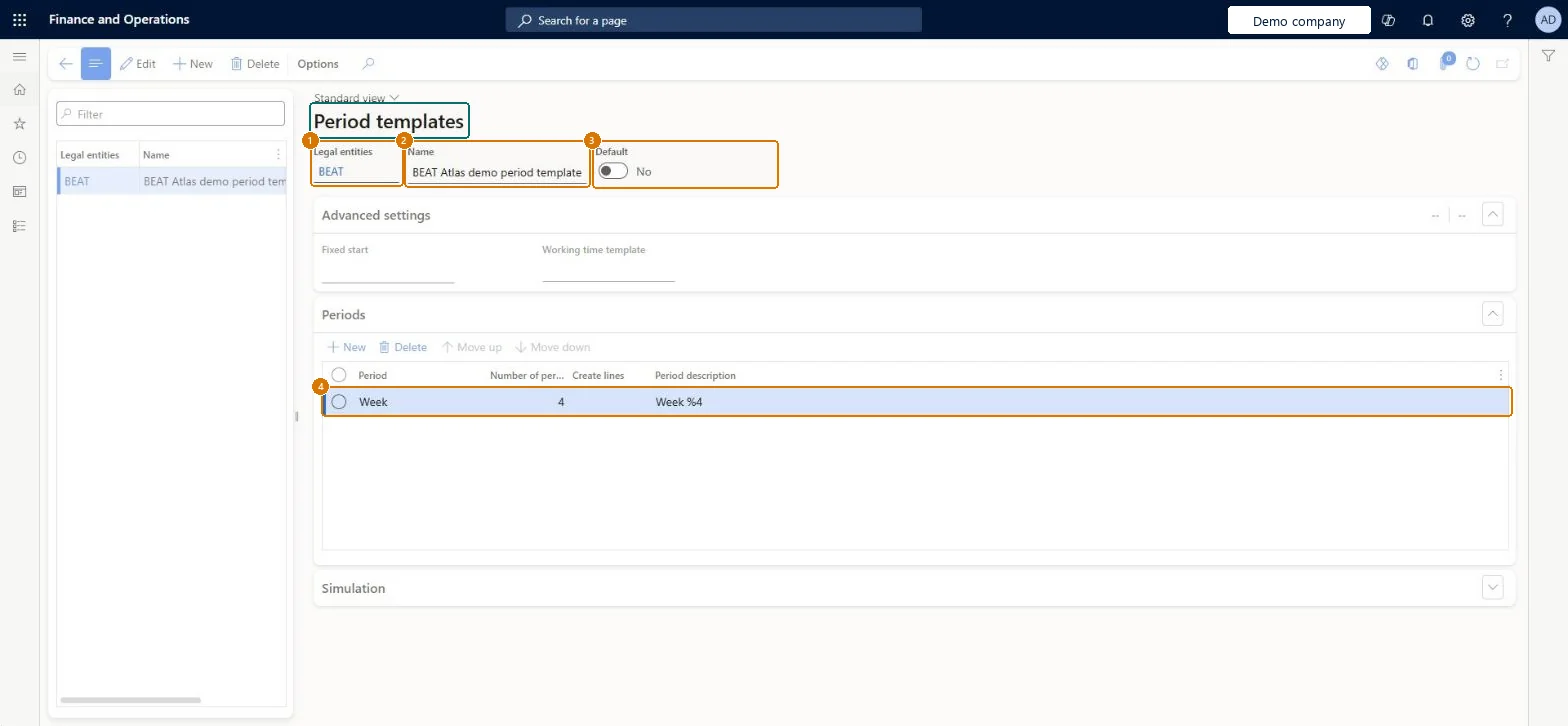
1Legal entities
BEAT
2Name
Four-week period template
3Default
No
4Period description
Week %4
Period
Week
Number of periods
4
Show the full screen page title tab to open what to set or check
How to use it
Go to Organization administration > Setup > Calendars > Period templates.
Select New to create a period template, or select a template in the list and select Edit.
Enter the Legal entities and Name, and turn Default on or off.
Under Advanced settings, enter the Fixed start and Working time template.
Expand the Periods and Simulation sections to maintain them.
Source: Checked in Dynamics 365
Fields on the page
Field
What it means
Example
Table column
Legal entities
DataArea
Name
The name of the period template.Checked in Dynamics 365
WorkPeriodTemplateShown as “Period templates” in Record infoKey field: LegalEntity, LegalEntity_DataArea, Name, LegalEntityDefaultChecked in Dynamics 365
To set it up or change itProduction manager ProdProductionManagerProject manager ProjProjectManagerProcess engineer RouteProcessEngineerProduction supervisor ProdProductionSupervisorMaterials manager InventMaterialsManagerTo use itResource manager ProjResourceManagerGive people one of these roles. On this system, 6 roles can open this page.Checked in Dynamics 365
Actions on the page
Options: Personalize, Page options, ShareChecked in Dynamics 365
WorkPeriodTemplateEntity (Period templates): shared by all companies, in Microsoft's default template 430 - Master planning.Load order: Microsoft's default template 430 - Master planning loads Period templates at execution unit 1, level 30, sequence 20. Lower levels load first, and entities at the same level load in sequence order.Load first: the default templates at lower levels (System setup to General ledger)Microsoft Learn
Checked in a working Dynamics 365 system, version 10.0.49: the menu item, form, table and security, the page, the demo records and the values in the screenshots.