About the examples: Examples and screenshots in this guide use BEAT, a demo company in a Dynamics 365 test environment. Use your own company's codes and values instead of copying them.
Step by step, with screenshots
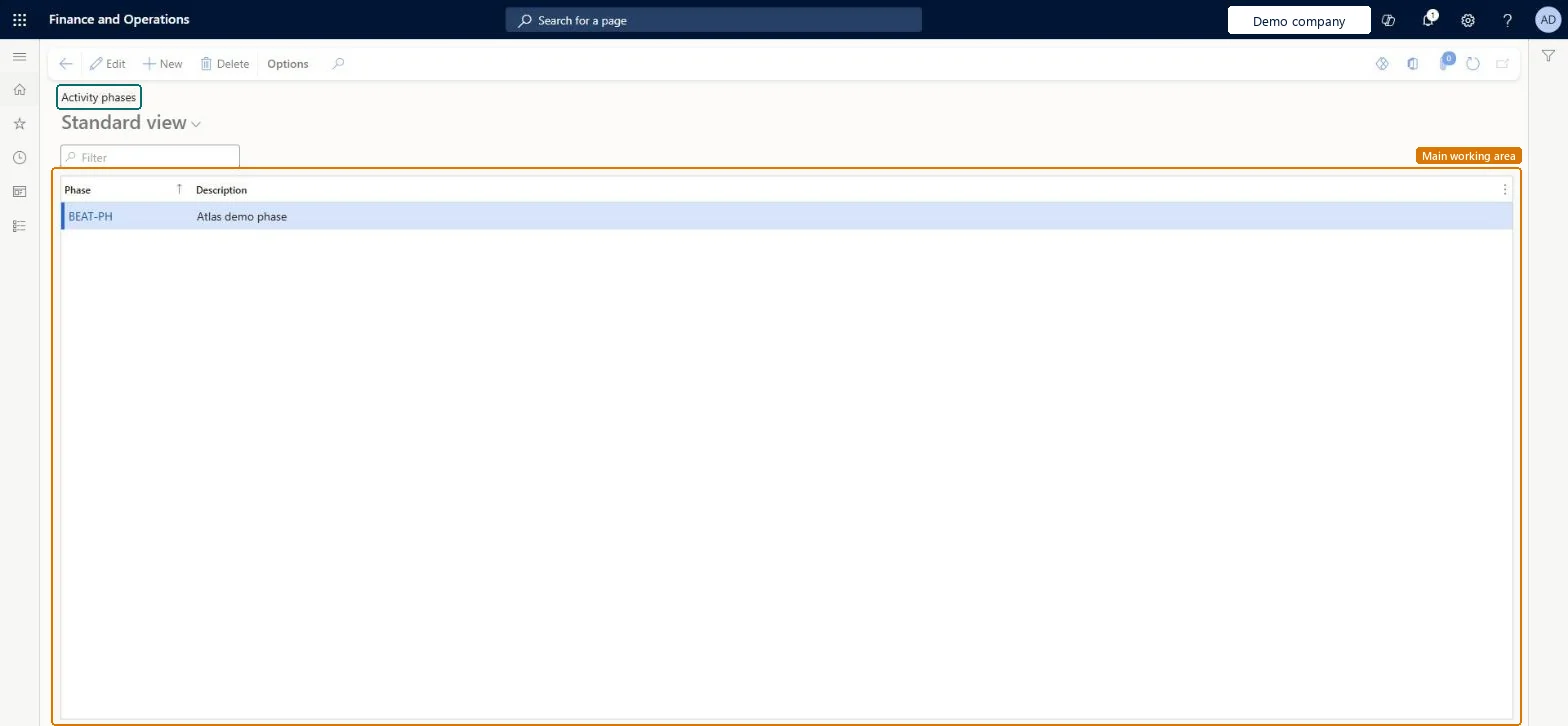
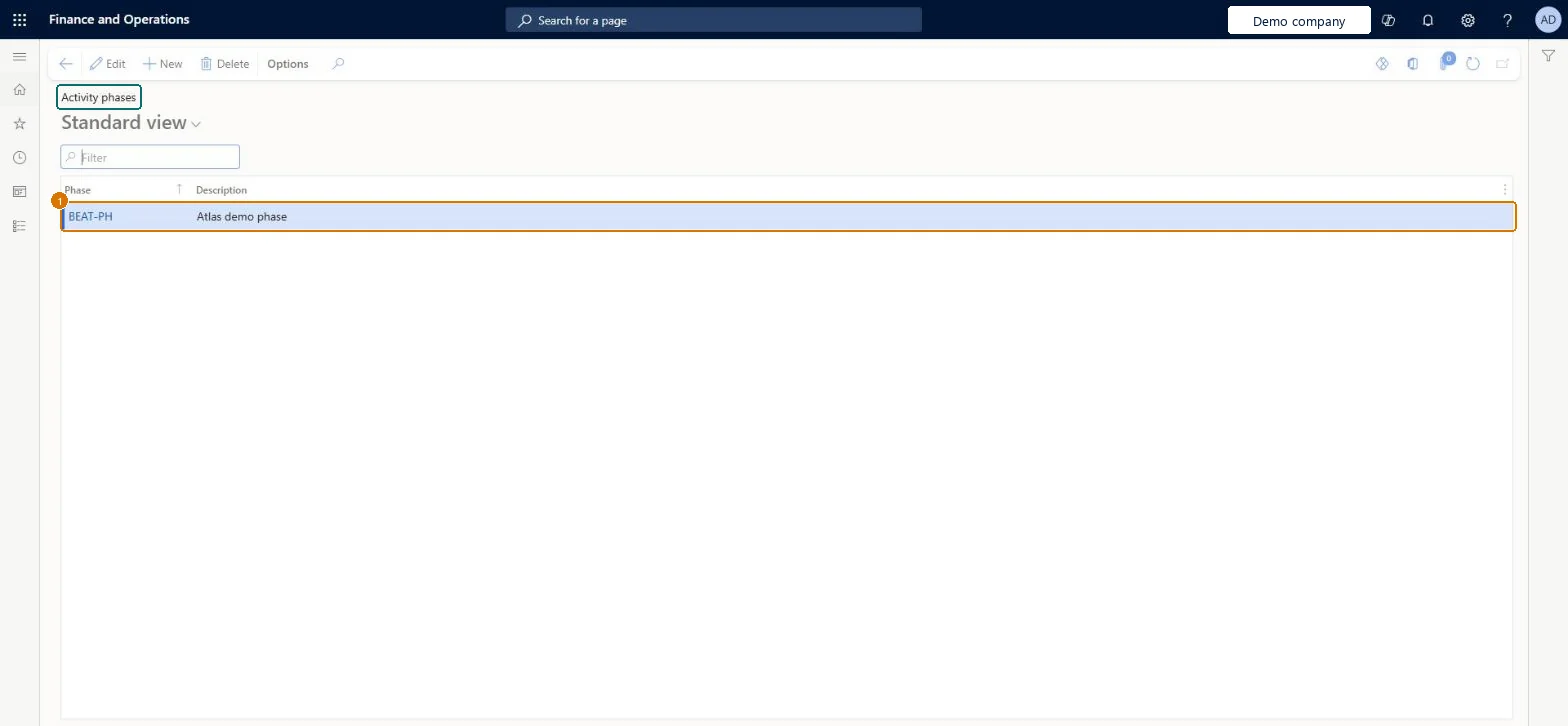
Set up Activity phases1 screen
Screen 1
Create an activity phase
Go to Organization administration > Setup > Activities > Activity phases
Select New
Enter the phase and its description
Select Save
1Phase
BEAT-PH
Description
Phase
Show the full screen page title tab to open what to set or check
How to use it
Go to Organization administration > Setup > Activities > Activity phases.
Select New to add a phase.
Enter the Phase code and a Description.
Select Edit to change an existing line, or Delete to remove one.
Source: Checked in Dynamics 365
Fields on the page
Field
What it means
Example
Table column
Phase
PROPOSAL
PhaseId
Description
A short description of the phase.Checked in Dynamics 365
Phase
Description
Technical architect
4Technical
Menu item
smmActivityPhaseGroupChecked in Dynamics 365
Form
smmActivityPhaseGroupChecked in Dynamics 365
Table
smmActivityPhaseGroupShown as “Phase for quotation” in Record infoChecked in Dynamics 365
Who can open it
PrivilegesMaintain activity phases smmActivityPhaseGroupMaintainView activity phases smmActivityPhaseGroupViewDutiesEnable activity process smmActivityProcessEnableInquire into activity reference data smmActivityReferenceDataInquire5 security rolesCollections manager CollectionLetterCollectionsManagerMarketing manager CRMMarketingManagerInformation technology manager SysServerITManagerCustomer service manager TradeCustomerServiceManagerSales manager TradeSalesManagerChecked in Dynamics 365
Roles to set it up and use it
To set it up or change itInformation technology manager SysServerITManagerSales manager TradeSalesManagerCustomer service manager TradeCustomerServiceManagerMarketing manager CRMMarketingManagerTo use itCollections manager CollectionLetterCollectionsManagerGive people one of these roles. On this system, 5 roles can open this page.Checked in Dynamics 365
Actions on the page
Options: Personalize, Page options, ShareChecked in Dynamics 365
Checked in a working Dynamics 365 system, version 10.0.49: the menu item, form, table and security, the page, the demo records and the values in the screenshots.