PAGE GUIDEWhat the page does and how to use it6 sections. Choose a role to highlight what matters to you.
Everyone
1What it is and why
What it is
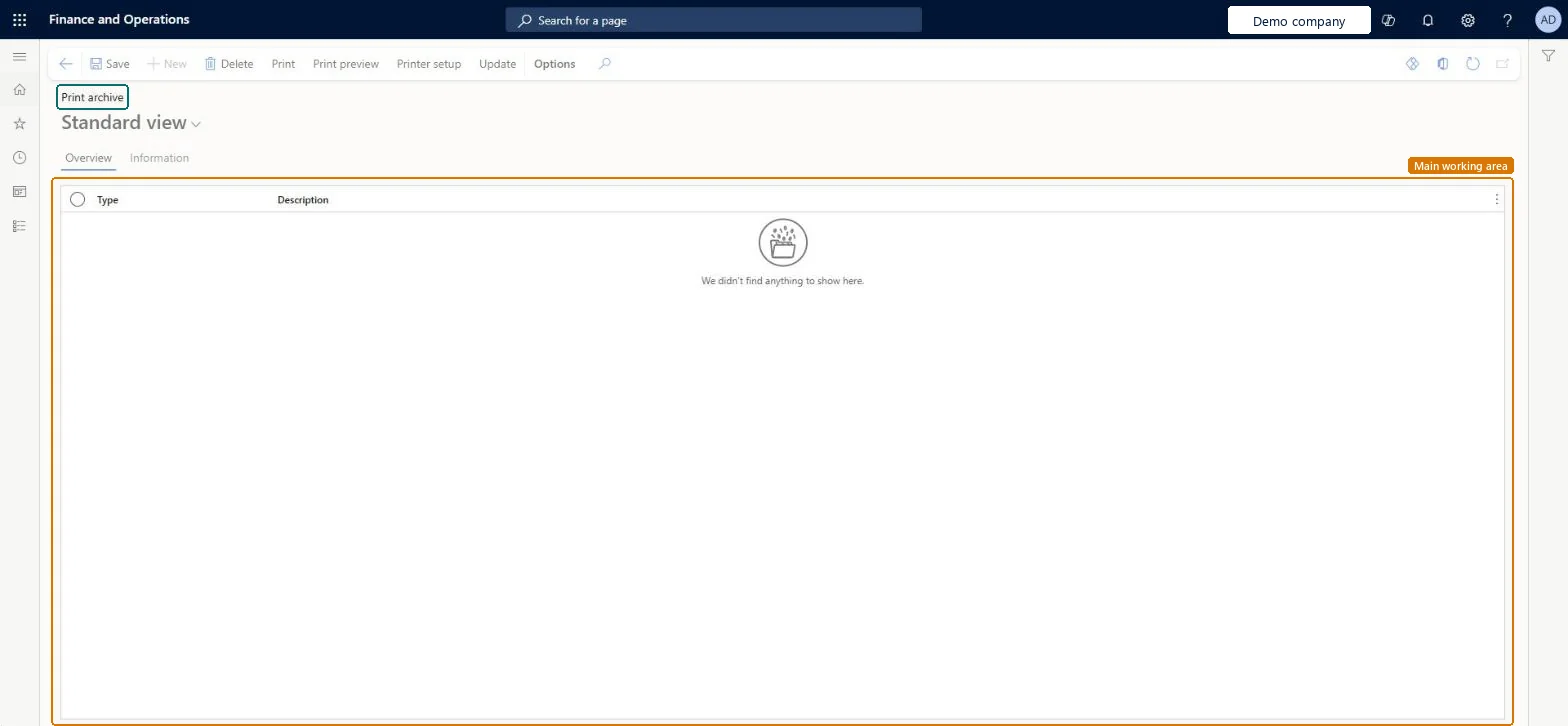
An inquiry page that lists print jobs kept in the print archive, with a Type and a Description for each.
What you do here
Use this page to review the archived print jobs and to print, preview or set up the printer for a selected job. It has an Overview tab and an Information tab.
The page in Dynamics 365. page title tab to open what to set or check
Organization administration › Inquiries and reports › Print archive
End user · Functional consultant
3How to do it
About the examples: Examples and screenshots in this guide use BEAT, a demo company in a Dynamics 365 test environment. Use your own company's codes and values instead of copying them.
How to use it
Go to Organization administration > Inquiries and reports > Print archive.
On the Overview tab, review the Type and Description of each archived print job.
Open the Information tab to see more about the selected job.
Select a job, then select Print, Print preview or Printer setup.
Select Update to refresh the list, or Delete to remove a selected job.
Source: Checked in Dynamics 365
Technical architect
4Technical
Menu item
SysPrintArchiveAllChecked in Dynamics 365
Form
SysPrintArchiveChecked in Dynamics 365
Table
PrintJobHeaderShown as “Print job information (job-level)” in Record infoChecked in Dynamics 365
Who can open it
PrivilegesMaintain the printouts in the print archive for all users SysPrintArchiveAllMaintainChecked in Dynamics 365
Roles to set it up and use it
To set it up or change itMaintain the printouts in the print archive for all users SysPrintArchiveAllMaintainGive people a role that holds these privileges. On this system, 0 roles give access to this page.Checked in Dynamics 365
Actions on the page
Options: Personalize, Page options, Edit, ShareChecked in Dynamics 365
Developer
5Developer
Open it by URL
https://<your-environment>/?mi=SysPrintArchiveAll
Everyone
6Sources
Checked in a working Dynamics 365 system, version 10.0.49: the menu item, form, table and security, the page.