About the examples: Examples and screenshots in this guide use BEAT, a demo company in a Dynamics 365 test environment. Use your own company's codes and values instead of copying them.
Steps from Microsoft
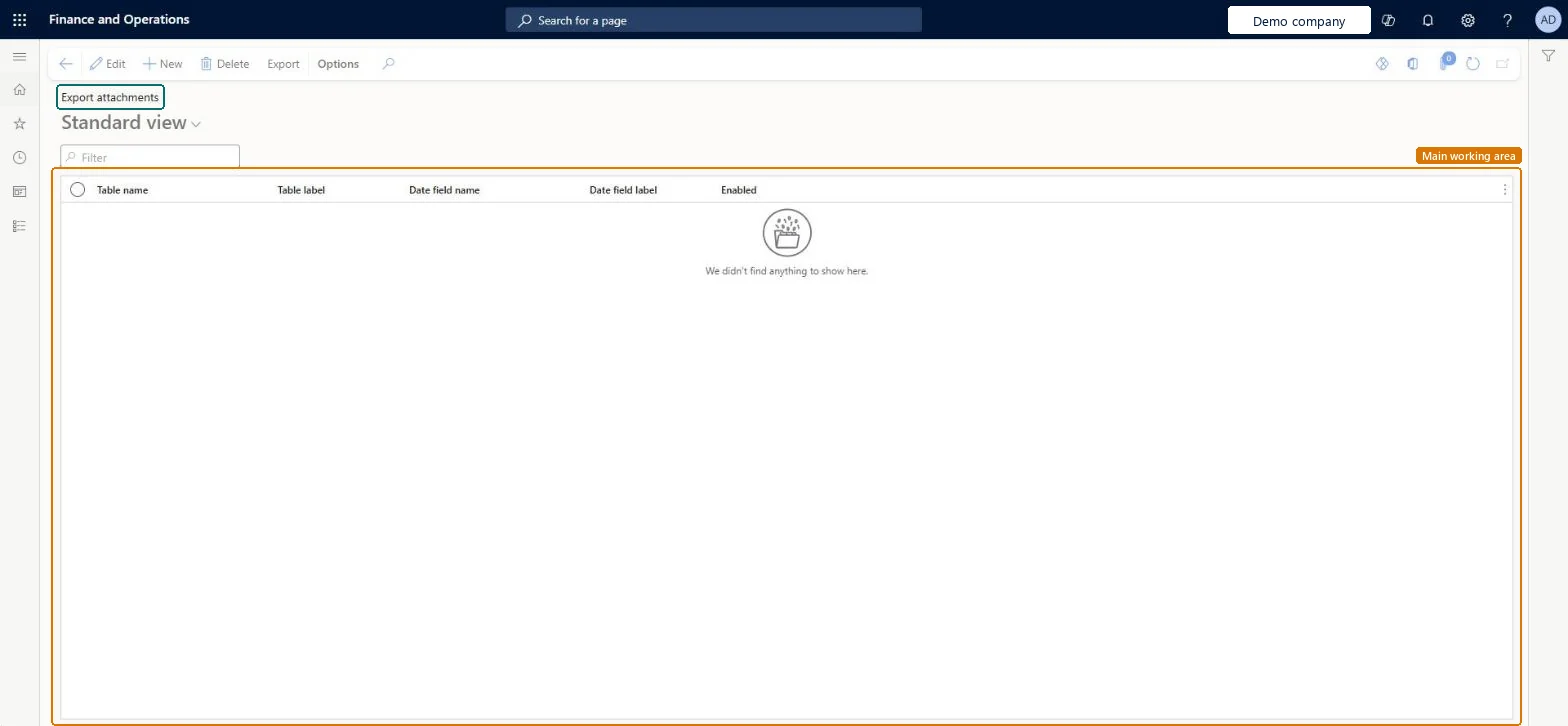
Go to Organization administration > Document management > Export attachments.
Select New and choose a table to export attachments for; repeat for each table.
For each table, choose the Date field name and select Enabled.
Select Export to open the Export attachments dialog box.
Enter the From date and To date of the period.
Choose the File type, Compression level and Maximum file size in megabytes.
Set Include metadata to Yes to also export notes, URLs and file metadata.
On the Run in the background FastTab, set Batch processing to Yes and fill in the batch settings.
The document type used to create the archive of exported attachments.Microsoft Learn
Compression level
How much the archive is compressed: fastest, none or optimal.Microsoft Learn
Maximum file size in megabytes
The size limit for each archive file in this run.Microsoft Learn
Include metadata
When set to Yes, notes, URLs and file metadata are exported too, as JSON files.Microsoft Learn
Test checklist
Add a row for CustInvoiceJour with Date field name InvoiceDate and select Enabled.
Select Export, set From date and To date to a month that has invoice attachments, File type File, Compression level Optimal, Include metadata Yes, and run it in batch.
When the batch job ends, open the attachments for the table and check for a zip named in the format LE_TableName_DateFieldName_Period_SeqNum.zip.
Open the zip and check that files are named RecID_AttachmentName_AttachmentDate_SeqNum and that Note and URL attachments appear as JSON metadata files.
Run it again with a low Maximum file size in megabytes and check that the archive is split into several files.
Reversible: The table list only controls what the next export job picks up. Clear Enabled or delete a row to leave a table out of the next run. The job doesn't change or remove the original attachments; it adds zip archives as attachments for each enabled table, so delete those archives if you don't want to keep them. Microsoft Learn
Technical architect
5Technical
Menu item
DocuExportAttachmentsFormChecked in Dynamics 365
Form
DocuExportAttachmentsFormChecked in Dynamics 365
Table
DocuExportAttachmentsTableShown as “Export attachments” in Record infoChecked in Dynamics 365
Actions on the page
Options: Personalize, Page options, ShareChecked in Dynamics 365