BeyondERP.Newsletter
Menu

Setup page · Organization administration

Document content types

A setup page where you create content types that describe what unattached documents contain, such as purchase orders, invoices or expense reports.

Used by
Electronic reporting developer, Electronic reporting functional consultant, Production manager and 1 more role
Business process
Administer system features
Menu item
ContentTypeList
Main table
ContentType
Setup steps
1 on this page
Show what matters for
PAGE GUIDEWhat the page does and how to use it7 sections. Choose a role to highlight what matters to you.
Everyone

1What it is and why

What it isA setup page where you create content types that describe what unattached documents contain, such as purchase orders, invoices or expense reports.
What you do hereUse this page to label unattached documents so that workflow can route each one to the right user or work item queue.
ExampleFor example, you can create content types for purchase orders, invoices and expense reports.
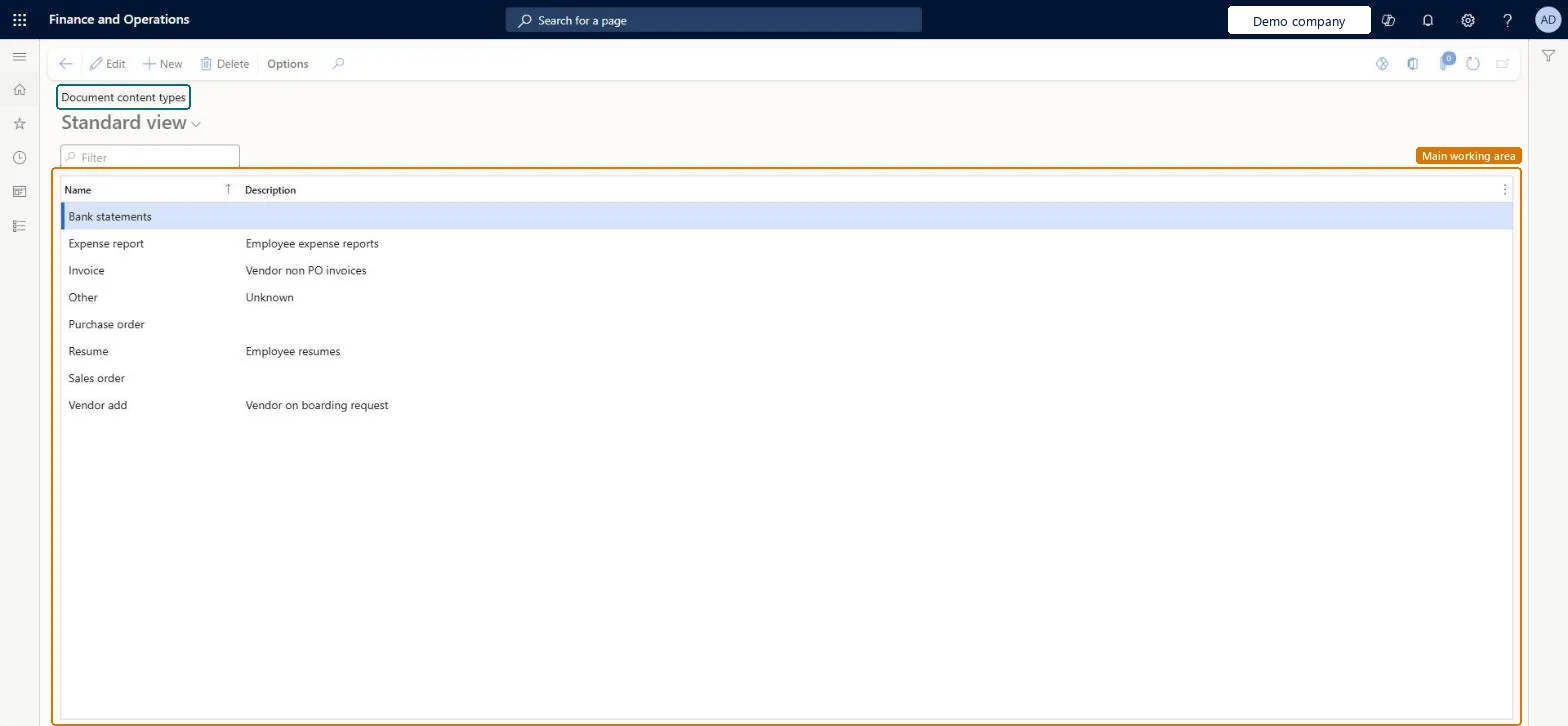
Document content types page in Dynamics 365
The page in Dynamics 365. page title tab to open what to set or check
Functional consultant · Solution architect

2Where it fits

Business processAdminister system features
Menu pathOrganization administration › Document management › Document content types
Used next byOrganization workflows Microsoft Learn
End user · Functional consultant

3How to do it

About the examples: Examples and screenshots in this guide use BEAT, a demo company in a Dynamics 365 test environment. Use your own company's codes and values instead of copying them.

Step by step, with screenshots

Set up Document content types1 screen

Use this page to label unattached documents so that workflow can route each one to the right user or work item queue.

  1. Screen 1

    Check the document content types

    Go to Organization administration > Document management > Document content types

    1. Review the content types in the list
    2. Select New to add one with its name and description, and select Save
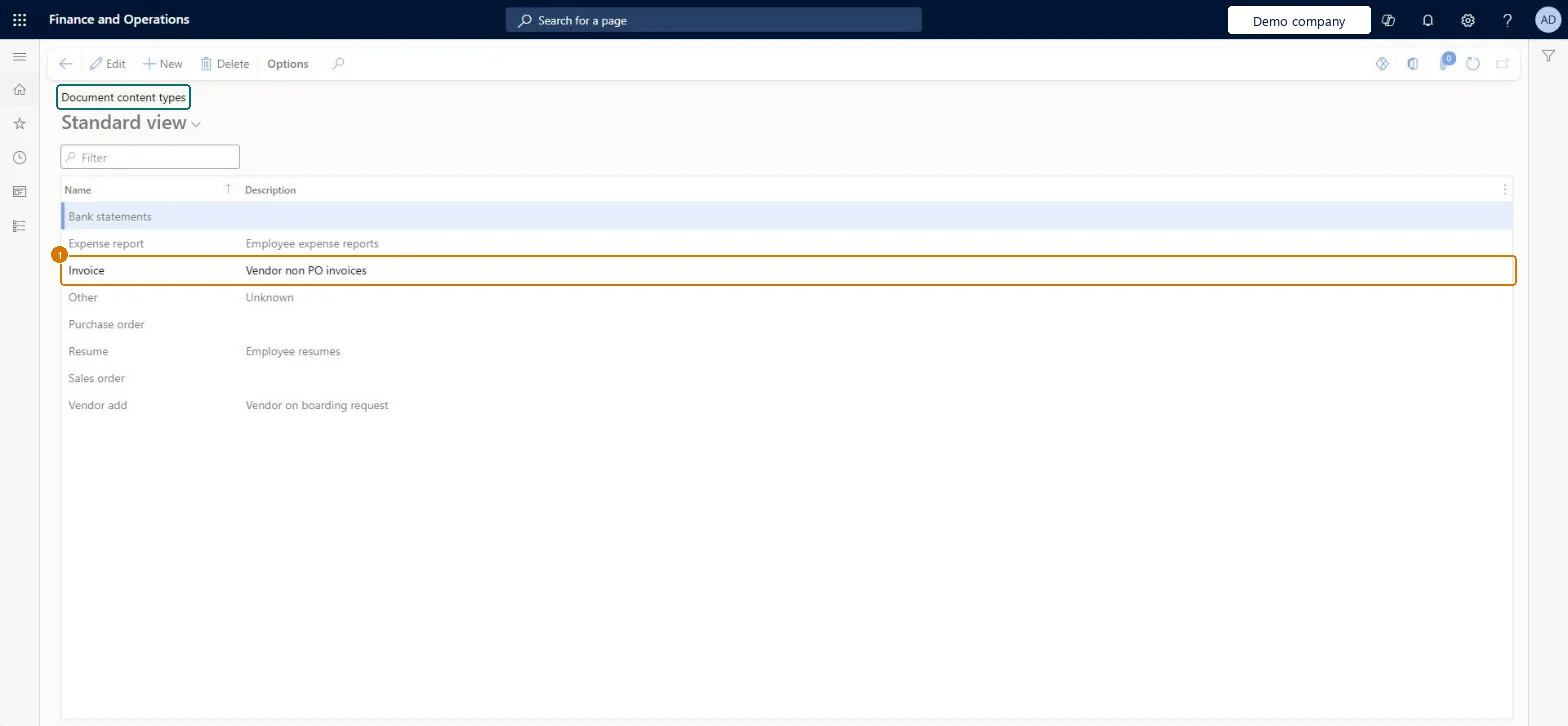
    1NameInvoice
    DescriptionVendor non PO invoices
    Check the document content types (zoomed on the outlined fields)
    Show the full screenCheck the document content types
    page title tab to open what to set or check

Steps from Microsoft

  1. Go to Organization administration > Document management > Document content types.
  2. Enter a name for the content type.
  3. Enter a description for the content type.

Source: Microsoft Learn

Fields on the page

FieldWhat it meansExampleTable column
DescriptionA description that is shown only on this page.Microsoft Learn Vendor non PO invoicesDescription
NameThe name of the content type.Checked in Dynamics 365InvoiceName
Solution architect

4Design impact

Shared or per companyShared: the same records are used by every legal entity. Microsoft data model
Technical architect

5Technical

Menu itemContentTypeList Checked in Dynamics 365
FormContentTypeList Checked in Dynamics 365
TableContentTypeShown as “Content types” in Record infoChecked in Dynamics 365
Who can open itPrivilegesMaintain document handling DocumentHandlingMaintain ERDocumentHandlingReadDuties ERParametersMaintainMaintain indirect activity costs master JmgIndirectActivityCostMasterMaintainMaintain system settings SysServerSettingsMaintain
4 security rolesElectronic reporting developer ERDeveloperElectronic reporting functional consultant ERFunctionalConsultantProduction manager ProdProductionManagerInformation technology manager SysServerITManager
Checked in Dynamics 365
Roles to set it up and use itTo set it up or change itInformation technology manager SysServerITManagerProduction manager ProdProductionManagerTo use itElectronic reporting functional consultant ERFunctionalConsultantElectronic reporting developer ERDeveloperGive people one of these roles. On this system, 4 roles can open this page.Checked in Dynamics 365
Actions on the pageOptions: Personalize, Page options, ShareChecked in Dynamics 365
Developer

6Developer

Open it by URLhttps://<your-environment>/?mi=ContentTypeList
Table definitionContentType columns and relations Microsoft data model
Everyone

7Sources