About the examples: Examples and screenshots in this guide use BEAT, a demo company in a Dynamics 365 test environment. Use your own company's codes and values instead of copying them.
Setup steps on this page
Set up Continuity plans
How to use it
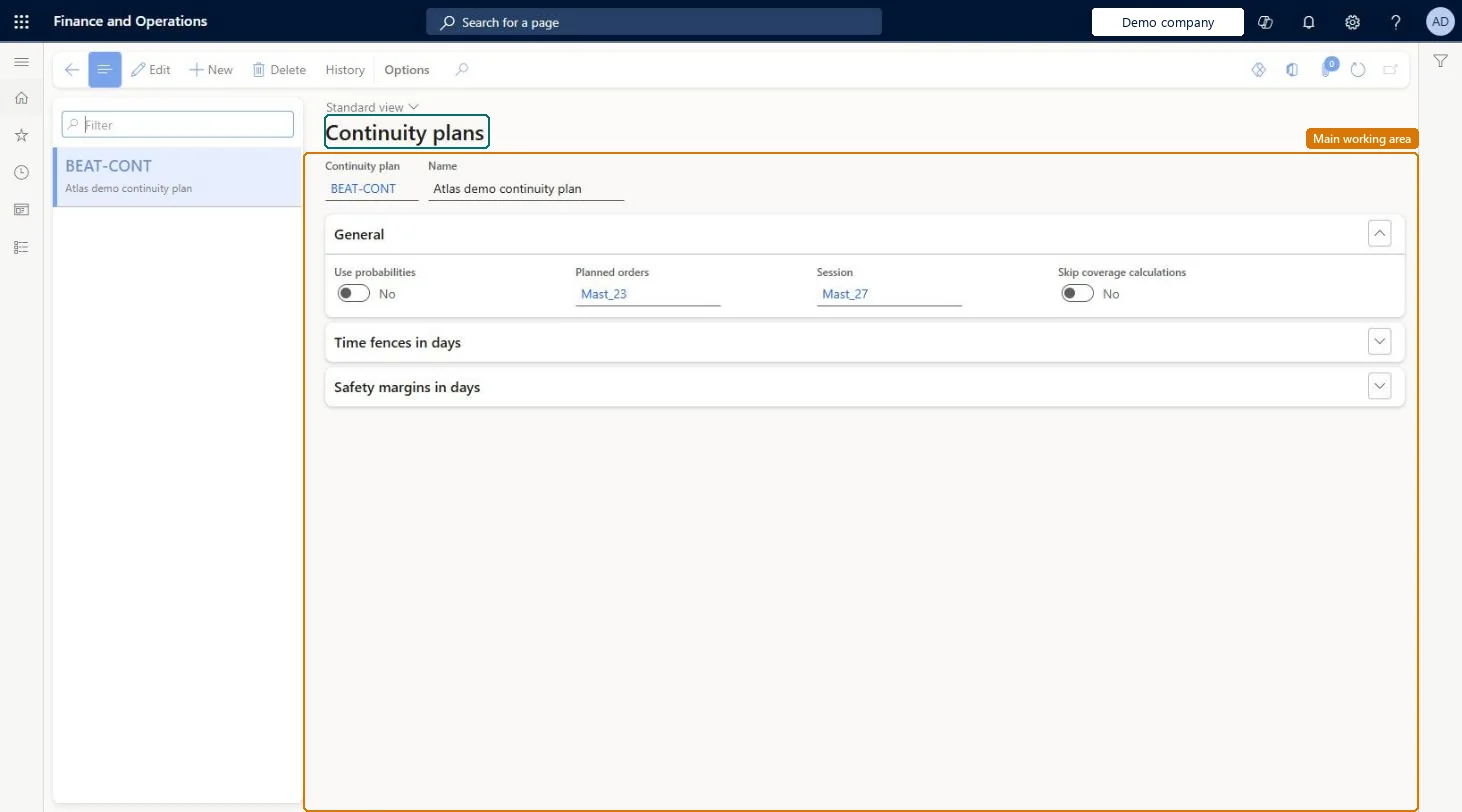
Go to Master planning > Setup > Plans > Continuity plans.
Select New.
Enter the Continuity plan and its Name.
On the General FastTab, set Use probabilities and Skip coverage calculations, and check the Planned orders and Session number sequences.
Expand Time fences in days and Safety margins in days to set them.
Maintaining continuity plans in a Planning Optimization environment. Planning Optimization doesn't support the Include continuity plan, Continuity plan and continuity plan time fence settings on the Master plans page.
Solution architect
5Design impact
Can it be undone
Reversible: Continuity plan settings are not used by Planning Optimization, so they can be changed or removed without affecting planning results. Microsoft Learn
Technical architect
6Technical
Menu item
MCRReqPlanContinuityChecked in Dynamics 365
Form
MCRReqPlanContinuityChecked in Dynamics 365
Data entities
MCRReqPlanContinuityEntityContinuity plan setup Checked in Dynamics 365
Roles to set it up and use it
To set it up or change itProduction manager ProdProductionManagerGive people one of these roles. On this system, 1 role can open this page.Checked in Dynamics 365
Actions on the page
(Action Pane without tabs): HistoryChecked in Dynamics 365