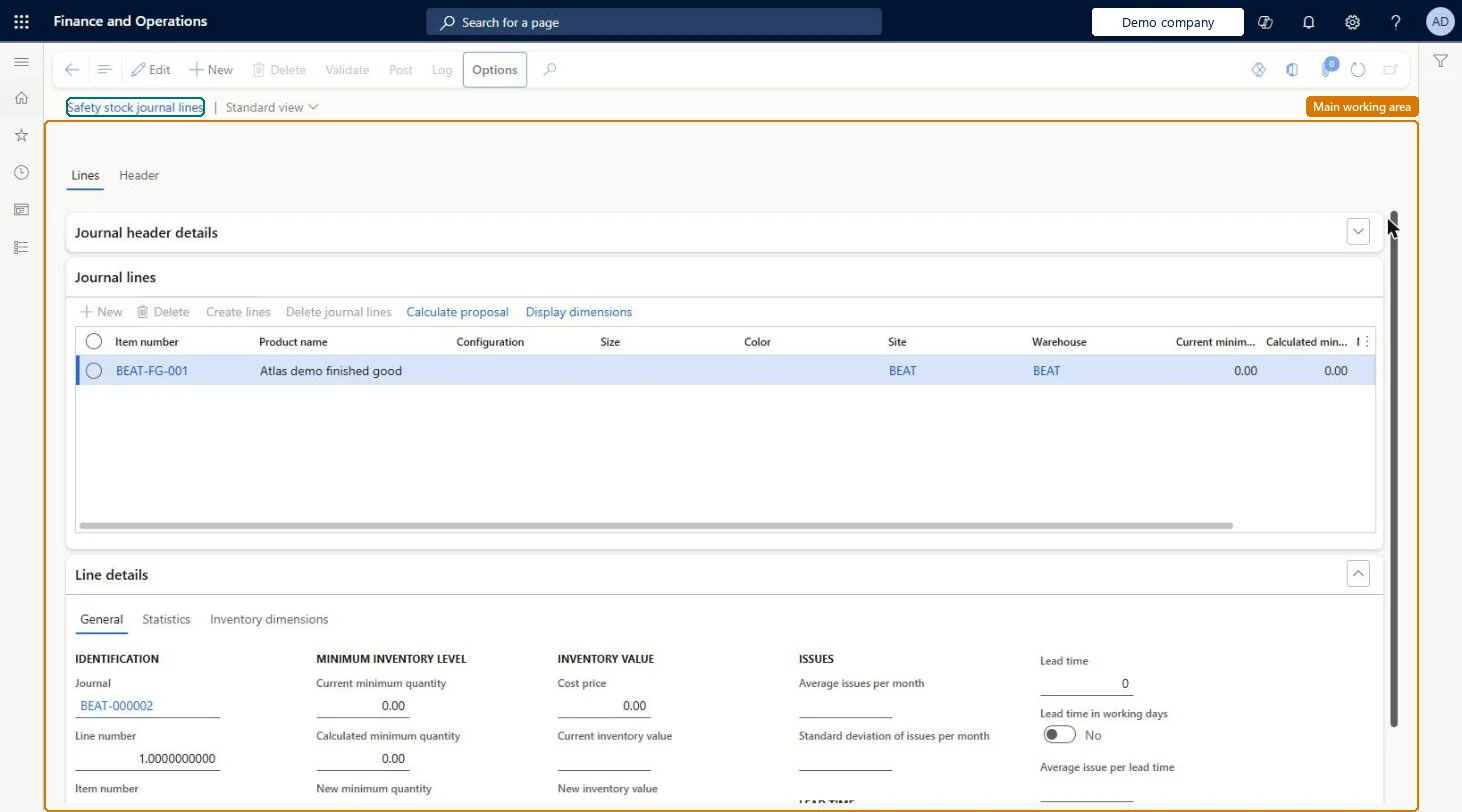
About the examples: Examples and screenshots in this guide use BEAT, a demo company in a Dynamics 365 test environment. Use your own company's codes and values instead of copying them.
Steps from Microsoft
Go to Master planning > Master planning > Run > Safety stock calculation.
On the Action Pane, select New, and then select the journal Name.
On the Journal lines FastTab, select Create lines, set the From date and To date, and select OK.
Select Calculate proposal, choose the calculation method, and select OK.
Review the Calculated minimum quantity values and edit the New minimum quantity where needed.
Calculated proposals do not change any item until the journal is posted; posting writes the New minimum quantity values to item coverage. Microsoft Learn
Technical architect
5Technical
Menu item
ReqItemJournalTableSafetyStockChecked in Dynamics 365
Form
ReqItemJournalSafetyStockChecked in Dynamics 365
Table
ReqItemJournalTableShown as “ITEM COVERAGE JOURNAL TABLE” in Record infoChecked in Dynamics 365
To set it up or change itProduction planner ReqProductionPlannerProduction manager ProdProductionManagerMaterials manager InventMaterialsManagerTo use itChief executive officer CompanyChiefExecutiveOfficerWarehouse manager WMSWarehouseManagerGive people one of these roles. On this system, 5 roles can open this page.Checked in Dynamics 365
Actions on the page
(Action Pane without tabs): Validate, Post, LogChecked in Dynamics 365