BeyondERP.Newsletter
Menu

Inquiry page · Master planning

Capacity requirement statistics

An inquiry page that shows the capacity requirements of a master plan or forecast plan, arranged by resource.

Used by
Production manager, Production supervisor, Project manager and 1 more role
Business process
Plan physical capacity
Menu item
WrkCtrCapResStatistic
Main table
WrkCtrCapRes
Data entity
WrkCtrOperationsResourceCapacityReservationEntity
Show what matters for
PAGE GUIDEWhat the page does and how to use it7 sections. Choose a role to highlight what matters to you.
Everyone

1What it is and why

What it isAn inquiry page that shows the capacity requirements of a master plan or forecast plan, arranged by resource.
What you do hereUse this page to see how much resource capacity a plan needs over a period, to decide whether to expand or reduce the capacity of your resources.
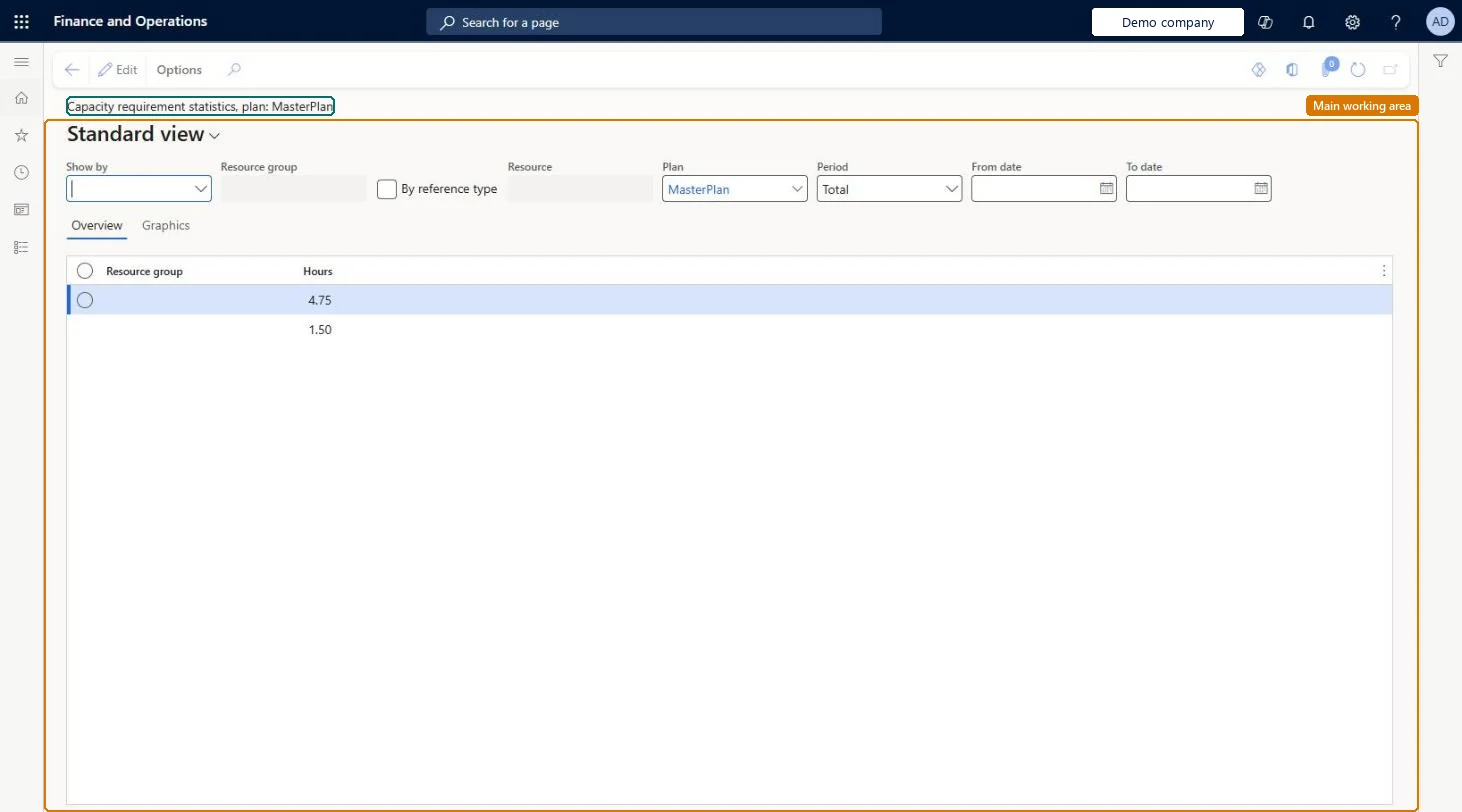
Capacity requirement statistics page in Dynamics 365
The page in Dynamics 365. page title tab to open what to set or check
Functional consultant · Solution architect

2Where it fits

Business processConduct sales and operations planning › Plan physical capacity
Menu pathMaster planning › Inquiries and reports › Master planning › Capacity requirement statistics
End user · Functional consultant

3How to do it

About the examples: Examples and screenshots in this guide use BEAT, a demo company in a Dynamics 365 test environment. Use your own company's codes and values instead of copying them.

How to use it

  1. Go to Master planning > Inquiries and reports > Master planning > Capacity requirement statistics.
  2. In Plan, select the plan, such as MasterPlan.
  3. Use Show by to total the hours by resource group or resource, and select By reference type to split them.
  4. Choose the Period and enter the From date and To date.
  5. Review the Resource group and Hours columns on the Overview tab, or open the Graphics tab for a chart.

Source: Checked in Dynamics 365

Fields on the page

FieldWhat it means
PlansThe master plan or forecast plan to view statistics for.Microsoft Learn
Show byFilters the requirements to one resource or resource group; leave blank to see all.Microsoft Learn
From date / To dateThe period to view capacity requirements for.Microsoft Learn
PeriodThe period that the statistics are totalled by.Microsoft Learn
By reference typeShows the type of source order that created each capacity requirement.Microsoft Learn
GraphicsA tab that shows the capacity requirements as a chart.Microsoft Learn
Solution architect

4Design impact

Shared or per companyPer company: each legal entity has its own records. Microsoft data model
Technical architect

5Technical

Menu itemWrkCtrCapResStatistic Checked in Dynamics 365
FormWrkCtrCapResStatistic Checked in Dynamics 365
TableWrkCtrCapResShown as “CAPACITY RESERVATIONS” in Record infoChecked in Dynamics 365
Data entitiesWrkCtrOperationsResourceCapacityReservationEntityOperations resource capacity reservations Microsoft data model
Who can open itPrivilegesView capacity requirement statistics WrkCtrCapResStatisticViewDutiesInquire into resource capacity WrkCtrResourceCapacityStatusInquire
4 security rolesProduction manager ProdProductionManagerProduction supervisor ProdProductionSupervisorProject manager ProjProjectManagerProduction planner ReqProductionPlanner
Checked in Dynamics 365
Roles to set it up and use itTo use itProduction planner ReqProductionPlannerProduction manager ProdProductionManagerProduction supervisor ProdProductionSupervisorProject manager ProjProjectManagerGive people one of these roles. On this system, 4 roles can open this page.Checked in Dynamics 365
Developer

6Developer

Open it by URLhttps://<your-environment>/?mi=WrkCtrCapResStatistic
Integrate withWrkCtrOperationsResourceCapacityReservationEntity data entity Microsoft data model
Table definitionWrkCtrCapRes columns and relations Microsoft data model
Everyone

7Sources