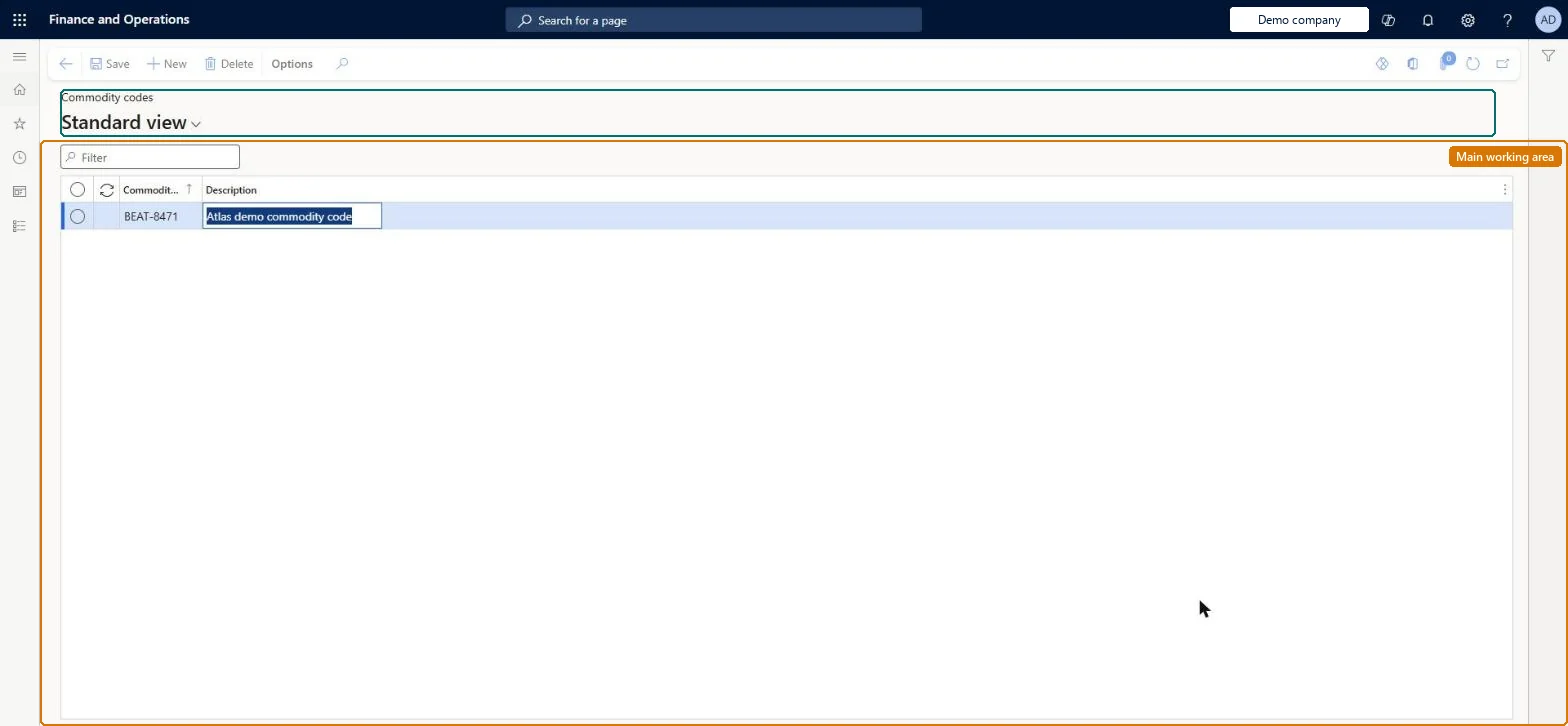
About the examples: Examples and screenshots in this guide use BEAT, a demo company in a Dynamics 365 test environment. Use your own company's codes and values instead of copying them.
Setup steps on this page
Set up Commodity codes
Use this page to create the commodity codes that you then assign to released products and use in reporting.
How to use it
Go to Landed cost > Shipping information setup > Commodity codes.
Use the Filter box to find a code.
Select New and enter the Commodity code and its Description.
Select Save, or select a code and choose Delete to remove it.
Reversible: Commodity codes are reference values on released products used for customs identification and reporting, so they can be maintained at any time. Microsoft Learn
Technical architect
5Technical
Menu item
ITMCommodityCodeTableChecked in Dynamics 365
Form
ITMCommodityCodeTableChecked in Dynamics 365
Table
ITMCommodityCodeTableShown as “COMMODITY CODES” in Record infoKey field: CommodityCodeIdChecked in Dynamics 365
Data entities
ITMVoyageCommodityCodeEntityCommodity codes Checked in Dynamics 365
To set it up or change itLanded cost manager ITMManagerGive people one of these roles. On this system, 1 role can open this page.Checked in Dynamics 365