- Used by
- Landed cost manager
- Business process
- Manage freight and transportation
- Menu item
ITMArrivalGroupTable- Main table
ITMArrivalGroupTable- Data entity
ITMVoyageArrivalGroupEntity- Setup steps
- 1 on this page
PAGE GUIDEWhat the page does and how to use it6 sections. Choose a role to highlight what matters to you.
Everyone1What it is and why
Functional consultant · Solution architect2Where it fits
| Business process | Manage freight and transportation |
|---|---|
| Menu path | Landed cost › Setup › Arrival groups |
End user · Functional consultant3How to do it
About the examples: Examples and screenshots in this guide use BEAT, a demo company in a Dynamics 365 test environment. Use your own company's codes and values instead of copying them.
Setup steps on this page
Set up Arrival groups
How to use it
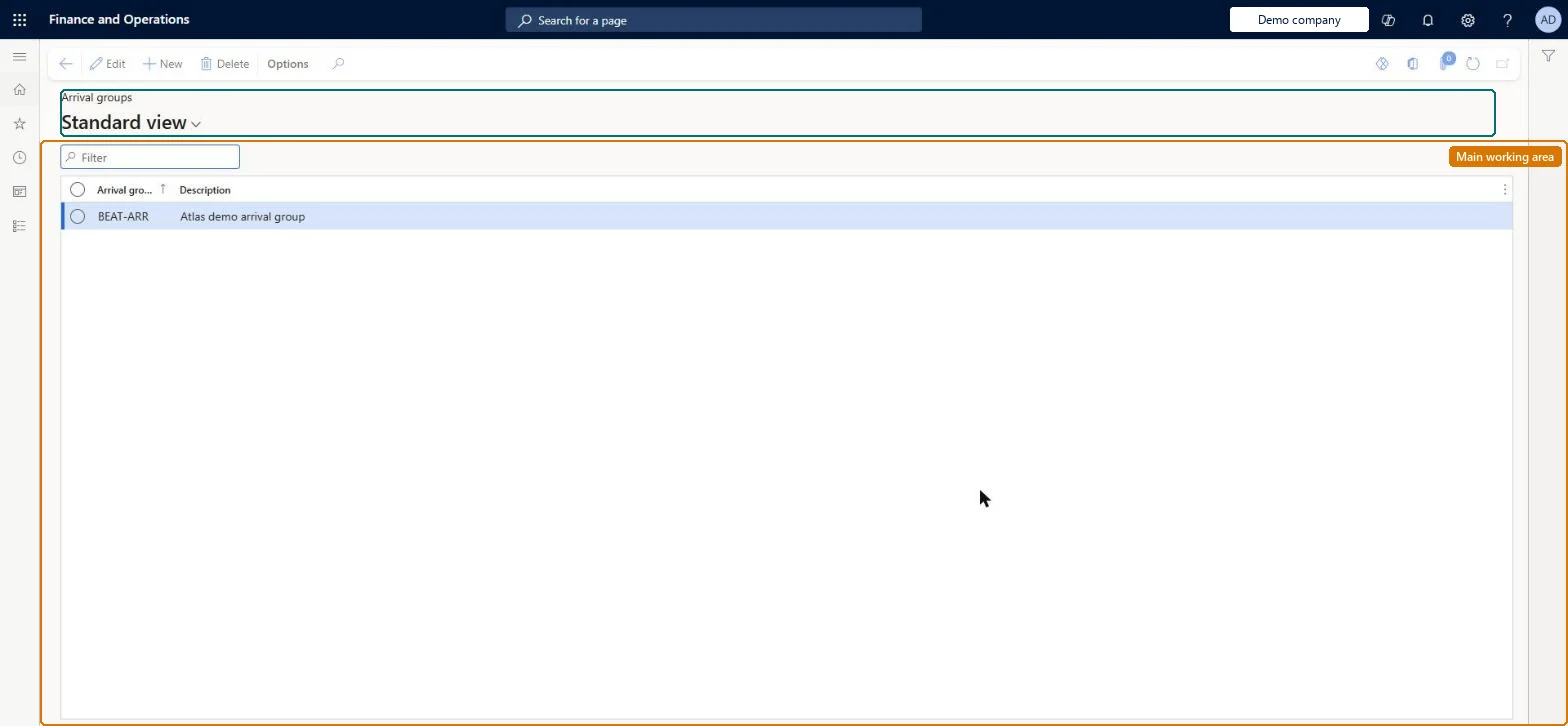
- Go to Landed cost > Setup > Arrival groups.
- Use the Filter box to find an arrival group.
- Select New and enter the Arrival group and a Description.
- Select Edit to change a selected group, or Delete to remove it.
Source: Checked in Dynamics 365
Technical architect4Technical
| Menu item | ITMArrivalGroupTable Checked in Dynamics 365 |
|---|---|
| Form | ITMArrivalGroupTable Checked in Dynamics 365 |
| Table | ITMArrivalGroupTableShown as “ARRIVAL GROUPS” in Record infoKey field: GroupIdChecked in Dynamics 365 |
| Data entities | ITMVoyageArrivalGroupEntityArrival groups Checked in Dynamics 365 |
| Who can open it | PrivilegesMaintain arrival groups ITMArrivalGroupTableMaintainDutiesMaintain Landed cost setup ITMSetupMaintain1 security roleLanded cost managerITMManager |
| Roles to set it up and use it | To set it up or change itLanded cost manager ITMManagerGive people one of these roles. On this system, 1 role can open this page.Checked in Dynamics 365 |
Developer5Developer
| Open it by URL | https://<your-environment>/?mi=ITMArrivalGroupTable |
|---|---|
| Integrate with | ITMVoyageArrivalGroupEntity data entity Checked in Dynamics 365 |
Everyone6Sources
- https://aka.ms/BusinessProcessCatalog
- Checked in a working Dynamics 365 system, version 10.0.49: the menu item, form, table and security, the page.