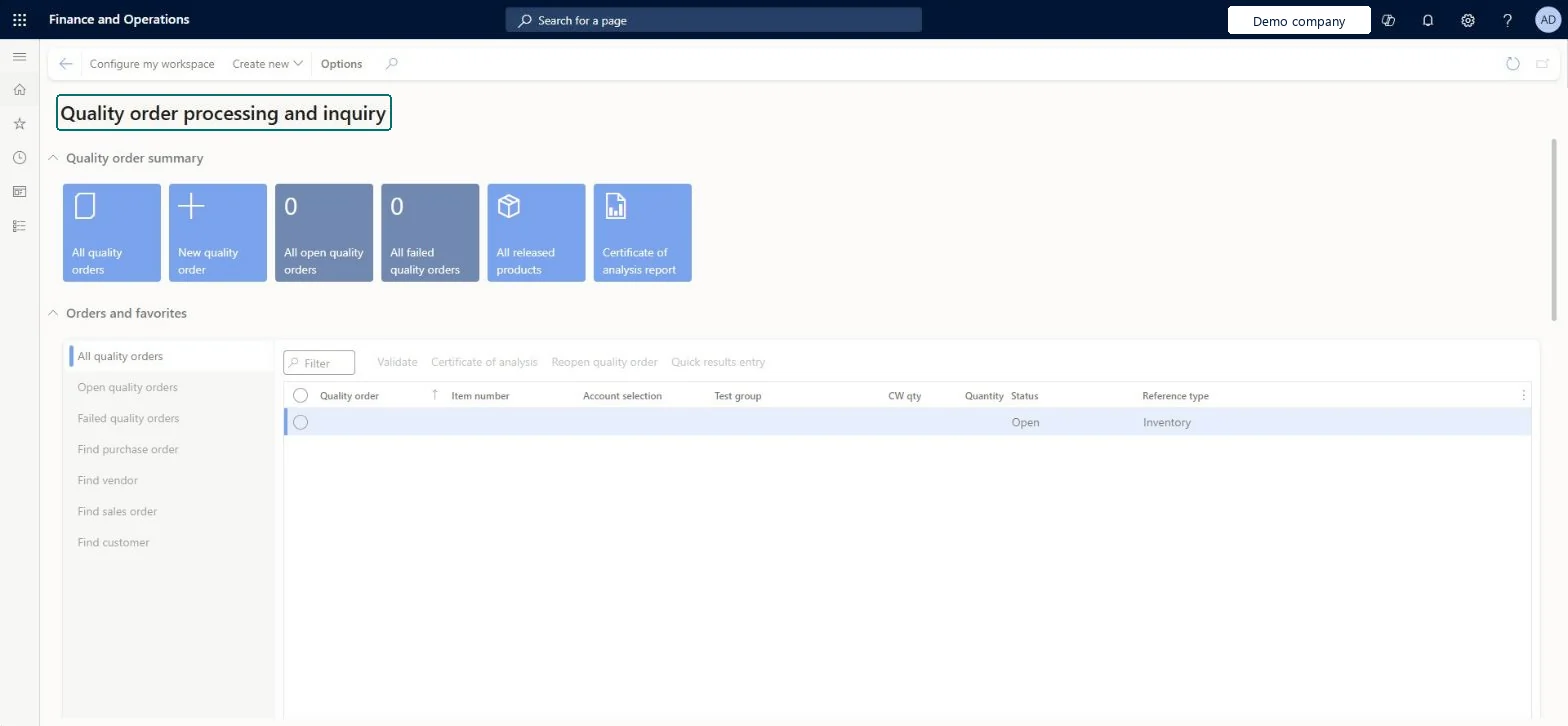
A workspace that gathers quality order work, with summary tiles for quality orders and a list of quality orders that can be filtered by purchase order, vendor, sales order or customer.
PAGE GUIDEWhat the page does and how to use it6 sections. Choose a role to highlight what matters to you.
Everyone
1What it is and why
What it is
A workspace that gathers quality order work, with summary tiles for quality orders and a list of quality orders that can be filtered by purchase order, vendor, sales order or customer.
What you do here
Use this workspace to see open and failed quality orders, create a new quality order, and open the certificate of analysis report.
The page in Dynamics 365. page title tab to open what to set or check
Inventory management › Workspaces › Quality order processing and inquiry
End user · Functional consultant
3How to do it
About the examples: Examples and screenshots in this guide use BEAT, a demo company in a Dynamics 365 test environment. Use your own company's codes and values instead of copying them.
How to use it
Go to Inventory management > Workspaces > Quality order processing and inquiry.
In the Quality order summary section, select a tile such as All quality orders, All open quality orders or All failed quality orders.
Select New quality order, or Create new on the Action Pane, to start a quality order.
In Orders and favorites, choose a list such as Open quality orders, Find purchase order, Find vendor, Find sales order or Find customer.
Select a quality order, then use Validate, Certificate of analysis, Reopen quality order or Quick results entry.
Select the Certificate of analysis report tile to open that report.
Source: Checked in Dynamics 365
Technical architect
4Technical
Menu item
QMSInventQualityWorkspaceChecked in Dynamics 365
Form
QMSInventQualityWorkspaceChecked in Dynamics 365
Who can open it
PrivilegesMaintain Quality order processing and inquiry workspace QMSInventQualityWorkspaceMaintainView Quality order processing and inquiry workspace QMSInventQualityWorkspaceViewDutiesMaintain elements of Quality order processing and inquiry workspace QMSInventQualityWorkspaceMaintain2 security rolesQuality control clerk InventQualityControlClerkQuality control manager InventQualityControlManagerChecked in Dynamics 365
Roles to set it up and use it
To set it up or change itQuality control manager InventQualityControlManagerQuality control clerk InventQualityControlClerkGive people one of these roles. On this system, 2 roles can open this page.Checked in Dynamics 365