About the examples: Examples and screenshots in this guide use BEAT, a demo company in a Dynamics 365 test environment. Use your own company's codes and values instead of copying them.
Step by step, with screenshots
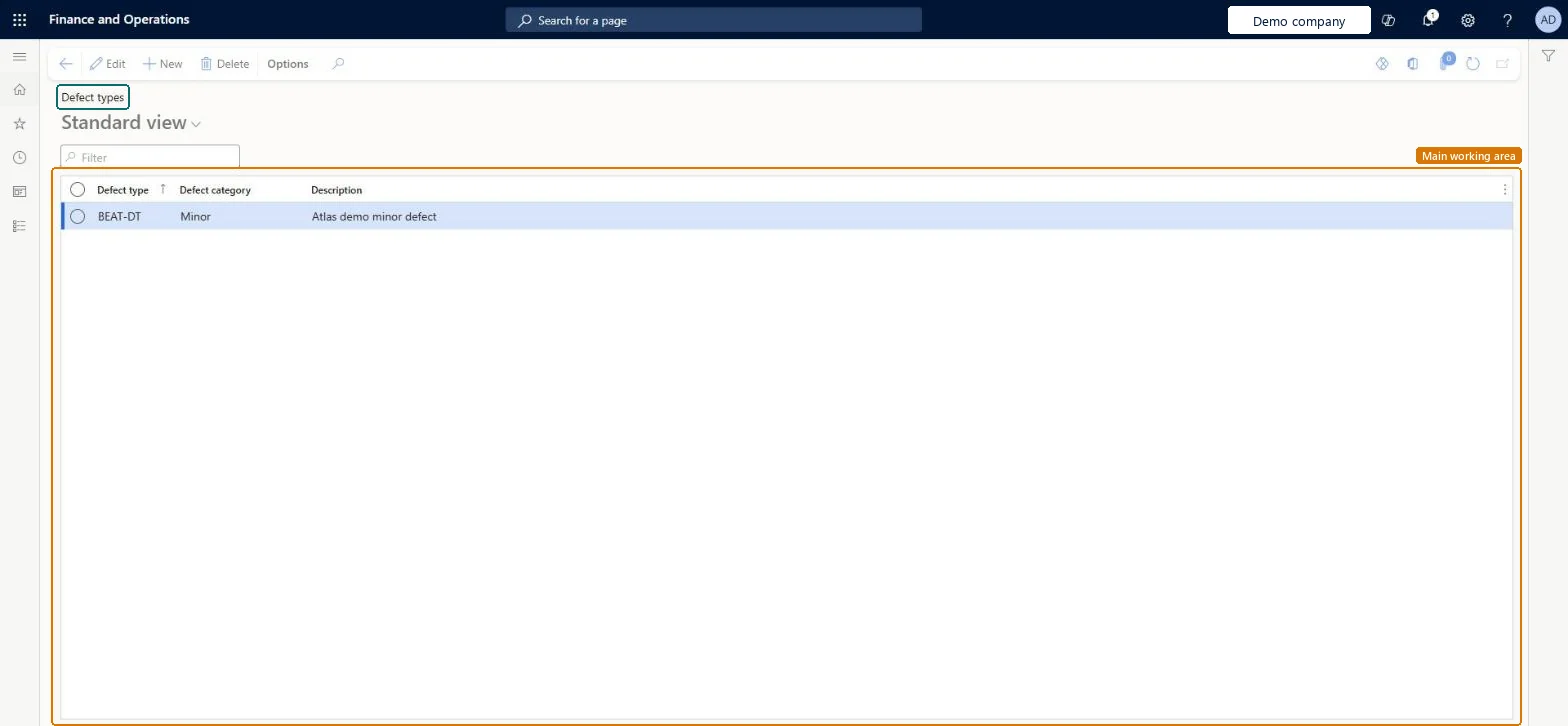
Set up Defect types1 screen
Use this page to tag each acceptance sampling test with a defect type, so its sample size and allowed defects follow that category.
Screen 1
Create a defect type
Go to Inventory management > Setup > Quality control > Acceptance sampling > Defect types
Select New
Enter the defect type code
Choose the defect category: Minor, Major or Critical
Enter a description
Select Save
Tag acceptance sampling tests with the defect type
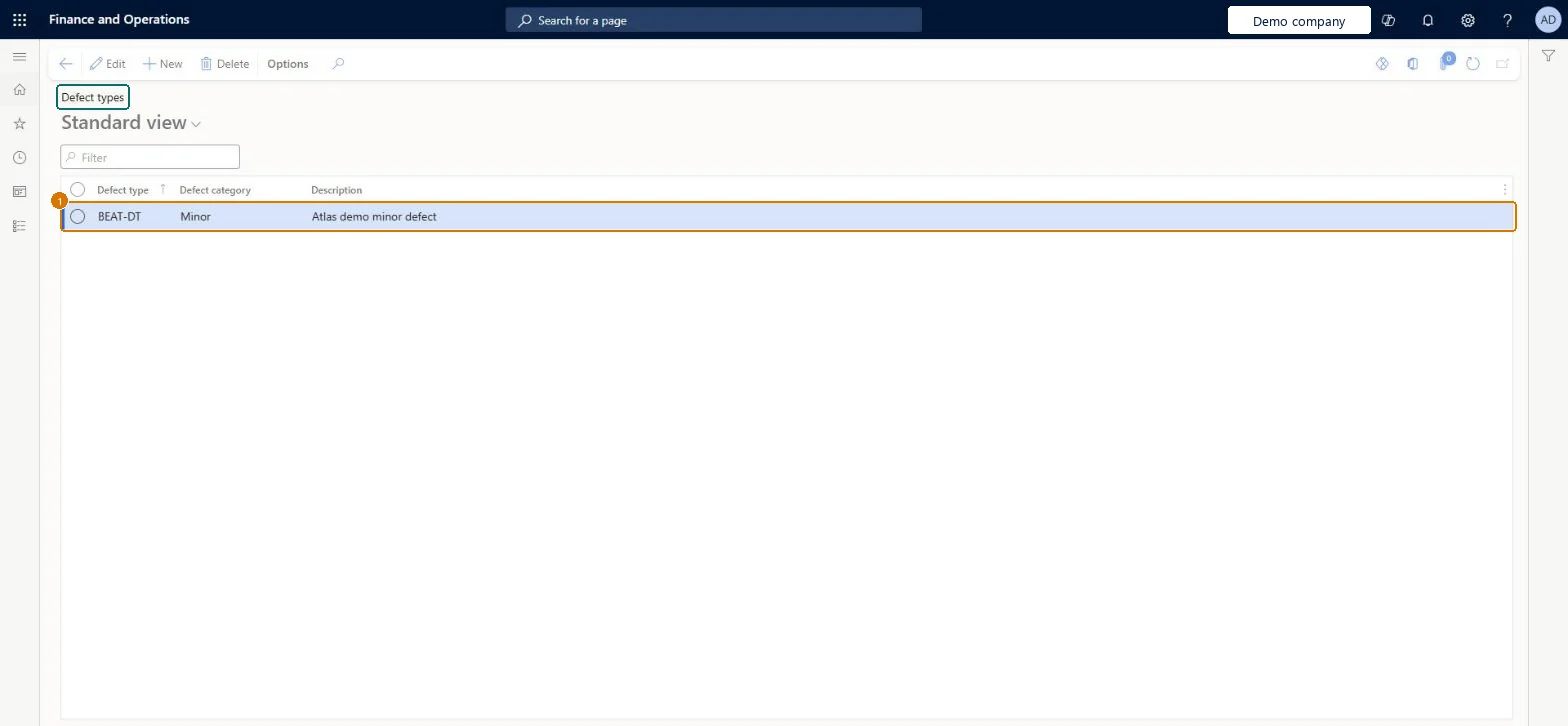
1Defect type
BEAT-DT
Defect category
Minor
Description
Minor defect
Show the full screen page title tab to open what to set or check
Steps from Microsoft
Go to Inventory management > Setup > Quality control > Acceptance sampling > Defect types.
Select New.
In the Defect type field, identify the defect to test for.
Enter a Description.
In the Defect category field, select Critical, Major or Minor.
One defect type per thing you test for (for example paint chipped, packaging damaged), each with the right Critical, Major or Minor categoryEach acceptance sampling test must be linked to a defect type, and the category decides which AQL index applies.
Putting two tests with the same defect type in one test group: a test group used for acceptance sampling can include at most one of each defect type.
Reversible: Defect types can be created and edited. The category is used when quality orders are created, so existing quality orders keep the values they were created with. Microsoft Learn
Technical architect
6Technical
Menu item
QMSAQLDefectTypeChecked in Dynamics 365
Form
QMSAQLDefectTypeChecked in Dynamics 365
Table
QMSAQLDefectTypeShown as “Defect types” in Record infoChecked in Dynamics 365
Data entities
QMSAQLDefectTypeEntityAQL defect types Checked in Dynamics 365
Who can open it
PrivilegesMaintain AQL defect types QMSAQLDefectTypeMaintainView AQL defect types QMSAQLDefectTypeViewDutiesInquire into quality control master InventQualityControlMasterInquireEnable quality control process InventQualityControlProcessEnable2 security rolesQuality control clerk InventQualityControlClerkQuality control manager InventQualityControlManagerChecked in Dynamics 365
Roles to set it up and use it
To set it up or change itQuality control manager InventQualityControlManagerTo use itQuality control clerk InventQualityControlClerkGive people one of these roles. On this system, 2 roles can open this page.Checked in Dynamics 365
Actions on the page
Options: Personalize, Page options, ShareChecked in Dynamics 365
Developer
7Developer
Open it by URL
https://<your-environment>/?mi=QMSAQLDefectType
Integrate with
QMSAQLDefectTypeEntity data entity Checked in Dynamics 365
Checked in a working Dynamics 365 system, version 10.0.49: the menu item, form, table and security, the page, the demo records and the values in the screenshots.