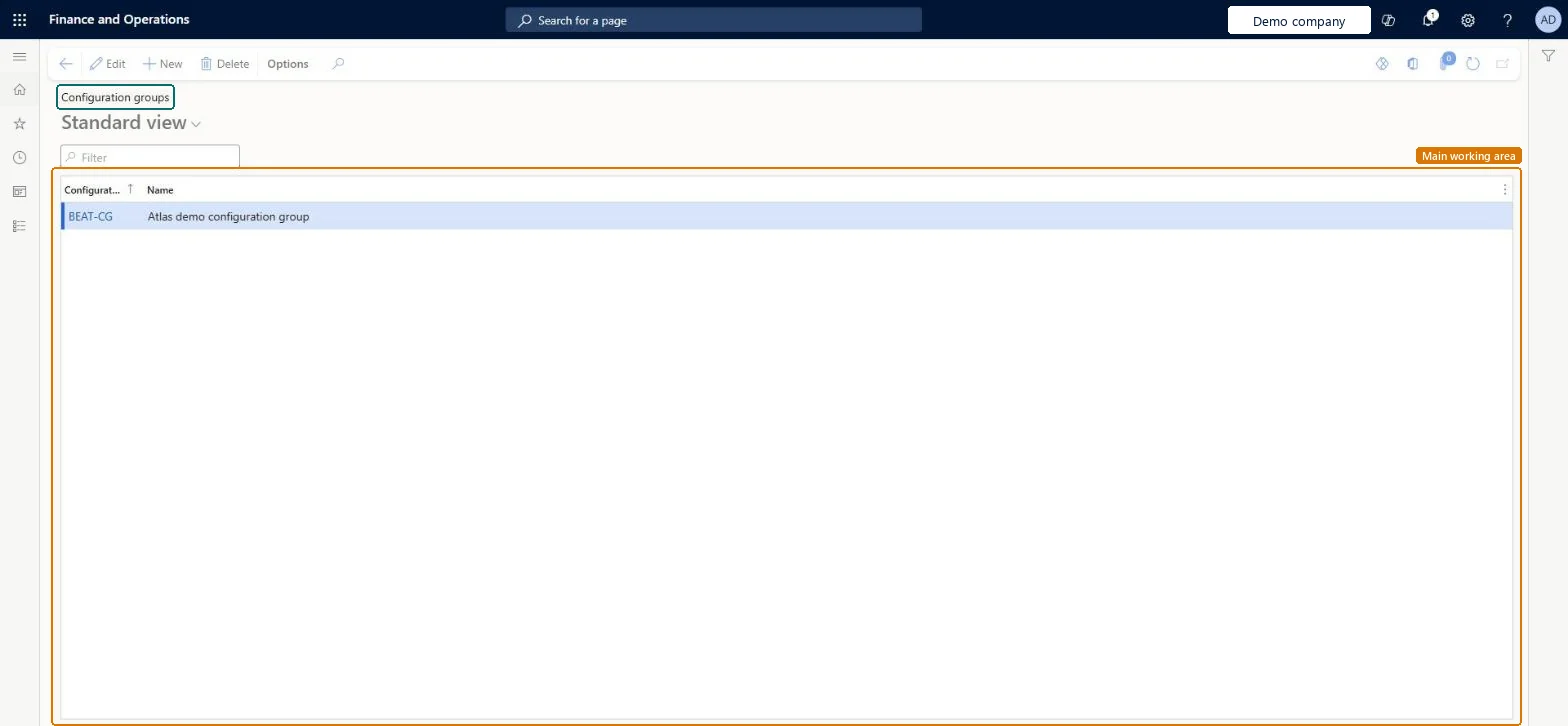
A setup page where you create configuration groups, which hold together BOM lines that can't be chosen together in dimension-based product configuration.
Product designer, Product design manager, Production manager and 4 more roles
Business process
Maintain inventory levels
Menu item
ConfigGroup
Main table
ConfigGroup
Data entity
BOMConfigurationGroupEntity
Setup steps
1 on this page
Show what matters for
PAGE GUIDEWhat the page does and how to use it8 sections. Choose a role to highlight what matters to you.
Everyone
1What it is and why
What it is
A setup page where you create configuration groups, which hold together BOM lines that can't be chosen together in dimension-based product configuration.
What you do here
Use this page to make sure that only one line in a group is selected for a single product variant.
The page in Dynamics 365. page title tab to open what to set or check
About the examples: Examples and screenshots in this guide use BEAT, a demo company in a Dynamics 365 test environment. Use your own company's codes and values instead of copying them.
Step by step, with screenshots
Set up Configuration groups1 screen
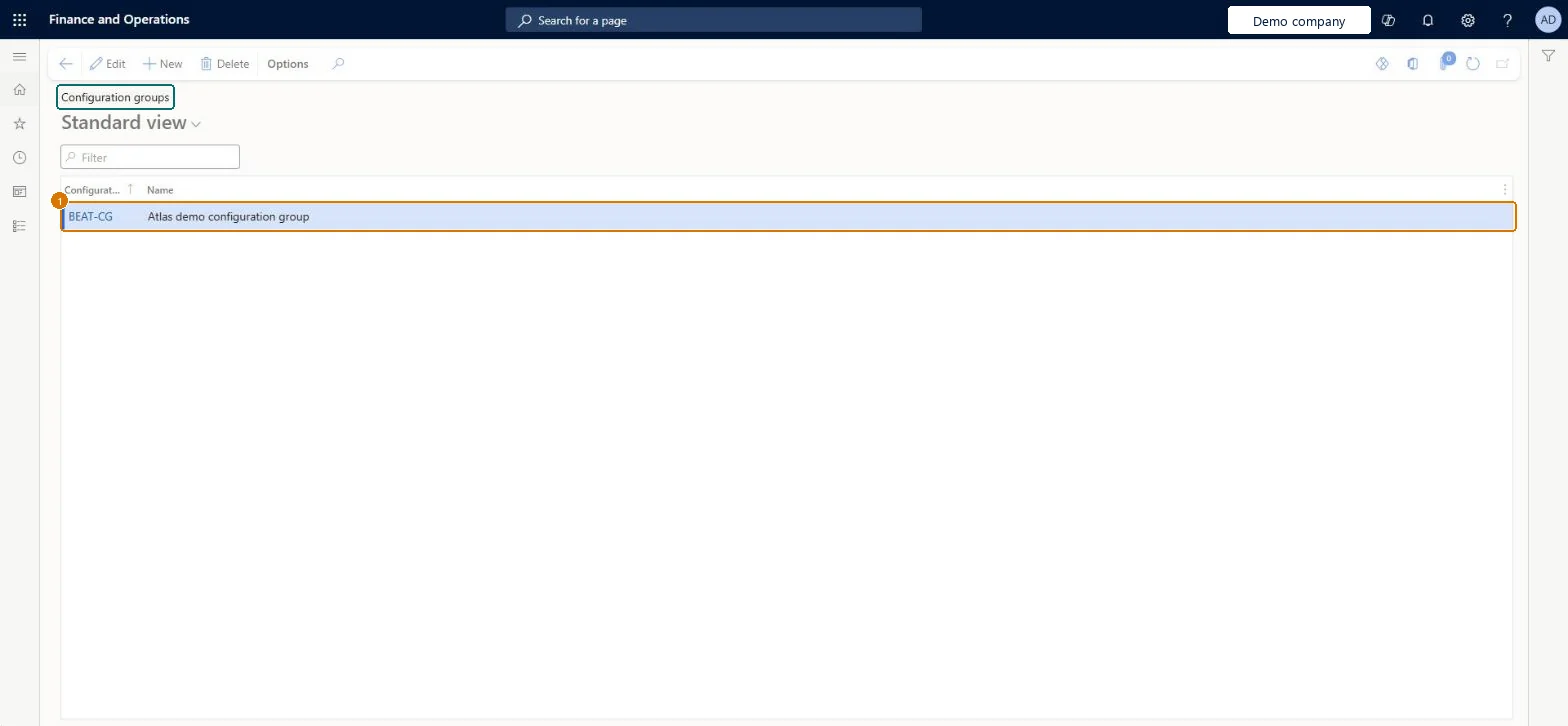
Use this page to make sure that only one line in a group is selected for a single product variant.
Screen 1
Create a configuration group
Go to Inventory management > Setup > Bills of materials > Configuration groups
Select New
Enter the configuration group code and name
Select Save
Assign the group to the BOM lines that are alternatives for one configuration
1Configuration group
BEAT-CG
Name
Configuration group
Show the full screen page title tab to open what to set or check
Steps from Microsoft
Go to the Configuration groups page.
Select New.
In the Configuration group field, enter a name for the group used on bill of materials lines.
One configuration group per set of mutually exclusive BOM lines (for example Cabinet, Front grill)A configuration group holds BOM lines of which only one can be chosen for a variant; groups are shared across all dimension-based models.
Leaving a choice line without a configuration group: a BOM line with no group is included in every product variant.
Reversible: You can change groups and BOM line assignments; configurations already created keep their content, because existing configurations aren't affected by later changes to configuration rules. Microsoft Learn
Technical architect
6Technical
Menu item
ConfigGroupChecked in Dynamics 365
Form
ConfigGroupChecked in Dynamics 365
Table
ConfigGroupShown as “Configuration groups” in Record infoKey field: ConfigGroupIdChecked in Dynamics 365
PrivilegesManage configuration groups ConfigGroupMaintainView configuration groups ConfigGroupViewDutiesInquire into BOM master BOMBillsOfMaterialsMasterInquireMaintain BOM master BOMBillsOfMaterialsMasterMaintain7 security rolesProduct designer BOMProductDesignerProduct design manager BOMProductDesignManagerProduction manager ProdProductionManagerProduction supervisor ProdProductionSupervisorProduction planner ReqProductionPlannerProcess engineer RouteProcessEngineerProcess engineering manager RouteProcessEngineeringManagerChecked in Dynamics 365
Roles to set it up and use it
To set it up or change itProcess engineer RouteProcessEngineerProduct designer BOMProductDesignerTo use itProduction supervisor ProdProductionSupervisorProduction manager ProdProductionManagerProduct design manager BOMProductDesignManagerProcess engineering manager RouteProcessEngineeringManagerProduction planner ReqProductionPlannerGive people one of these roles. On this system, 7 roles can open this page.Checked in Dynamics 365
Actions on the page
Options: Personalize, Page options, ShareChecked in Dynamics 365
BOMConfigurationGroupEntity (Configuration groups): loaded for each company, in Microsoft's default template 310 - Product information management.Load order: Microsoft's default template 310 - Product information management loads Configuration groups at execution unit 1, level 30, sequence 10. Lower levels load first, and entities at the same level load in sequence order.Load first: the default templates at lower levels (System setup to General ledger)Microsoft Learn
Checked in a working Dynamics 365 system, version 10.0.49: the menu item, form, table and security, the page, the demo records and the values in the screenshots.