BeyondERP.Newsletter
Menu

Job page · Inventory management

Maintain customer specific COA requirements

A setup page where you maintain customer-specific requirements for the certificate of analysis (COA) that is printed for quality tests.

Business process
Generate customer specific certificates of analysis in Dynamics 365 Supply Chain Management
Menu item
action:QMSInventTestCOAAssignment
Show what matters for
PAGE GUIDEWhat the page does and how to use it7 sections. Choose a role to highlight what matters to you.
Everyone

1What it is and why

What it isA setup page where you maintain customer-specific requirements for the certificate of analysis (COA) that is printed for quality tests.
What you do hereUse this page to decide, for all customers, a customer group or one customer, which tests appear on a COA and how their results are shown.
ExampleFor example, a business can print standard text such as "Within specification" on a customer's COA instead of the actual result when a test passes.
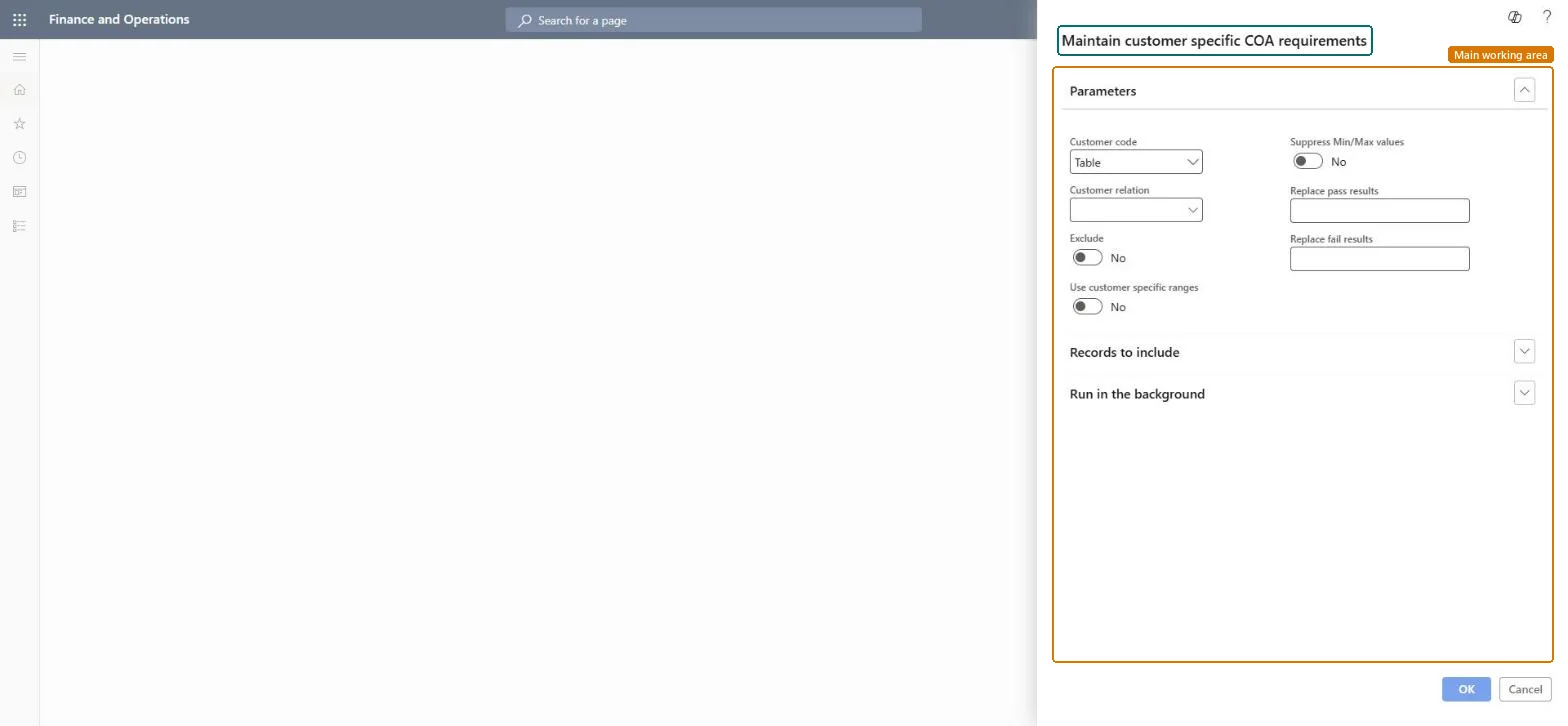
Maintain customer specific COA requirements page in Dynamics 365
The page in Dynamics 365. page title tab to open what to set or check
Functional consultant · Solution architect

2Where it fits

End user · Functional consultant

3How to do it

About the examples: Examples and screenshots in this guide use BEAT, a demo company in a Dynamics 365 test environment. Use your own company's codes and values instead of copying them.

When to run it

When to run itWhen a customer or customer group needs a certificate of analysis with its own tests, ranges or result text.
How oftenOn demand, when a customer's COA requirements change.
What the output showsCustomer-specific COA rules that control which tests print, which ranges are shown and what text replaces pass and fail results. A COA that ignores the rule usually means Customer code or Customer relation points to another customer or group.

Source: Microsoft Learn

Steps from Microsoft

  1. Go to Inventory management > Periodic tasks > Quality management > Maintain customer specific COA requirements.
  2. Use the buttons on the Action Pane to add a requirement or edit an existing one.
  3. In Customer code, select All, Group or Table, and in Customer relation select the COA customer group or customer account it applies to.
  4. Set Exclude if the test shouldn't appear on that customer's COA, and set Use customer specific ranges and Suppress Min/Max values as needed.
  5. Enter any Replace pass results and Replace fail results text, then print a COA for that customer to check the layout.

Source: Microsoft Learn

Fields on the page

FieldWhat it means
Customer codeWhether the requirement applies to all customers, a group of customers or one customer.Microsoft Learn
Customer relationThe COA customer group or the customer account that the requirement applies to.Microsoft Learn
ExcludeLeaves the test off the customer-specific COA.Microsoft Learn
Use customer specific rangesPrints the customer's own batch attribute range instead of the standard range.Microsoft Learn
Suppress Min/Max valuesHides the minimum and maximum values of the test on the COA.Microsoft Learn
Replace pass resultsText printed instead of the result when the test passes.Microsoft Learn
Replace fail resultsText printed instead of the result when the test fails.Microsoft Learn

Test checklist

  1. A COA for the customer leaves out excluded tests.
  2. Customer-specific ranges print instead of the standard range.
  3. Pass and fail texts are replaced as entered.

Source: Microsoft Learn

Solution architect

4Design impact

Can it be undoneYes: Edit or delete the requirement to go back to the standard COA content. Microsoft Learn
If you change it laterRequirements set on a test group apply to every quality order that uses that test group, but they can still be adjusted on single quality orders. Microsoft Learn
Technical architect

5Technical

Menu itemaction:QMSInventTestCOAAssignment Checked in Dynamics 365
FormSysOperationTemplateForm Checked in Dynamics 365
Roles to set it up and use itTo use itQuality control manager InventQualityControlManagerWarehouse manager WMSWarehouseManagerMaterials manager InventMaterialsManagerQuality control clerk InventQualityControlClerkShipping clerk InventShippingClerkGive people one of these roles. On this system, 8 roles can run this page.Checked in Dynamics 365
Developer

6Developer

Open it by URLhttps://<your-environment>/?mi=action:QMSInventTestCOAAssignment
Everyone

7Sources