PAGE GUIDEWhat the page does and how to use it7 sections. Choose a role to highlight what matters to you.
Everyone
1What it is and why
What it is
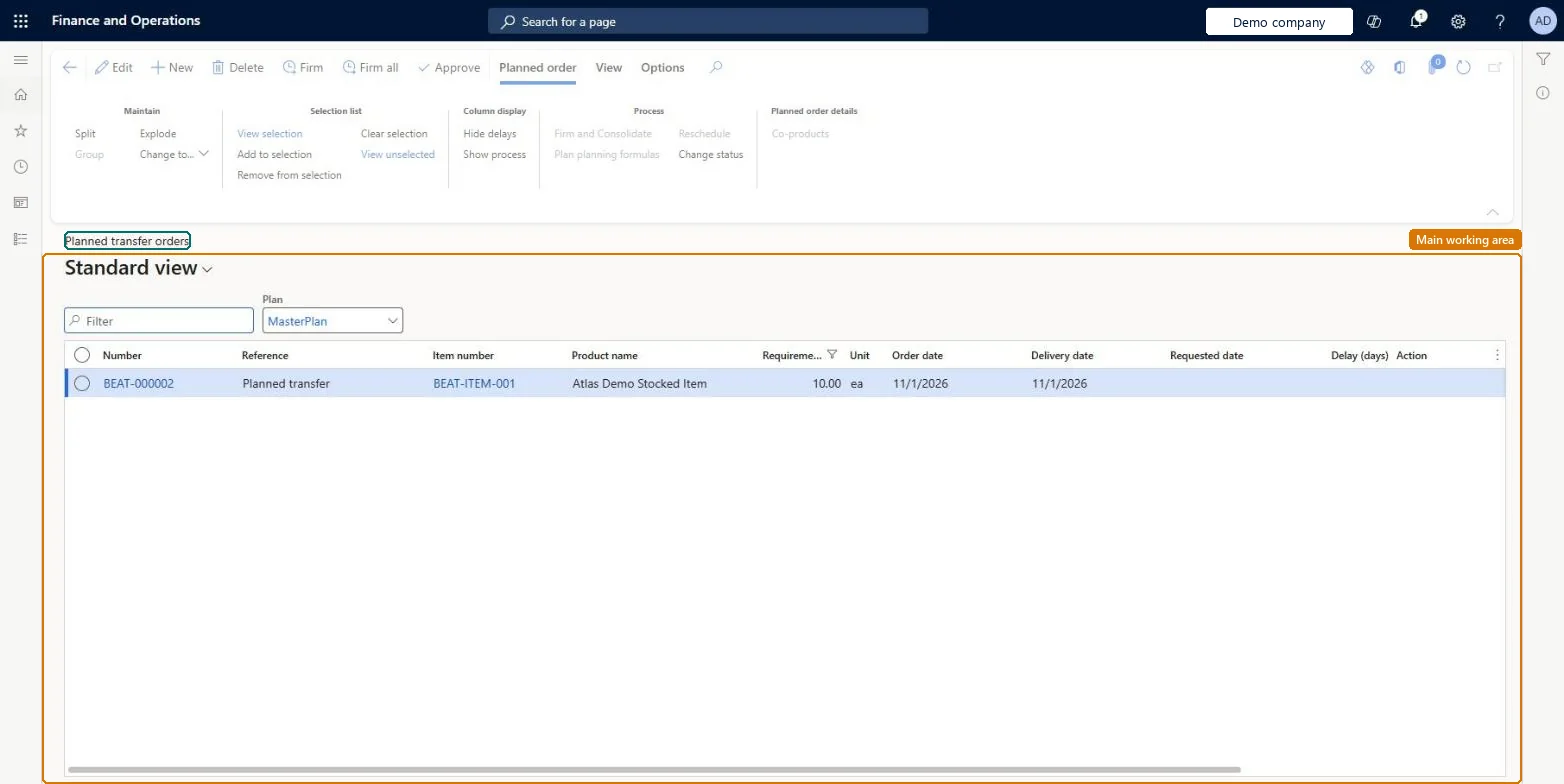
A list page of planned transfer orders that master planning creates to move items between warehouses.
What you do here
Use this page to review, approve and firm planned transfer orders so that they become transfer orders.
Example
For example, when a warehouse is set up to be refilled from a main warehouse, master scheduling creates planned transfer orders from the main warehouse to cover its needs.
The page in Dynamics 365. page title tab to open what to set or check
About the examples: Examples and screenshots in this guide use BEAT, a demo company in a Dynamics 365 test environment. Use your own company's codes and values instead of copying them.
When to run it
When to run it
After a master planning run has created planned transfers to move items between warehouses.
How often
After each master planning run, or whenever planned transfers are due to be firmed.
What the output shows
Firmed planned transfers become transfer orders. When several planned transfers between the same warehouses are firmed together, ship and receipt dates come from the earliest order date and latest delivery date, so check the dates on the grouped order.
Go to Inventory management > Periodic tasks > Planned transfer orders.
Use the Plan field and column filters to find the planned transfers you want to process.
Set Status to Approved for planned transfers you intend to firm, so later master planning runs keep them, or to Completed for those you decide not to firm.
Select Firm for the selected planned transfers, or Firm all to firm every planned transfer in the current filter.
Open Firming history to see which transfer orders were created.
Yes, before firming: Before firming you can change or delete planned transfers. Once firmed, they are real transfer orders and must be changed or deleted on the transfer order. Microsoft Learn
If you change it later
When several planned transfer orders between the same warehouses are firmed together, the ship and receipt dates come from the earliest order date and latest delivery date. Microsoft Learn
Technical architect
5Technical
Menu item
ReqPOGridViewTransfer
Roles to set it up and use it
To set it up or change itProduction planner ReqProductionPlannerTo use itMaterials manager InventMaterialsManagerProduction supervisor ProdProductionSupervisorPurchasing manager TradePurchasingManagerProduction manager ProdProductionManagerGive people one of these roles. On this system, 5 roles can open this page.Checked in Dynamics 365