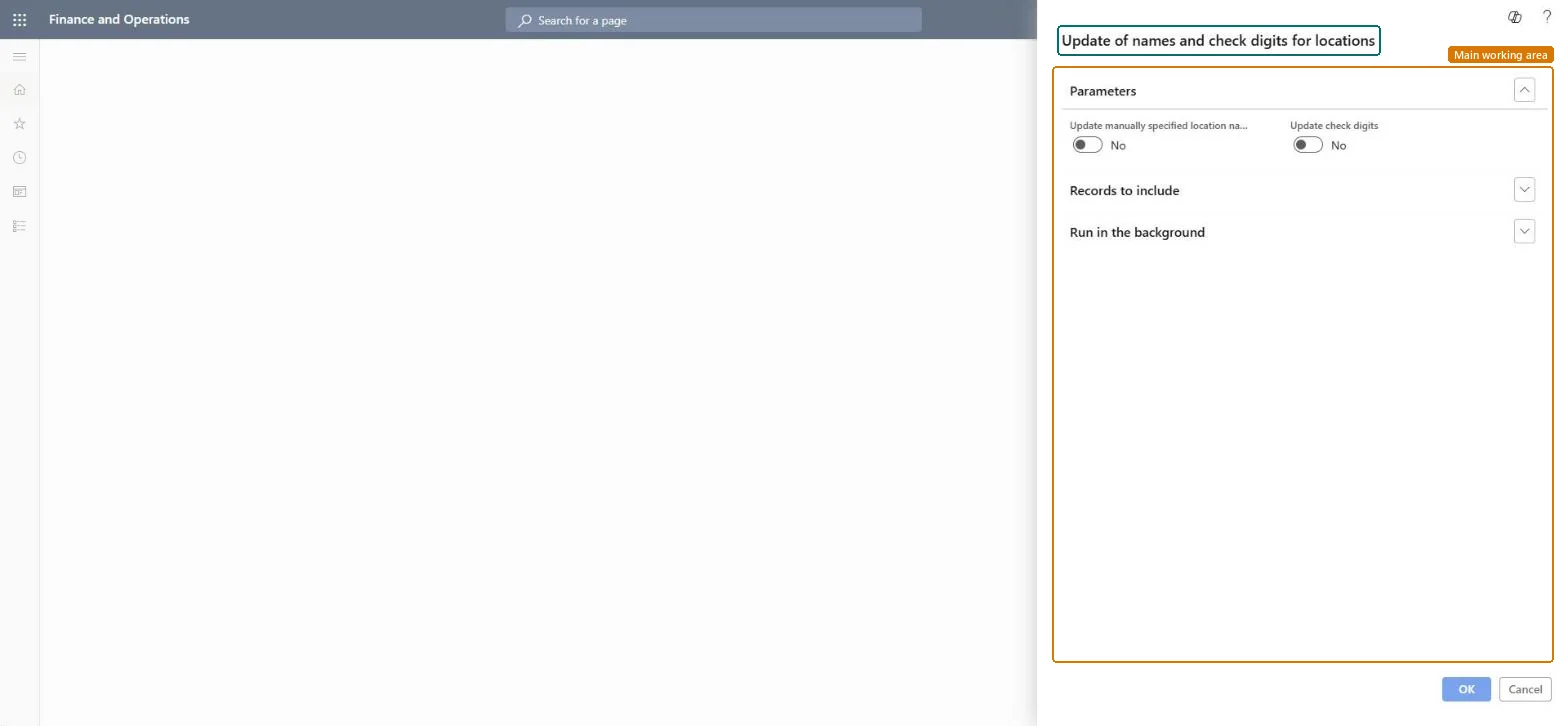
A periodic task dialog titled Update of names and check digits for locations that refreshes location names and check digits for the locations you select.
PAGE GUIDEWhat the page does and how to use it7 sections. Choose a role to highlight what matters to you.
Everyone
1What it is and why
What it is
A periodic task dialog titled Update of names and check digits for locations that refreshes location names and check digits for the locations you select.
What you do here
Use this task to update location names and check digits, choosing whether manually specified location names and check digits are included, and run it now or in the background.
The page in Dynamics 365. page title tab to open what to set or check
About the examples: Examples and screenshots in this guide use BEAT, a demo company in a Dynamics 365 test environment. Use your own company's codes and values instead of copying them.
When to run it
When to run it
After you change location coordinates or the location name format, so names and check digits match the layout.
How often
On demand, after changes to locations.
What the output shows
Location names built from the coordinates and refreshed check digits for the selected locations. A name that didn't change was manually specified and Update manually specified location names was No.
Go to Inventory management > Periodic tasks > Locations > Names and check digits.
Under Parameters, set Update manually specified location names to Yes only if manually entered names should be replaced by names built from the coordinates.
Set Update check digits to Yes to refresh the check text that confirms an operator is at the right location.
Expand Records to include to limit which locations are updated.
After the run, open Inventory locations and compare a few names and check digits with the coordinates.
No: Previous names and check digits are overwritten and can't be restored automatically. Microsoft Learn
If you change it later
Overwrites location names and check digits, which labels and scanning must then match. Microsoft Learn
Technical architect
5Technical
Menu item
action:WMSUpdateLocationNameChecked in Dynamics 365
Form
DialogChecked in Dynamics 365
Roles to set it up and use it
To use itWarehouse manager WMSWarehouseManagerProcess engineer RouteProcessEngineerGive people one of these roles. On this system, 2 roles can run this page.Checked in Dynamics 365