About the examples: Examples and screenshots in this guide use BEAT, a demo company in a Dynamics 365 test environment. Use your own company's codes and values instead of copying them.
When to run it
When to run it
Only with a good reason, for example when the InventDim table has grown large with combinations nothing refers to, and after the business has confirmed they're not needed.
How often
Rarely, on demand. Microsoft warns against running it without a good reason.
Batch settings
Schedule it as a batch job outside business hours, because it reads purchase lines, sales lines, inventory transactions and on-hand records for every combination it considers.
What the output shows
No report and no log. Unused InventDim records created in the date range are deleted. If the same combination is used again later, the system creates a new record with a new InventDimId, so a new ID on a later transaction is expected.
Go to Inventory management > Periodic tasks > Clean up > Inventory dimensions cleanup.
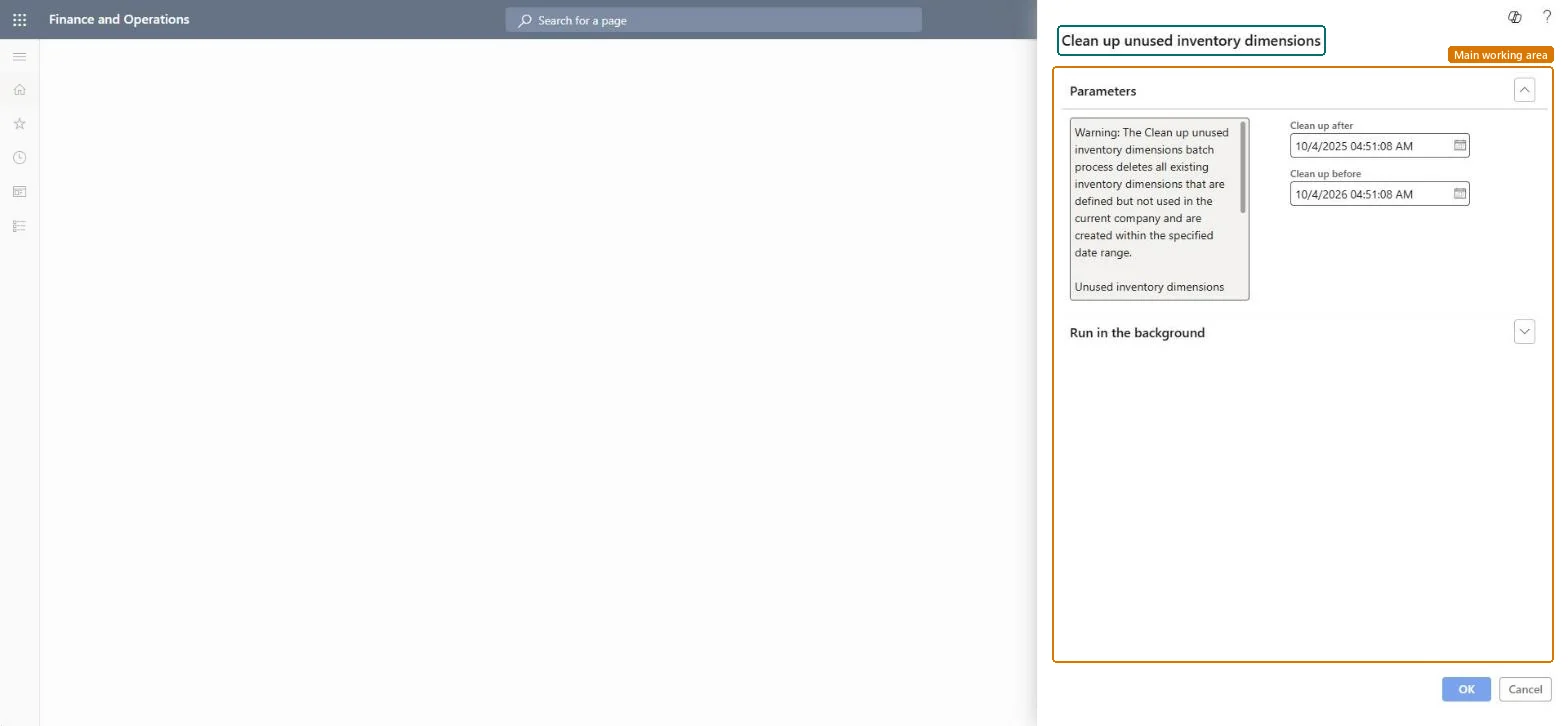
Read the warning under Parameters: every inventory dimension combination created in the date range that is defined but not used in the current company is deleted for good, and no alert or database log is created.
Enter the Clean up after and Clean up before dates and times to set the creation date range the job looks at. A narrow range limits how many combinations can be removed.
Schedule it to run in the background outside business hours, as Microsoft advises for this job.
Afterwards, open some open orders and on-hand records from the range: they keep their dimensions, because combinations that are still referenced are never deleted.
No: Deleted dimension combinations can't be restored and no log is kept. Run it only with good reason and outside business hours. Microsoft Learn
If you change it later
Unused dimension combinations are deleted for good and no log is kept, so run the job only with good reason and outside business hours. Microsoft Learn
Technical architect
5Technical
Menu item
action:InventUnusedDimCleanUpChecked in Dynamics 365
Form
DialogChecked in Dynamics 365
Roles to set it up and use it
To use itInformation technology manager SysServerITManagerGive people one of these roles. On this system, 1 role can run this page.Checked in Dynamics 365