About the examples: Examples and screenshots in this guide use BEAT, a demo company in a Dynamics 365 test environment. Use your own company's codes and values instead of copying them.
When to run it
When to run it
When stored cost calculation details from earlier calculations are no longer needed, and the business has confirmed that.
How often
On demand, for example after a costing period is finished. Microsoft gives no fixed interval.
Batch settings
Run it in the background as a batch job when many cost calculations are stored.
What the output shows
No report. Stored details of the cost calculations you applied, from before each date, are removed. If someone later needs the breakdown of an old calculation, it has to be calculated again.
Go to Inventory management > Periodic tasks > Clean up > Cost calculation details.
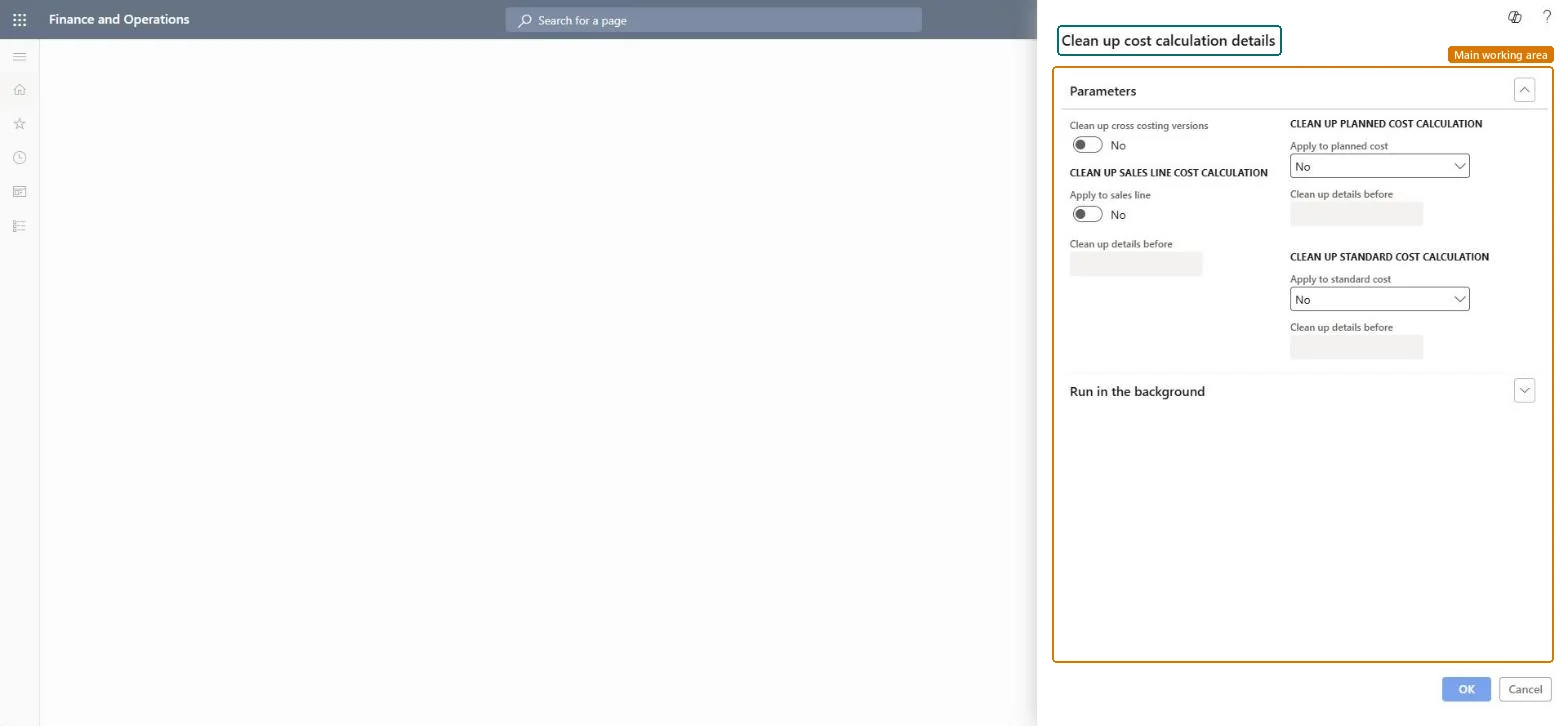
Under Parameters, set Clean up cross costing versions to Yes or No to choose whether cross costing versions are included in the cleanup.
Set Apply to sales line, Apply to planned cost and Apply to standard cost to Yes for each kind of cost calculation whose stored details you want to remove.
For each kind you apply, enter the Clean up details before date. Details of calculations from before that date are removed.
Afterwards, open a recent cost calculation of each kind you applied: its details are still there, and only older details are gone.
No: Removed cost calculation details can't be restored. Run the calculation again if you need the breakdown later. Microsoft Learn
If you change it later
Removes stored details of old cost calculations for sales lines, planned cost and standard cost, so their breakdown can no longer be opened. Microsoft Learn
Technical architect
5Technical
Menu item
action:BOMCalcCleanUpChecked in Dynamics 365
Form
DialogChecked in Dynamics 365
Roles to set it up and use it
To use itInventory accountant clerk InventCostCostClerkInformation technology manager SysServerITManagerGive people one of these roles. On this system, 2 roles can run this page.Checked in Dynamics 365