A periodic job that posts the inventory journals created by the Dataverse integration, such as inventory adjustments and transfers that come from Field Service.
PAGE GUIDEWhat the page does and how to use it7 sections. Choose a role to highlight what matters to you.
Everyone
1What it is and why
What it is
A periodic job that posts the inventory journals created by the Dataverse integration, such as inventory adjustments and transfers that come from Field Service.
What you do here
Use this periodic task to post integration inventory journals automatically instead of one by one.
Example
For example, when an inventory adjustment in Field Service is set to Posted, it is sent to Supply Chain Management as an inventory journal that this job can post.
The page in Dynamics 365. page title tab to open what to set or check
About the examples: Examples and screenshots in this guide use BEAT, a demo company in a Dynamics 365 test environment. Use your own company's codes and values instead of copying them.
When to run it
When to run it
After inventory adjustments and transfers in Field Service are set to Posted and synchronized to Supply Chain Management as integration journals.
How often
As a recurring batch job, so integration journals are posted without manual work.
Batch settings
Schedule it as a recurring batch job; the journals arrive from Field Service read-only and are ready to post.
What the output shows
Posted inventory adjustment and transfer journals from the Dataverse integration. Journals that stay unposted, or lines in an error journal, need fixing before they can post.
Go to Inventory management > Periodic tasks > CDS integration > Post integration inventory journals.
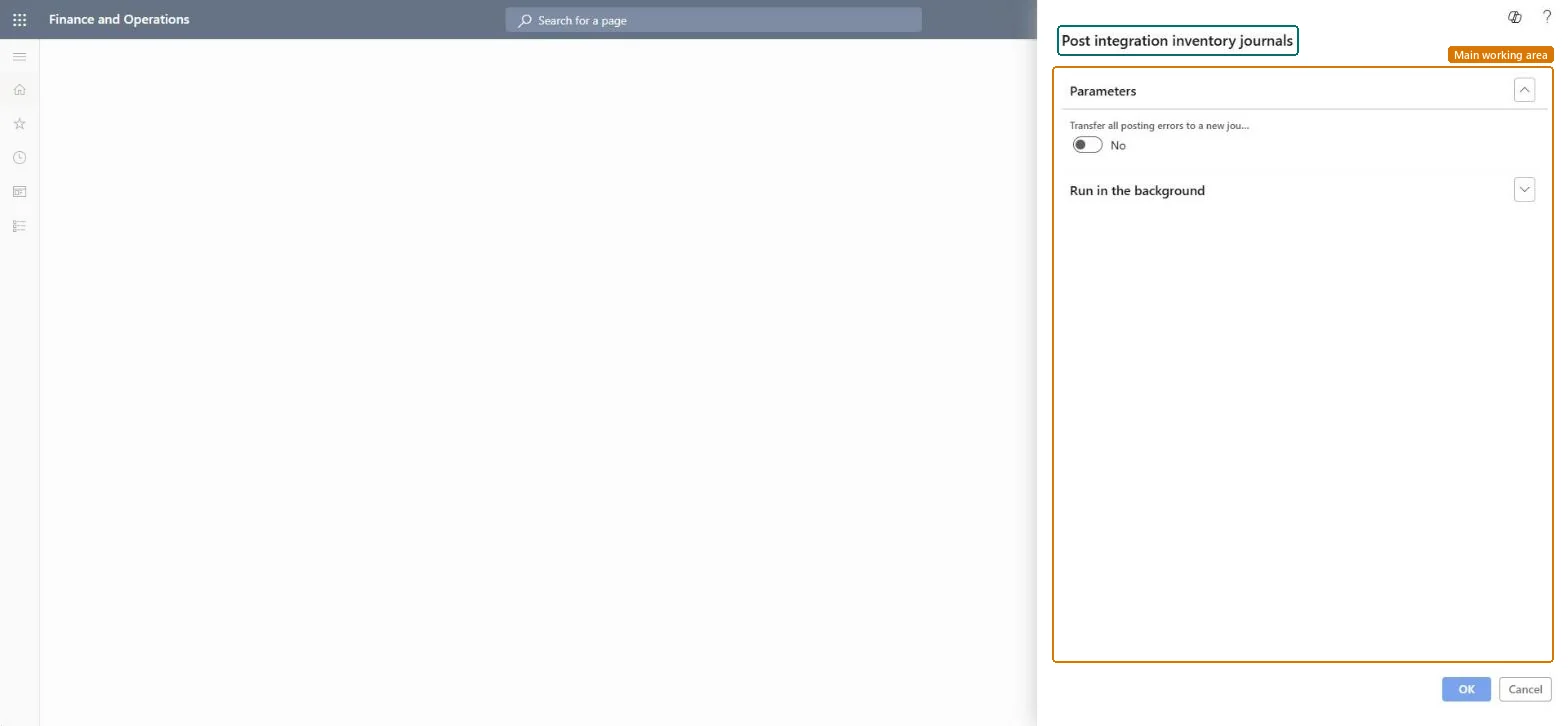
Under Parameters, set Transfer all posting errors to a new journal to Yes to move lines that fail into a new journal, so the rest can post.
Set batch options under Run in the background so the journals from Field Service post automatically on a schedule.
Select OK to post the integration journals now or start the schedule.
Afterwards, open the inventory adjustment and transfer journals created by the integration: they are posted, and any failed lines sit in a new journal for you to fix.
No: Posted inventory journals can't be unposted. Correct mistakes with a new adjustment. Microsoft Learn
If you change it later
Posts inventory adjustment and transfer journals created by the Field Service integration, which updates on-hand inventory. Microsoft Learn
Technical architect
5Technical
Menu item
action:InventJournalPostCDSChecked in Dynamics 365
Form
DialogChecked in Dynamics 365
Roles to set it up and use it
To use itWarehouse manager WMSWarehouseManagerWarehouse worker WMSWarehouseWorkerRetail operations manager RetailOperationsManagerGive people one of these roles. On this system, 3 roles can run this page.Checked in Dynamics 365