About the examples: Examples and screenshots in this guide use BEAT, a demo company in a Dynamics 365 test environment. Use your own company's codes and values instead of copying them.
How to use it
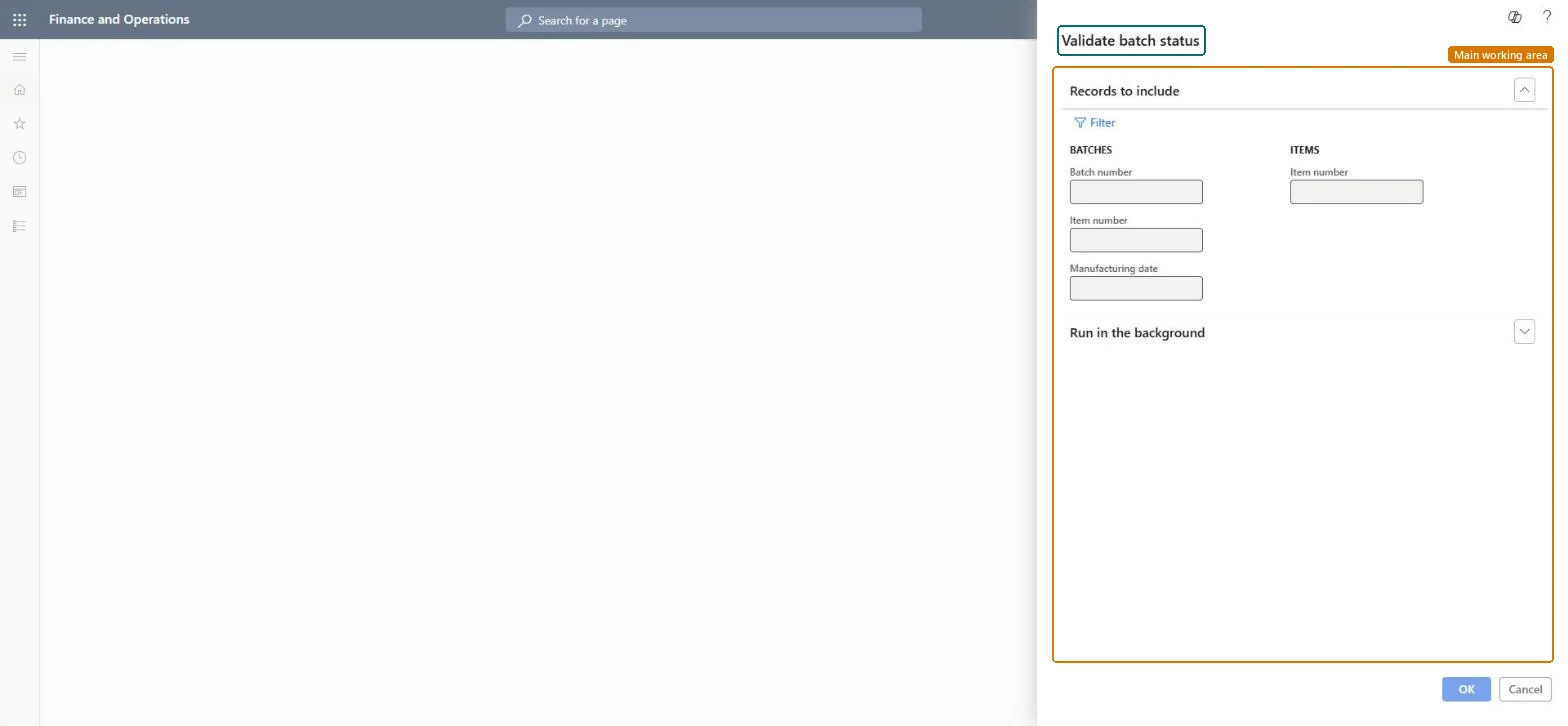
Go to Inventory management > Periodic tasks > Batches > Validate batch status.
Under Records to include, enter the Batch number, Item number and Manufacturing date to limit the run, or select Filter.
Expand Run in the background if you want to set batch options.
Select OK to run it.
Source: Checked in Dynamics 365
Technical architect
4Technical
Menu item
action:PdsValidateBatchStatusChecked in Dynamics 365
Form
DialogChecked in Dynamics 365
Roles to set it up and use it
To use itQuality control clerk InventQualityControlClerkShipping clerk InventShippingClerkPurchasing manager TradePurchasingManagerSales manager TradeSalesManagerWarehouse worker WMSWarehouseWorkerGive people one of these roles. On this system, 6 roles can run this page.Checked in Dynamics 365