BeyondERP.Newsletter
Menu

Setup page · Inventory management

Inventory Visibility integration

A periodic job that sends inventory changes from Supply Chain Management to the Inventory Visibility service.

Used by
Materials manager, Sales manager, Warehouse manager
Business process
Maintain inventory levels
Menu item
InventInventoryDataService
Main table
InventInventoryDataServiceParameters
Show what matters for
PAGE GUIDEWhat the page does and how to use it8 sections. Choose a role to highlight what matters to you.
Everyone

1What it is and why

What it isA periodic job that sends inventory changes from Supply Chain Management to the Inventory Visibility service.
What you do hereUse this periodic task to turn on the integration job after Inventory Visibility is set up, so that all inventory change events are posted to it.
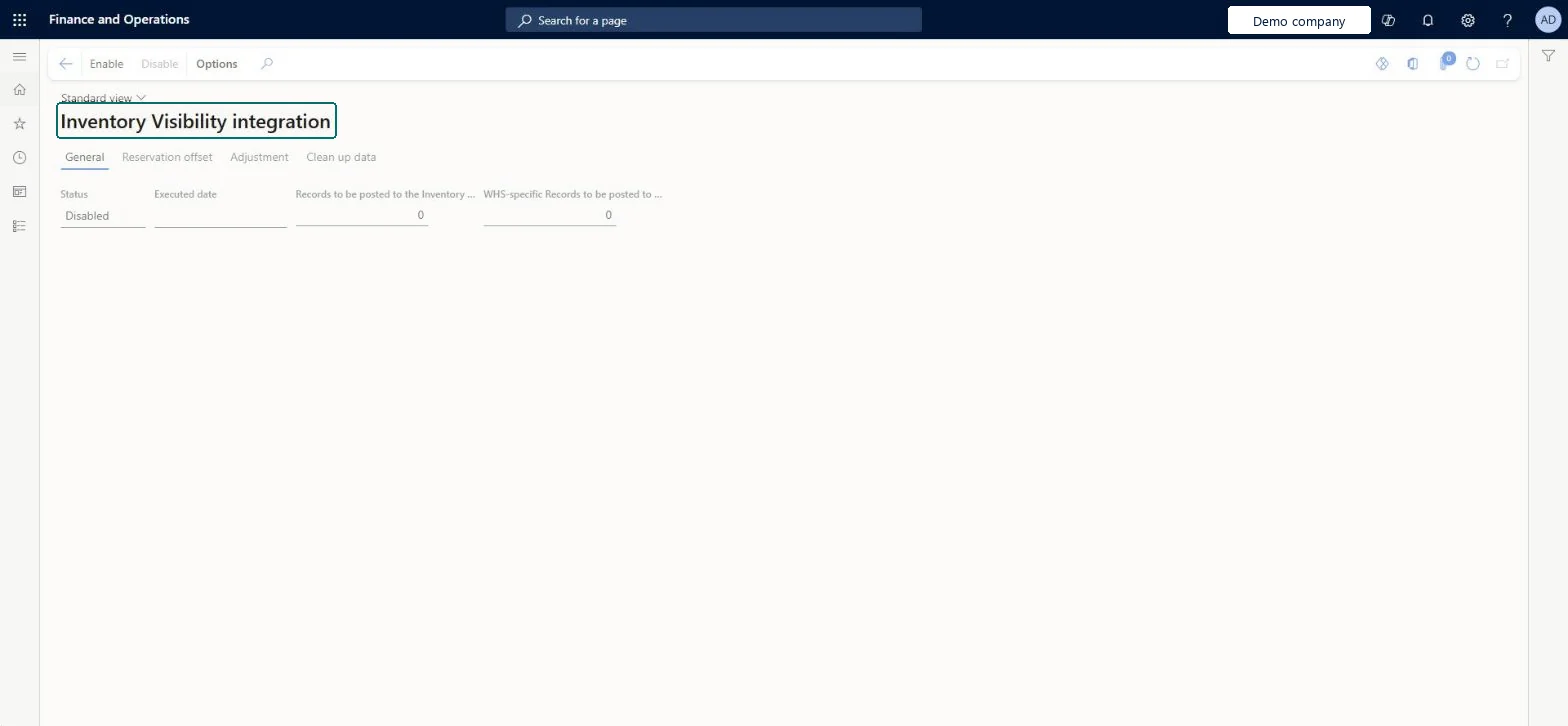
Inventory Visibility integration page in Dynamics 365
The page in Dynamics 365. page title tab to open what to set or check
Functional consultant · Solution architect

2Where it fits

Business processMaintain inventory levels
Menu pathInventory management › Inventory visibility › Inventory Visibility integration
Set up firstInventory Visibility integration parameters Microsoft Learn
End user · Functional consultant

3How to do it

About the examples: Examples and screenshots in this guide use BEAT, a demo company in a Dynamics 365 test environment. Use your own company's codes and values instead of copying them.

Steps from Microsoft

  1. Set up the Inventory Visibility integration parameters, including the Inventory Visibility endpoint.
  2. Set up any optional Inventory Visibility features you want to use.
  3. Go to Inventory management > Periodic tasks > Inventory Visibility integration.
  4. Enable the job.

Source: Microsoft Learn

Common errors and fixes

MessageWhat to do
Cannot sync more than 500000 records in the same warehouse. To mitigate this issue, update partition schema to 2 in Inventory Visibility Add-in.Delete all inventory data in the Inventory Visibility app, change the partition schema to version 2 through the API, update the configuration, then enable the job again. Microsoft Learn

Test checklist

  1. Check the Inventory Visibility endpoint is filled on Inventory Visibility Integration parameters.
  2. Set up any optional features (soft reservations, WMS items, ATP) first, then enable this job.
  3. Post an inventory adjustment for an item in Supply Chain Management.
  4. Run an On hand query in the Inventory Visibility app and check the changed quantity shows.

Source: Microsoft Learn

Functional consultant

4Setup decisions

Feature management and licence

Feature to turn onInventory Visibility integration (Mandatory, on by default)
Licence or add-inInventory Visibility Add-in installed from Lifecycle Services or the Power Platform admin center

Microsoft Learn

Solution architect

5Design impact

Can it be undoneReversible: The job can be disabled again from the same page. Disable it before you uninstall the Inventory Visibility Add-in. Uninstalling deletes temporary cache data, but inventory data already synced to Dataverse stays. Microsoft Learn
If you change it laterBefore you uninstall the Inventory Visibility Add-in, disable this job. Microsoft Learn
Technical architect

6Technical

Menu itemInventInventoryDataService Checked in Dynamics 365
FormInventInventoryDataService Checked in Dynamics 365
TableInventInventoryDataServiceParametersChecked in Dynamics 365
Who can open itPrivilegesMaintain inventory visibility integration InventInventoryDataServiceIntegrationMaintainDutiesMaintain inventory visibility InventInventoryDataServiceMaintain
3 security rolesMaterials manager InventMaterialsManagerSales manager TradeSalesManagerWarehouse manager WMSWarehouseManager
Checked in Dynamics 365
Roles to set it up and use itTo set it up or change itWarehouse manager WMSWarehouseManagerSales manager TradeSalesManagerMaterials manager InventMaterialsManagerGive people one of these roles. On this system, 3 roles can open this page.Checked in Dynamics 365
Actions on the pageOptions: Personalize, Page options, ShareChecked in Dynamics 365
Developer

7Developer

Open it by URLhttps://<your-environment>/?mi=InventInventoryDataService
Everyone

8Sources