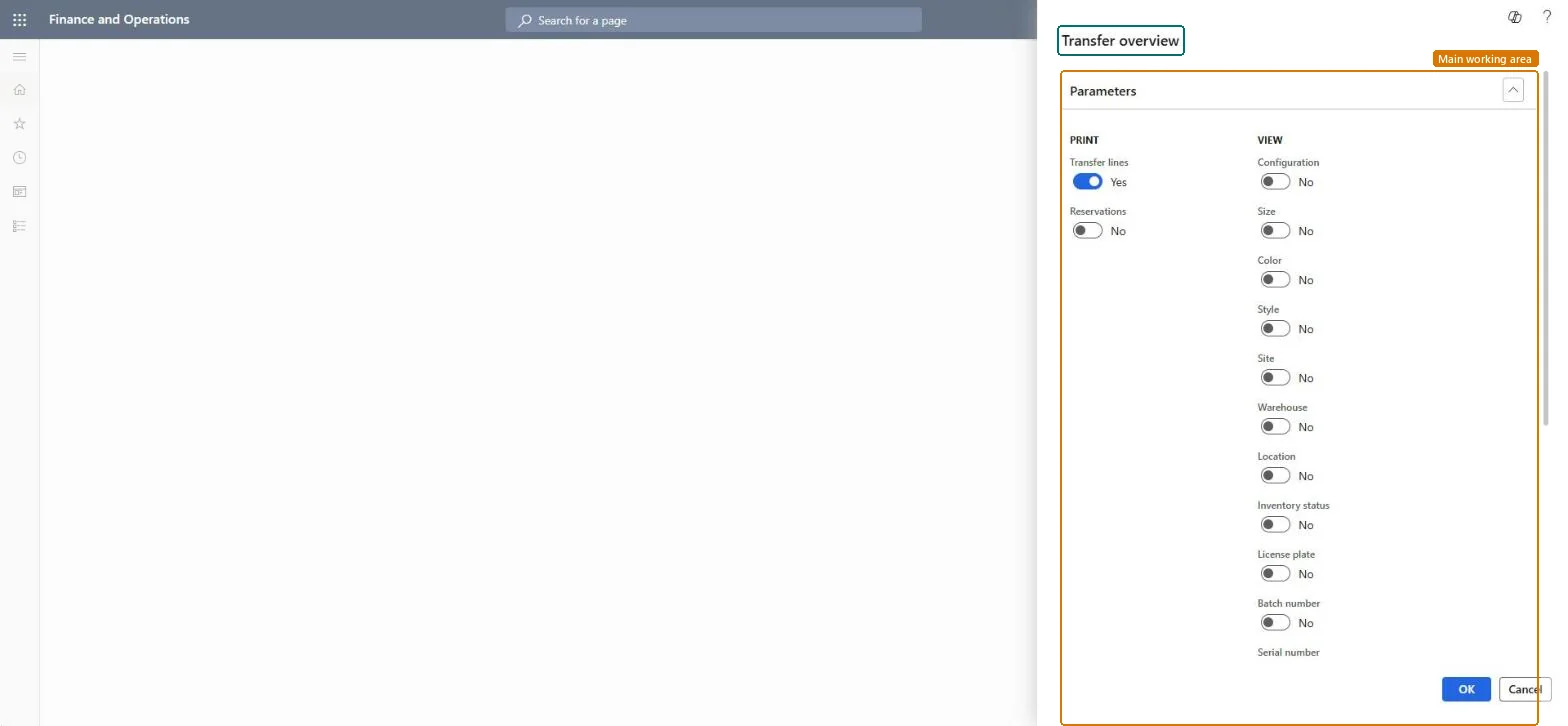
Inventory management › Inquiries and reports › Transfer orders › Transfer overview
End user · Functional consultant
3How to do it
About the examples: Examples and screenshots in this guide use BEAT, a demo company in a Dynamics 365 test environment. Use your own company's codes and values instead of copying them.
When to run it
When to run it
When you need an overview of one or more transfer orders, for example to follow up open transfers between warehouses.
How often
On demand.
What the output shows
The transfer overview document for the selected transfer orders, with tax details when Tax information is selected. Tax details that are missing for an order usually mean it isn't shipped or received yet.
Adds tax details, such as tax registration numbers and tax amounts, to the printed document.Microsoft Learn
Solution architect
4Design impact
Can it be undone
Nothing to undo: The overview only prints transfer order data; it changes nothing. Microsoft Learn
If you change it later
Tax details can be printed only after the transfer order is shipped or received. Microsoft Learn
Technical architect
5Technical
Menu item
output:InventTransferOrderOverviewChecked in Dynamics 365
Form
SysOperationTemplateFormChecked in Dynamics 365
Roles to set it up and use it
To use itQuality control manager InventQualityControlManagerWarehouse manager WMSWarehouseManagerMaterials manager InventMaterialsManagerProduction supervisor ProdProductionSupervisorShipping clerk InventShippingClerkGive people one of these roles. On this system, 22 roles can run this page.Checked in Dynamics 365