Inventory managementInquiries and reportsTracking dimensions
InventSerial
Used by
Quality control clerk, Quality control manager, Receiving clerk and 5 more roles
Business process
Maintain inventory levels
Menu item
InventSerial
Main table
InventSerial
Data entity
InventItemSerialNumberEntity
Show what matters for
PAGE GUIDEWhat the page does and how to use it7 sections. Choose a role to highlight what matters to you.
Everyone
1What it is and why
What it is
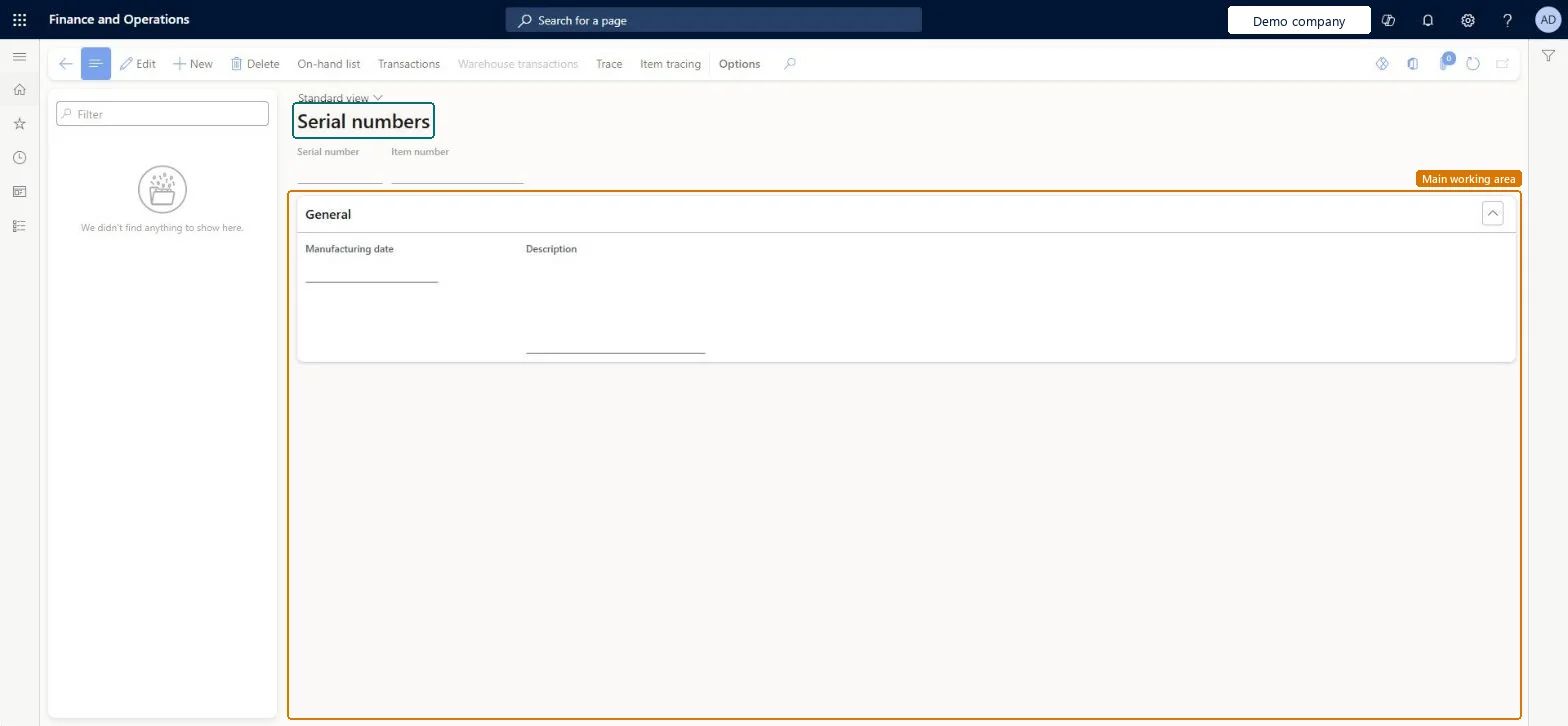
A list page that shows serial numbers with their item number, manufacturing date and description.
What you do here
Use this page to find a serial number and to reach its on-hand list, transactions, warehouse transactions, trace and item tracing from the Action Pane.
The page in Dynamics 365. page title tab to open what to set or check
Inventory management › Inquiries and reports › Tracking dimensions › Serial numbers
End user · Functional consultant
3How to do it
About the examples: Examples and screenshots in this guide use BEAT, a demo company in a Dynamics 365 test environment. Use your own company's codes and values instead of copying them.
How to use it
Go to Inventory management > Inquiries and reports > Tracking dimensions > Serial numbers.
Use the Filter box to find a serial number in the left list.
Review the Serial number, Item number, Manufacturing date and Description fields.
Select On-hand list, Transactions, Warehouse transactions, Trace or Item tracing on the Action Pane for the selected serial number.
Select New to add a serial number, or Edit to change the selected one.
PrivilegesMaintain serial numbers InventSerialMaintainView serial numbers InventSerialViewDutiesInquire into tracking dimensions master InventTrackingDimensionsMasterInquireMaintain tracking dimensions master InventTrackingDimensionsMasterMaintain8 security rolesQuality control clerk InventQualityControlClerkQuality control manager InventQualityControlManagerReceiving clerk InventReceivingClerkShipping clerk InventShippingClerkPurchasing manager TradePurchasingManagerSales manager TradeSalesManagerWarehouse manager WMSWarehouseManagerWarehouse worker WMSWarehouseWorkerChecked in Dynamics 365
Roles to set it up and use it
To set it up or change itQuality control clerk InventQualityControlClerkSales manager TradeSalesManagerPurchasing manager TradePurchasingManagerWarehouse worker WMSWarehouseWorkerShipping clerk InventShippingClerkTo use itQuality control manager InventQualityControlManagerWarehouse manager WMSWarehouseManagerGive people one of these roles. On this system, 8 roles can open this page.Checked in Dynamics 365
Actions on the page
Options: Personalize, Page options, ShareChecked in Dynamics 365