Inventory management › Inquiries and reports › Physical inventory reports › Items in quarantine
End user · Functional consultant
3How to do it
About the examples: Examples and screenshots in this guide use BEAT, a demo company in a Dynamics 365 test environment. Use your own company's codes and values instead of copying them.
When to run it
When to run it
When quality or warehouse staff need a list of goods held on quarantine orders, for example before deciding which orders to report as finished.
How often
On demand, during quality inspections.
What the output shows
One line per quarantine order and item, with the dimensions you switched on. An order missing from the list usually has a status outside the Status range, for example Created or Ended.
Go to Inventory management > Inquiries and reports > Physical inventory reports > Items in quarantine.
In Status, keep the default range from Started to Reported as finished to see stock that is still in quarantine, or widen it to include other quarantine order statuses.
Use Quarantine number or Item number to limit the report to specific quarantine orders or items.
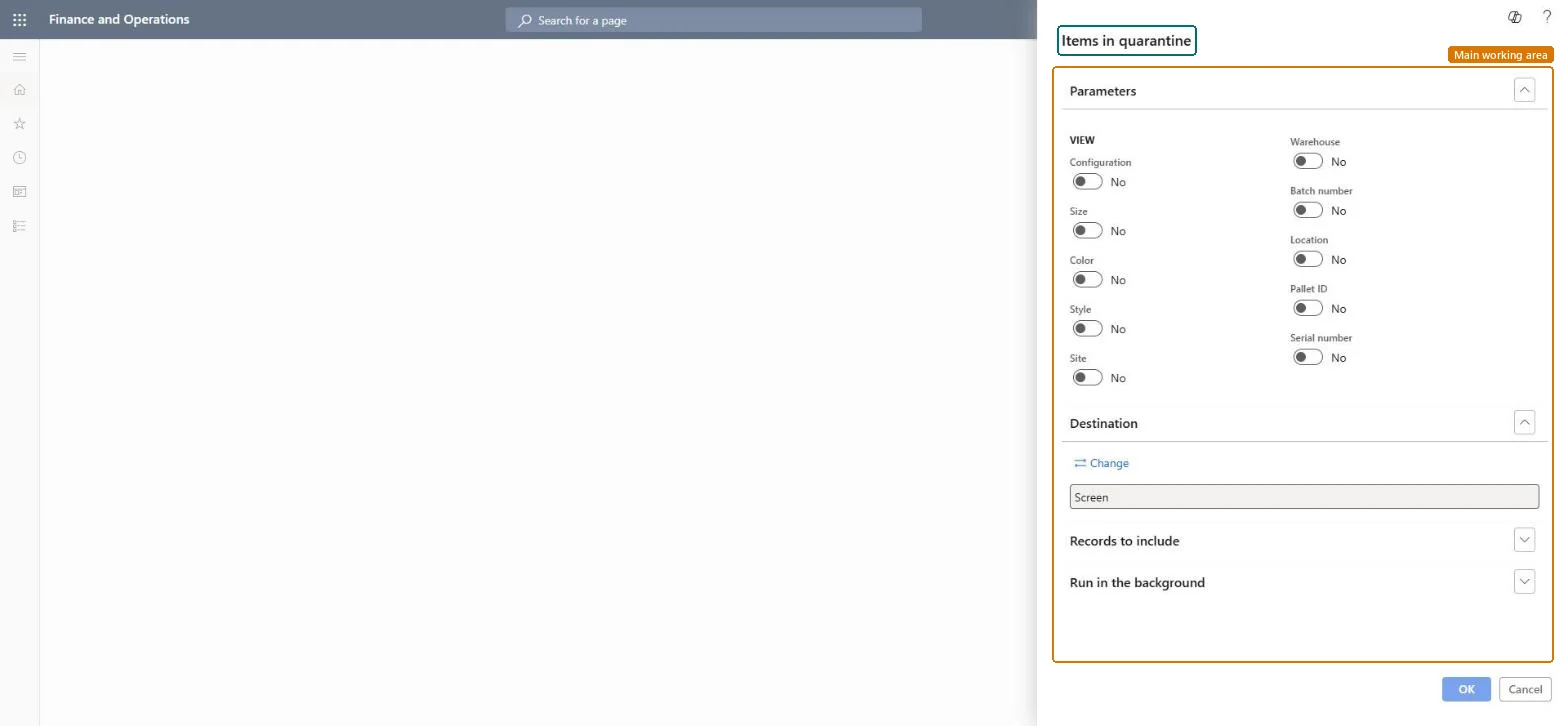
Under View, switch on the dimensions to print, such as Site, Warehouse, Batch number, Location, Pallet ID or Serial number.
Run the report and go through each quarantine order line with its item and the quantity held in the quarantine warehouse.
Nothing to undo: The quarantine report only reads quarantine orders; it changes nothing. Microsoft Learn
Technical architect
5Technical
Menu item
output:InventQuarantineOrderChecked in Dynamics 365
Form
SysOperationTemplateFormChecked in Dynamics 365
Roles to set it up and use it
To use itQuality control manager InventQualityControlManagerWarehouse manager WMSWarehouseManagerMaterials manager InventMaterialsManagerQuality control clerk InventQualityControlClerkShipping clerk InventShippingClerkGive people one of these roles. On this system, 7 roles can run this page.Checked in Dynamics 365