Inventory management › Inquiries and reports › Operations infrastructure
End user · Functional consultant
3How to do it
About the examples: Examples and screenshots in this guide use BEAT, a demo company in a Dynamics 365 test environment. Use your own company's codes and values instead of copying them.
How to use it
Go to Inventory management > Inquiries and reports > Operations infrastructure.
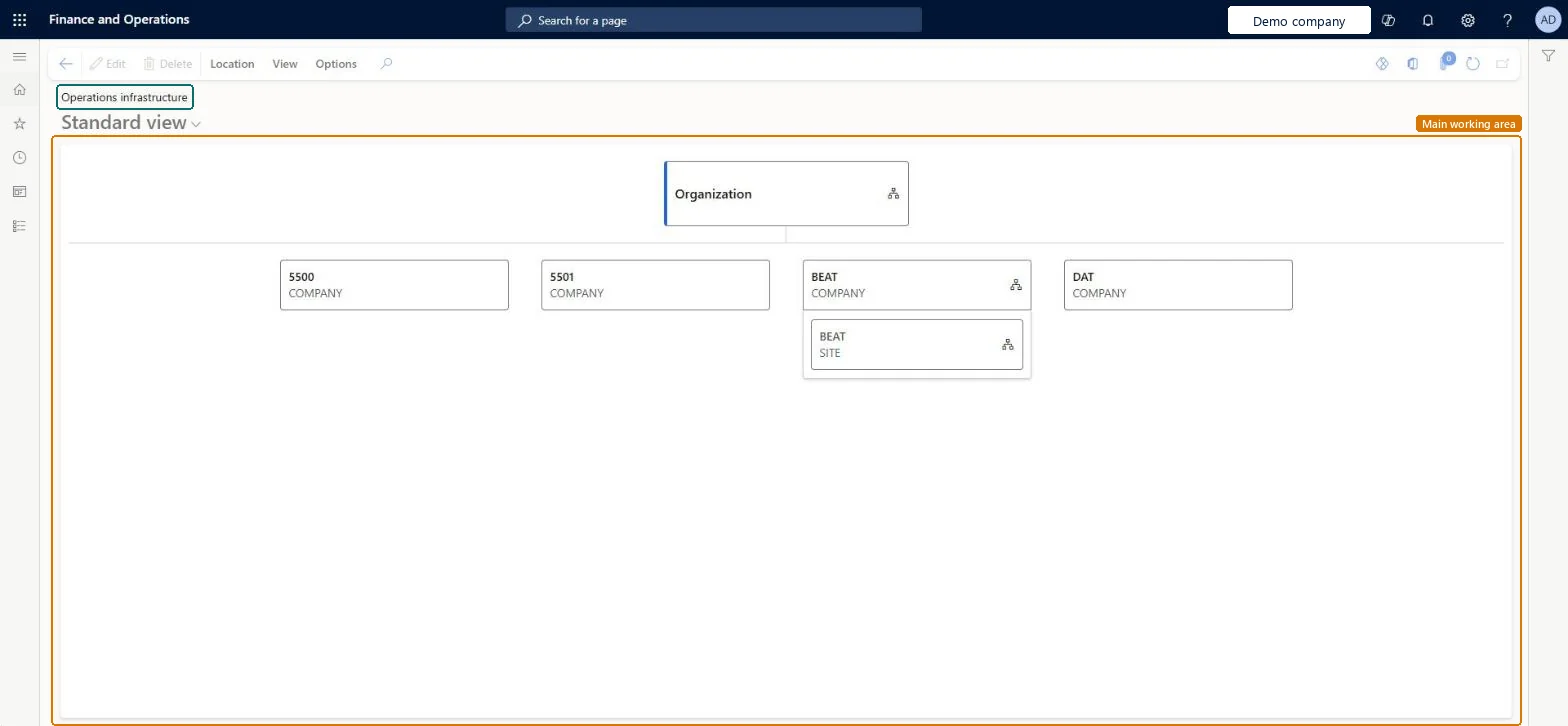
Review the organization diagram, which shows the companies and the site beneath a company.
Select View on the Action Pane and choose Sites, Warehouses or Locations to change what the diagram shows.
Select a node in the diagram, then select Location and choose New or Related information.
Select Edit to change the selected node.
Source: Checked in Dynamics 365
Technical architect
4Technical
Menu item
DirViewLocationsChecked in Dynamics 365
Form
DirViewLocationsChecked in Dynamics 365
Table
DataAreaShown as “Companies” in Record infoChecked in Dynamics 365
Data entities
ScpDemandPlanningSiteEntityDemand planning sites Checked in Dynamics 365ScpDemandPlanningWarehouseEntityDemand planning warehouses Checked in Dynamics 365TrvExpMobileCompanyInfoEntityExpense Legal Entity Checked in Dynamics 365TrvExpMobileCompanyInfoV2EntityExpense legal entity V2 Checked in Dynamics 365LedgerEntityLedger Microsoft data model PayrollWorkerAddressEntityPayroll worker address Checked in Dynamics 365InventOperationalSiteV2EntitySites V2 Checked in Dynamics 365InventWarehouseEntityWarehouses Microsoft data model
Who can open it
PrivilegesDisplay locations view DirViewLocationsDutiesEnable the logistic process InventLogisticProcessEnableEnable production process ProdProductionProcessEnableInquire into vendor questionnaire progress VendVendorQuestionnaireInquireMaintain vendor questionnaires VendVendorQuestionnaireMaintainInquire into warehouse operation master WMSWarehouseOperationMasterInquireMaintain warehouse operation master WMSWarehouseOperationMasterMaintainInquire into resource master WrkCtrResourcesMasterInquireMaintain resource master WrkCtrResourcesMasterMaintain13 security rolesField Service Integration User FieldServiceIntegrationUserMaterials manager InventMaterialsManagerProduction manager ProdProductionManagerProduction supervisor ProdProductionSupervisorProject manager ProjProjectManagerProcess engineer RouteProcessEngineerProcess engineering manager RouteProcessEngineeringManagerPurchasing manager TradePurchasingManagerPurchasing agent VendPurchasingAgentPurchasing Agent - Public Sector VendPurchasingAgent_PSNVendor account manager VendVendorAccountManagerWarehouse planner WHSWarehousePlannerWarehouse manager WMSWarehouseManagerChecked in Dynamics 365
Roles to set it up and use it
To use itWarehouse manager WMSWarehouseManagerMaterials manager InventMaterialsManagerProduction supervisor ProdProductionSupervisorPurchasing manager TradePurchasingManagerProduction manager ProdProductionManagerGive people one of these roles. On this system, 13 roles can open this page.Checked in Dynamics 365
Actions on the page
Location: New, Related informationView: Sites, Warehouses, LocationsOptions: Personalize, Page options, ShareChecked in Dynamics 365
Developer
5Developer
Open it by URL
https://<your-environment>/?mi=DirViewLocations
Integrate with
ScpDemandPlanningSiteEntity data entity Checked in Dynamics 365
Everyone
6Sources
Checked in a working Dynamics 365 system, version 10.0.49: the menu item, form, table and security, the page.