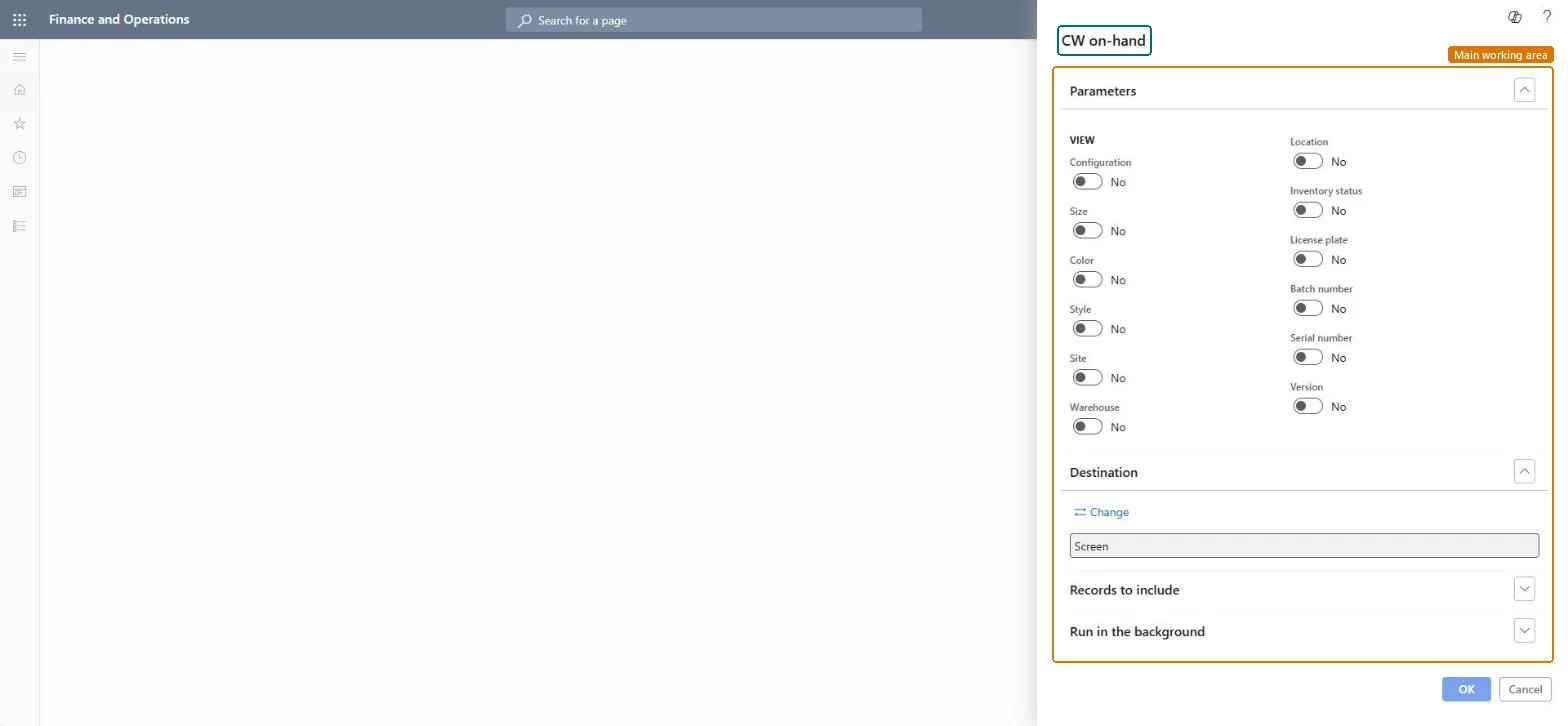
About the examples: Examples and screenshots in this guide use BEAT, a demo company in a Dynamics 365 test environment. Use your own company's codes and values instead of copying them.
When to run it
When to run it
When you need the on-hand position of catch weight items, for example before a count or after receipts where actual weights were captured.
How often
On demand, when catch weight stock must be reviewed.
What the output shows
Catch weight on-hand quantities per item, split by the dimensions you switched on under View. A figure that looks wrong for a tag-tracked item often comes from manual inventory updates, because adjustment journals don't update catch weight tags automatically.
Go to Inventory management > Inquiries and reports > On-hand reports > CW on-hand.
Under View, switch on only the dimensions you want the catch weight quantities split by, such as Site, Warehouse, Location, Batch number or License plate.
Leave Configuration, Size, Color, Style and Version off unless your catch weight items use them, so lines for the same item are added together.
Expand Records to include to limit the report to the catch weight items or warehouses you are reviewing.
Run the report and review the catch weight on-hand quantity on each line for the dimensions you selected.
Nothing to undo: The CW on-hand report only reads inventory; nothing is changed. Microsoft Learn
Technical architect
5Technical
Menu item
output:PdsCWInventOnhandChecked in Dynamics 365
Form
SysOperationTemplateFormChecked in Dynamics 365
Roles to set it up and use it
To use itQuality control manager InventQualityControlManagerWarehouse manager WMSWarehouseManagerMaterials manager InventMaterialsManagerQuality control clerk InventQualityControlClerkProduction supervisor ProdProductionSupervisorGive people one of these roles. On this system, 29 roles can run this page.Checked in Dynamics 365