BeyondERP.Newsletter
Menu

Report page · Inventory management

Intercompany goods in transit transactions

A report that lists all sales packing slips and purchase product receipts for intercompany goods that are in transit.

Business process
Maintain inventory levels
Menu item
output:InterCompanyGoodsInTransitTransactions
Show what matters for
PAGE GUIDEWhat the page does and how to use it7 sections. Choose a role to highlight what matters to you.
Everyone

1What it is and why

What it isA report that lists all sales packing slips and purchase product receipts for intercompany goods that are in transit.
What you do hereUse this report to see every shipment to and receipt from transit in a period, and to check it against the totals report.
ExampleFor example, you can export the details to Excel and build your own groupings, subtotals or pivot tables.
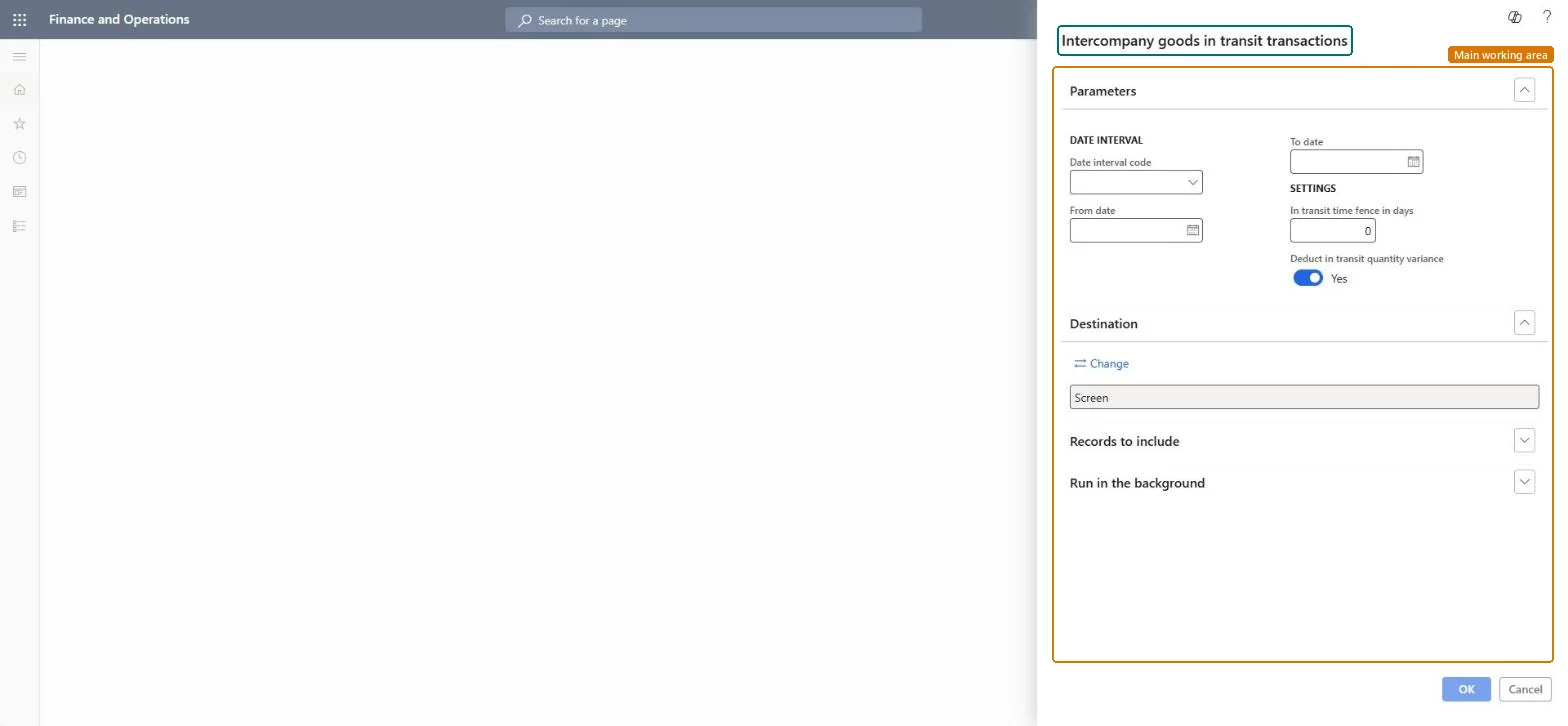
Intercompany goods in transit transactions page in Dynamics 365
The page in Dynamics 365. page title tab to open what to set or check
Functional consultant · Solution architect

2Where it fits

Business processMaintain inventory levels
Menu pathInventory management › Inquiries and reports › Inventory value reports › Intercompany goods in transit transactions
Related pagesIntercompany goods in transit totals Microsoft Learn
End user · Functional consultant

3How to do it

About the examples: Examples and screenshots in this guide use BEAT, a demo company in a Dynamics 365 test environment. Use your own company's codes and values instead of copying them.

When to run it

When to run itWhen you need the detail behind the intercompany goods in transit totals, for example to explain a total before you post it.
How oftenOn demand, alongside the totals report for the same period.
What the output showsEvery sales packing slip and purchase product receipt for intercompany goods in transit in the period. If the lines don't add up to the totals report, the two were run with different dates or settings; neither is reliable together with Landed cost goods in transit.

Source: Microsoft Learn

Steps from Microsoft

  1. Go to Inventory management > Inquiries and reports > Inventory value reports > Intercompany goods in transit transactions.
  2. Use the same Date interval code, or From date and To date, as the totals report you want to explain.
  3. Enter the same In transit time fence in days and Deduct in transit quantity variance setting as on the totals report, so both cover the same shipments.
  4. Limit the list with Vendor account or Customer company if you reconcile only some trading partners.
  5. Run it and match each sales packing slip and purchase product receipt in the list with the totals per vendor.

Source: Microsoft Learn

Fields on the page

FieldWhat it means
Date interval codeA preset period, such as a month, quarter or year, that fills in the from and to dates.Microsoft Learn
In transit time fence in daysHow many days before the from date the report looks for shipments or receipts that affect goods in transit.Microsoft Learn
Deduct in transit quantity varianceSubtracts the in-transit quantity variance from the in-transit quantity.Microsoft Learn
Vendor accountLimits the report to one or more vendors.Microsoft Learn
Customer companyLimits the report to one or more customer companies.Microsoft Learn
Solution architect

4Design impact

Can it be undoneNothing to undo: The transactions report only lists documents; it changes nothing. Microsoft Learn
If you change it laterThe report doesn't work with the goods-in-transit feature of Landed cost; using both together gives incorrect results. Microsoft Learn
Technical architect

5Technical

Menu itemoutput:InterCompanyGoodsInTransitTransactions Checked in Dynamics 365
FormSysOperationTemplateForm Checked in Dynamics 365
Roles to set it up and use itTo use itAccounting manager LedgerAccountingManagerInventory accountant clerk InventCostCostClerkInventory accountant InventCostAccountantGive people one of these roles. On this system, 3 roles can run this page.Checked in Dynamics 365
Developer

6Developer

Open it by URLhttps://<your-environment>/?mi=output:InterCompanyGoodsInTransitTransactions
Everyone

7Sources