BeyondERP.Newsletter
Menu

Report page · Inventory management

Counting statistics

A report that shows counting statistics, with options for the inventory dimensions to include.

Business process
Count inventory
Menu item
output:InventCountStatistics
Show what matters for
PAGE GUIDEWhat the page does and how to use it7 sections. Choose a role to highlight what matters to you.
Everyone

1What it is and why

What it isA report that shows counting statistics, with options for the inventory dimensions to include.
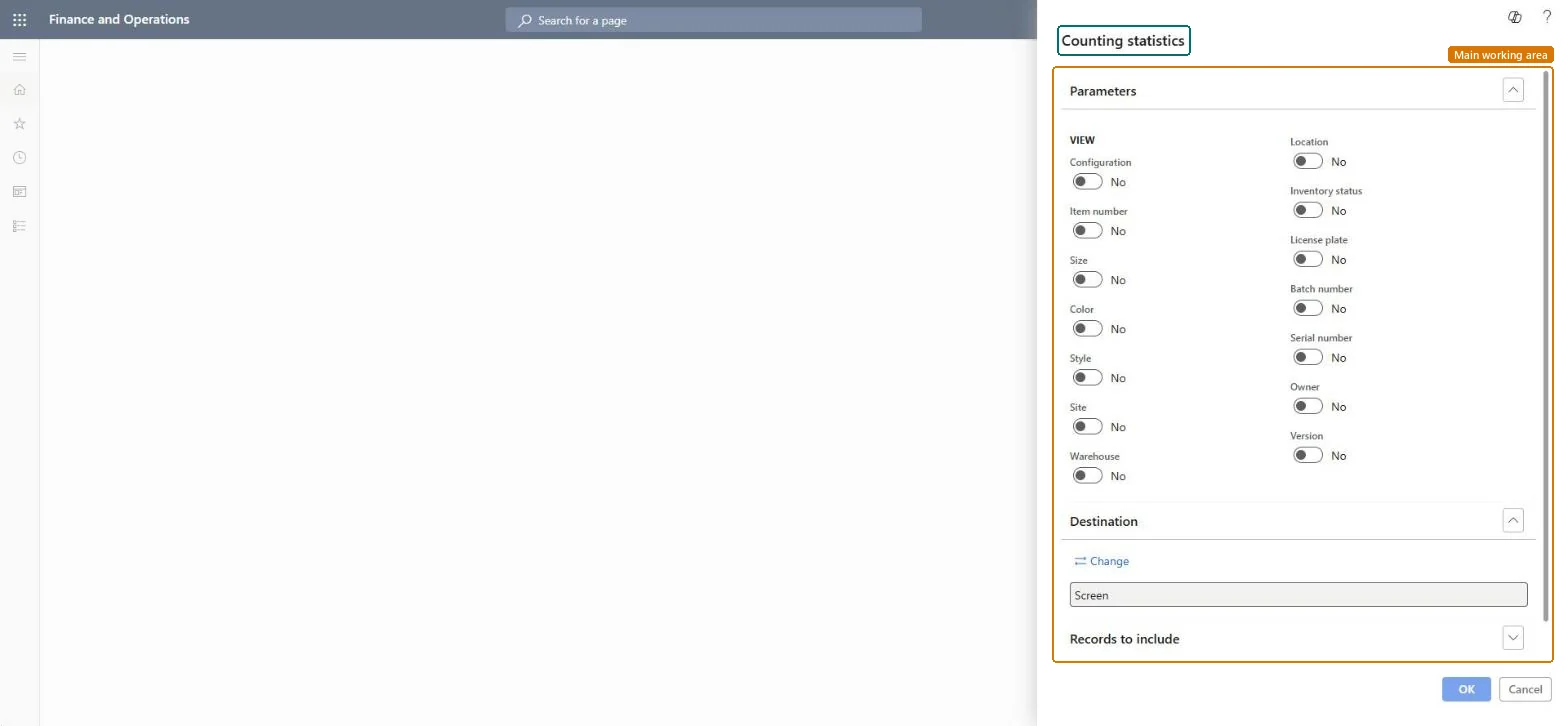
What you do hereUse this report to see counting statistics broken down by the inventory dimensions you switch on.
Counting statistics page in Dynamics 365
The page in Dynamics 365. page title tab to open what to set or check
Functional consultant · Solution architect

2Where it fits

Business processMaintain inventory levels › Count inventory
Menu pathInventory management › Inquiries and reports › Inventory value reports › Counting statistics
End user · Functional consultant

3How to do it

About the examples: Examples and screenshots in this guide use BEAT, a demo company in a Dynamics 365 test environment. Use your own company's codes and values instead of copying them.

When to run it

When to run itWhen you review counting activity, for example after the counting journals for a period are posted.
How oftenOn demand, for example monthly as part of counting follow-up.
What the output showsCounting statistics per combination of the dimensions you switched on. A dimension with no counts usually means no counting journals were posted for it in the selection.

Source: Microsoft Learn

Steps from Microsoft

  1. Go to Inventory management > Inquiries and reports > Inventory value reports > Counting statistics.
  2. Under View, switch on the dimensions to group the statistics by, such as Item number, Warehouse, Location or Batch number.
  3. Expand Records to include to limit the statistics to the items or warehouses you want to review.
  4. Run the report and review the counting statistics for each dimension combination you switched on.
  5. If some items are counted less often than you want, review their counting group and Counting period.

Source: Microsoft Learn

Solution architect

4Design impact

Can it be undoneNothing to undo: The counting statistics report only reads counting data; it changes nothing. Microsoft Learn
Technical architect

5Technical

Menu itemoutput:InventCountStatistics Checked in Dynamics 365
FormSysOperationTemplateForm Checked in Dynamics 365
Roles to set it up and use itTo use itWarehouse manager WMSWarehouseManagerMaterials manager InventMaterialsManagerWarehouse planner WHSWarehousePlannerChief executive officer CompanyChiefExecutiveOfficerGive people one of these roles. On this system, 4 roles can run this page.Checked in Dynamics 365
Developer

6Developer

Open it by URLhttps://<your-environment>/?mi=output:InventCountStatistics
Everyone

7Sources