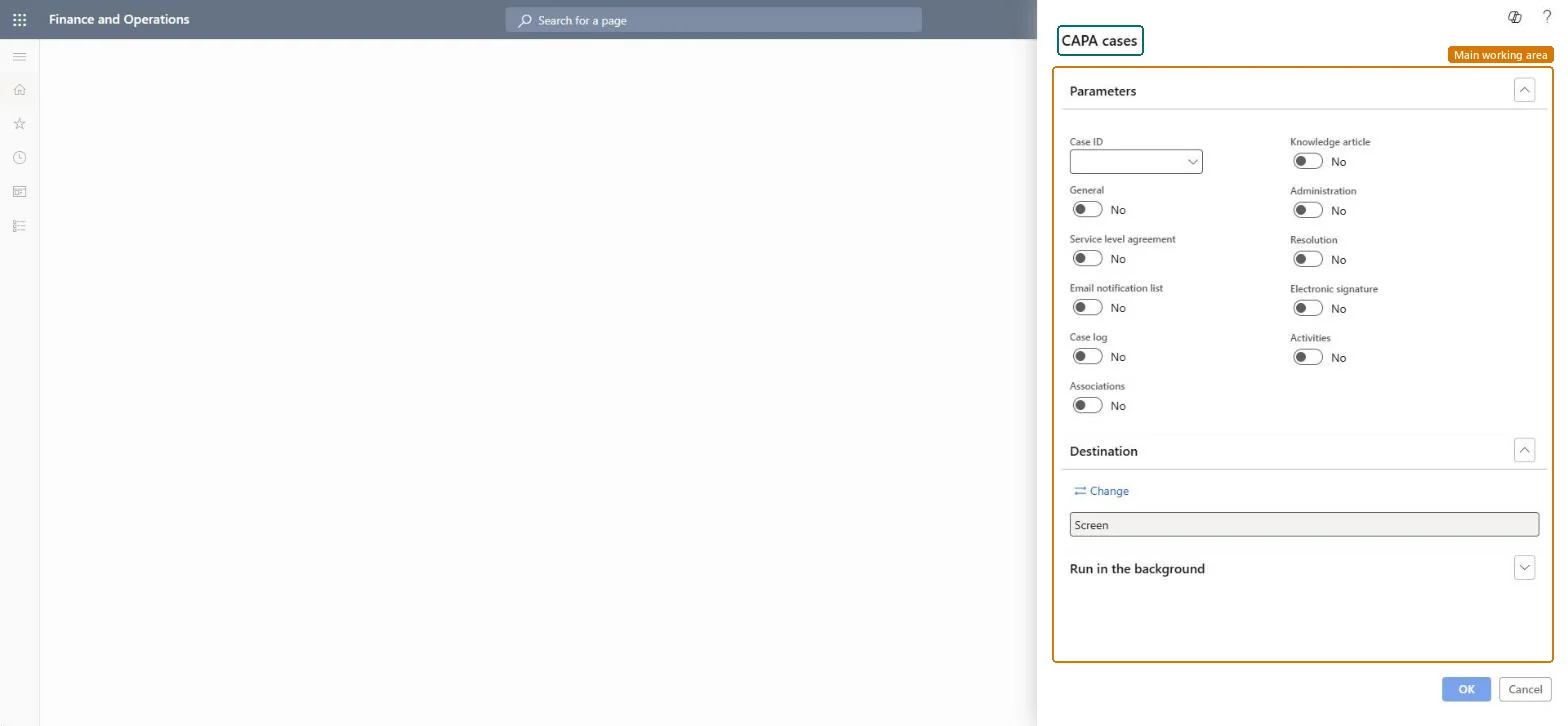
A report that prints a CAPA case, with options to include sections such as general details, service level agreement, case log, associations, resolution, electronic signature and activities.
Inventory managementInquiries and reportsCAPA management
output:QMSCAPACaseDetail
Business process
Perform corrective and preventative actions
Menu item
output:QMSCAPACaseDetail
Show what matters for
PAGE GUIDEWhat the page does and how to use it7 sections. Choose a role to highlight what matters to you.
Everyone
1What it is and why
What it is
A report that prints a CAPA case, with options to include sections such as general details, service level agreement, case log, associations, resolution, electronic signature and activities.
What you do here
Use this report to print the details of a CAPA case, chosen by Case ID, with only the sections you switch on.
The page in Dynamics 365. page title tab to open what to set or check
About the examples: Examples and screenshots in this guide use BEAT, a demo company in a Dynamics 365 test environment. Use your own company's codes and values instead of copying them.
When to run it
When to run it
When you need a record of a CAPA case, for example for a review, an audit, or when the case is closed.
How often
On demand, per CAPA case.
What the output shows
The CAPA case for the selected Case ID with the sections you switched on. A missing stage usually has Print on report set to No on the CAPA process.
Go to Inventory management > Inquiries and reports > CAPA management > CAPA cases.
Select the Case ID of the CAPA case to print.
Switch on only the sections you need: General, Service level agreement, Email notification list, Case log, Associations, Knowledge article, Administration, Resolution, Electronic signature and Activities.
Stages print only when their Print on report setting on the CAPA process allows it, so set that on the process if a stage is missing.
Keep Screen to review the case, or select Change to save or send the report.
Nothing to undo: Printing a CAPA case changes nothing on the case. Microsoft Learn
Technical architect
5Technical
Menu item
output:QMSCAPACaseDetailChecked in Dynamics 365
Form
SysOperationTemplateFormChecked in Dynamics 365
Roles to set it up and use it
To use itCAPA updater QMSCAPAUpdaterCAPA administrator QMSCAPAAdministratorCAPA viewer QMSCAPAViewerGive people one of these roles. On this system, 3 roles can run this page.Checked in Dynamics 365