Human resource assistant, Human resource manager, Payroll administrator
Business process
Develop people strategy
Menu item
HcmUnions
Main table
HcmUnions
Data entity
HcmLaborUnionEntity
Setup steps
1 on this page
Show what matters for
PAGE GUIDEWhat the page does and how to use it8 sections. Choose a role to highlight what matters to you.
Everyone
1What it is and why
What it is
A setup page that holds the list of labor unions that workers can be associated with.
What you do here
Use this page to record each labor union and whether it is entitled to negotiate with the company on behalf of workers.
Example
For example, BEAT records the union UCA (United Consultants of America) with Entitled to negotiate = Yes; the agreement UCA - Consultants is then linked to the 15 consultant positions, and a benefit eligibility rule with Eligible union = UCA offers the union pension plan.
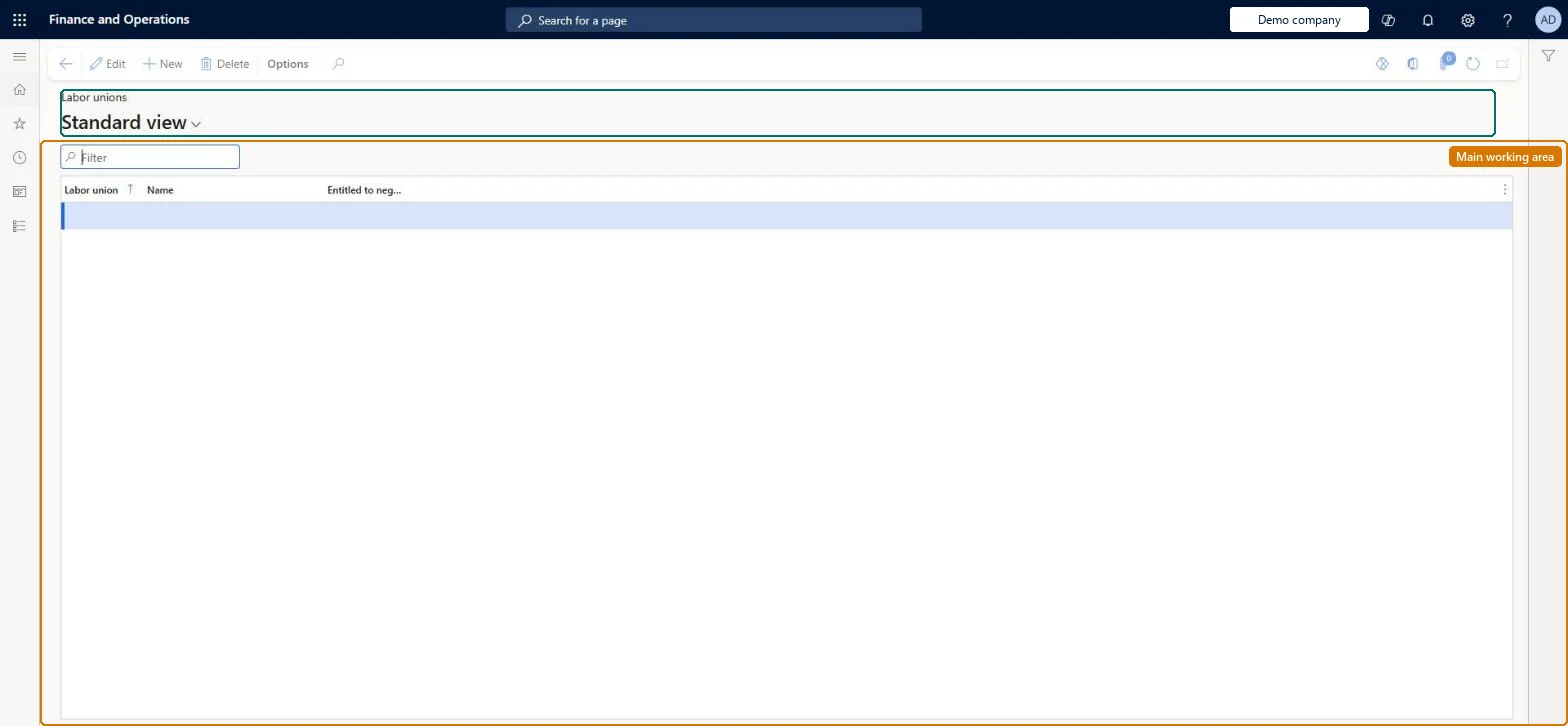
The page in Dynamics 365. page title tab to open what to set or check
About the examples: Examples and screenshots in this guide use BEAT, a demo company in a Dynamics 365 test environment. Use your own company's codes and values instead of copying them.
Setup steps on this page
Set up Labor unions
Use this page to record each labor union and whether it is entitled to negotiate with the company on behalf of workers.
Steps from Microsoft
Go to Human resources > Setup > Labor unions.
Use the Filter box to find a row.
Select New and enter the Labor union code and Name, and set Entitled to negotiate.
Review the Labor union, Name and Entitled to negotiate columns.
Select Save; select Delete to remove a selected row.
Shows that the union is authorized to negotiate with the company on behalf of workers.Microsoft Learn
Yes
negotiator
Common errors and fixes
Message
What to do
A union-based eligibility rule doesn't find union members
The worker's union record has no end date. When a rule uses Eligible union, the worker's union record must have the end date filled in. Microsoft Learn
Test checklist
Create a labor union with Entitled to negotiate set as agreed.
On a position, record that a union agreement is required and select the union.
Check the union and agreement show on the position's Labor union FastTab.
One record per union with its ID, name and Entitled to negotiate, set up before union agreements and positions that need themUnion agreements and the Labor union FastTab of positions point to the union, and benefit eligibility rules can filter on Eligible union.
Human resource assistant maintains the unions; Human resource manager and Payroll administrator view them. The union ID, name and Entitled to negotiate are also exposed through the HCM Labor union entity. No Feature management feature is needed for this page.
Shared: labor unions are not per company. Data management lists the Labor unions entity as shared. Checked in Dynamics 365
Can it be undone
Hard to reverse: Positions record which labor union is used and union agreements are linked to the union, so changes have to be carried through to positions and agreements. Microsoft Learn
If you change it later
Positions record which labor union is used, union agreements name the union, and benefit eligibility rules can filter on Eligible union, so changing or removing a union reaches positions, agreements and eligibility. Microsoft Learn
Technical architect
6Technical
Menu item
HcmUnionsChecked in Dynamics 365
Form
HcmUnionsChecked in Dynamics 365
Table
HcmUnionsShown as “LABOR UNIONS” in Record infoKey field: UnionIDChecked in Dynamics 365
Data entities
HcmLaborUnionEntityLabor unions Checked in Dynamics 365
Who can open it
PrivilegesDelete labor unions HcmLaborUnionMaintainView labor unions HcmLaborUnionViewDutiesEnable maintenance of labor union position and employee relationships HcmLaborUnionProcessEnableInquire into labor union position and employee relationships HcmLaborUnionProcessInquireEnable maintenance of labor unions and labor union agreements HcmLaborUnionSetupEnableInquire into labor union position and employee relationships HcmLaborUnionSetupInquire3 security rolesHuman resource assistant HcmHumanResourceAssistantHuman resource manager HcmHumanResourceManagerPayroll administrator HcmPayrollAdministratorChecked in Dynamics 365
Roles to set it up and use it
To set it up or change itHuman resource assistant HcmHumanResourceAssistantTo use itHuman resource manager HcmHumanResourceManagerPayroll administrator HcmPayrollAdministratorGive people one of these roles. On this system, 3 roles can open this page.Checked in Dynamics 365
Developer
7Developer
Open it by URL
https://<your-environment>/?mi=HcmUnions
Integrate with
HcmLaborUnionEntity data entity Checked in Dynamics 365
Data migration
HcmLaborUnionEntity Labor unions. Shared by all companies.Load order: Load with the Jobs and positions template: Labor unions, then Labor union agreement, then Position union agreement, after positions exist.Microsoft Learn