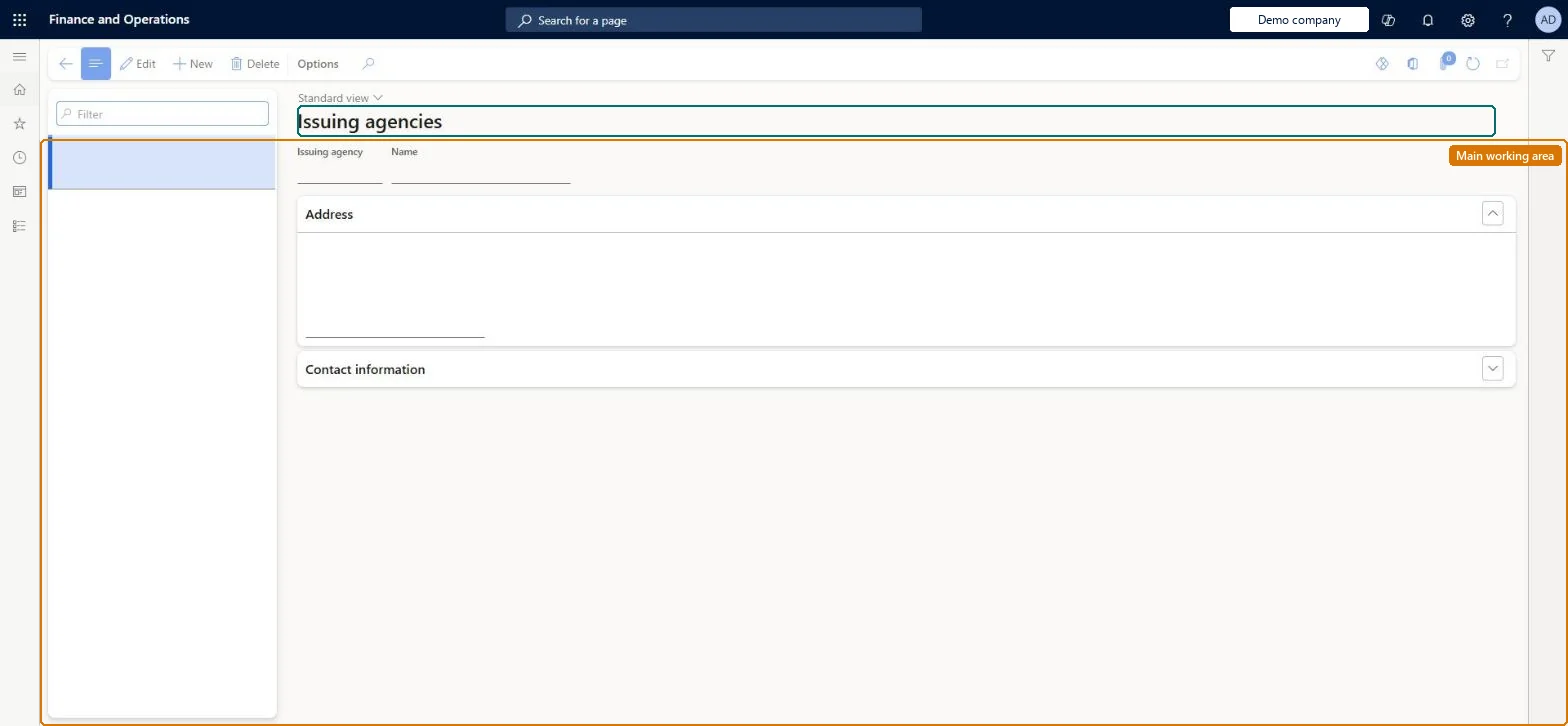
A setup page where you record the government or other agencies that are authorised to issue the documents workers use to prove their identity and employment eligibility.
Compensation and benefits manager, Human resource assistant, Human resource manager and 3 more roles
Business process
Develop people strategy
Menu item
HcmIssuingAgency
Main table
HcmIssuingAgency
Data entity
HcmIssuingAgencyEntity
Setup steps
1 on this page
Show what matters for
PAGE GUIDEWhat the page does and how to use it8 sections. Choose a role to highlight what matters to you.
Everyone
1What it is and why
What it is
A setup page where you record the government or other agencies that are authorised to issue the documents workers use to prove their identity and employment eligibility.
What you do here
Use this page to enter each issuing agency's identifier, name, address and contact information, so that the agency can then be assigned to Form I-9 document types and to worker identification records.
Example
For example, BEAT creates the agencies DOS (US Department of State) and NY-DMV (New York State Department of Motor Vehicles); a worker's passport record names DOS as issuing agency, and the I-9 document type Driver's license names NY-DMV.
The page in Dynamics 365. page title tab to open what to set or check
About the examples: Examples and screenshots in this guide use BEAT, a demo company in a Dynamics 365 test environment. Use your own company's codes and values instead of copying them.
Setup steps on this page
Set up Issuing agencies
Use this page to enter each issuing agency's identifier, name, address and contact information, so that the agency can then be assigned to Form I-9 document types and to worker identification records.
Steps from Microsoft
Go to Human resources > Setup > Issuing agencies.
Select New.
Enter an identifier and a name for the issuing agency.
On the Address FastTab, enter the agency's address.
On the Contact information FastTab, enter the agency's contact details.
Set up each agency that issues identity or work-eligibility documents before you set up I-9 document typesI-9 document types need the issuing agencies and identification types to exist first; each document type is linked to the agency that issued it.
Agencies are used on any worker identification number; the I-9 document types that also use them are US only. Human resource assistant maintains the list; Human resource manager, Compensation and benefits manager, Recruiter, Payroll administrator and Payroll manager view it. No Feature management feature is needed for this page.
Shared: issuing agencies are not per company. Data management lists the Issuing agency entity as shared. Checked in Dynamics 365
Can it be undone
Hard to reverse: I-9 document types and worker identification numbers point at the issuing agency, so changes must be carried through to them. Microsoft Learn
If you change it later
Worker identification numbers and I-9 document types point to the issuing agency; the agency's name, address and contact details are also synchronized to Dataverse as Person identification issuing agency. Microsoft Learn
Technical architect
6Technical
Menu item
HcmIssuingAgencyChecked in Dynamics 365
Form
HcmIssuingAgencyChecked in Dynamics 365
Table
HcmIssuingAgencyShown as “ISSUING AGENCY” in Record infoKey field: IssuingAgencyIdChecked in Dynamics 365
Data entities
HcmIssuingAgencyEntityIssuing agency Checked in Dynamics 365
Who can open it
PrivilegesMaintain issuing agencies HcmIssuingAgencyMaintainView issuing agencies HcmIssuingAgencyViewDutiesEnable workforce management process HcmWorkforceProcessEnableInquire into workforce management process HcmWorkforceProcessInquire6 security rolesCompensation and benefits manager HcmCompensationAndBenefitsManagerHuman resource assistant HcmHumanResourceAssistantHuman resource manager HcmHumanResourceManagerPayroll administrator HcmPayrollAdministratorPayroll manager HcmPayrollManagerRecruiter HcmRecruiterChecked in Dynamics 365
Roles to set it up and use it
To set it up or change itHuman resource assistant HcmHumanResourceAssistantTo use itHuman resource manager HcmHumanResourceManagerCompensation and benefits manager HcmCompensationAndBenefitsManagerRecruiter HcmRecruiterPayroll administrator HcmPayrollAdministratorPayroll manager HcmPayrollManagerGive people one of these roles. On this system, 6 roles can open this page.Checked in Dynamics 365
Developer
7Developer
Open it by URL
https://<your-environment>/?mi=HcmIssuingAgency
Integrate with
HcmIssuingAgencyEntity data entity Checked in Dynamics 365
Data migration
HcmIssuingAgencyEntity Issuing agency. Shared by all companies.Load order: Load with the Personnel management setup template, which lists: External links groups, Loan types, Media types, Regulatory establishments, Terms of employment, External links, Loan items, Media, Regulatory establishment details, Headquarters establishment for company, Ethnic origins, Issuing agency, Language codes, Reason codes, Titles, Veteran status, Levels, Compensation regions, Identification type, Screening type. Issuing agency has no dependency inside the template; load it before worker identification and the I-9 document types of the Worker data migration template.Microsoft Learn