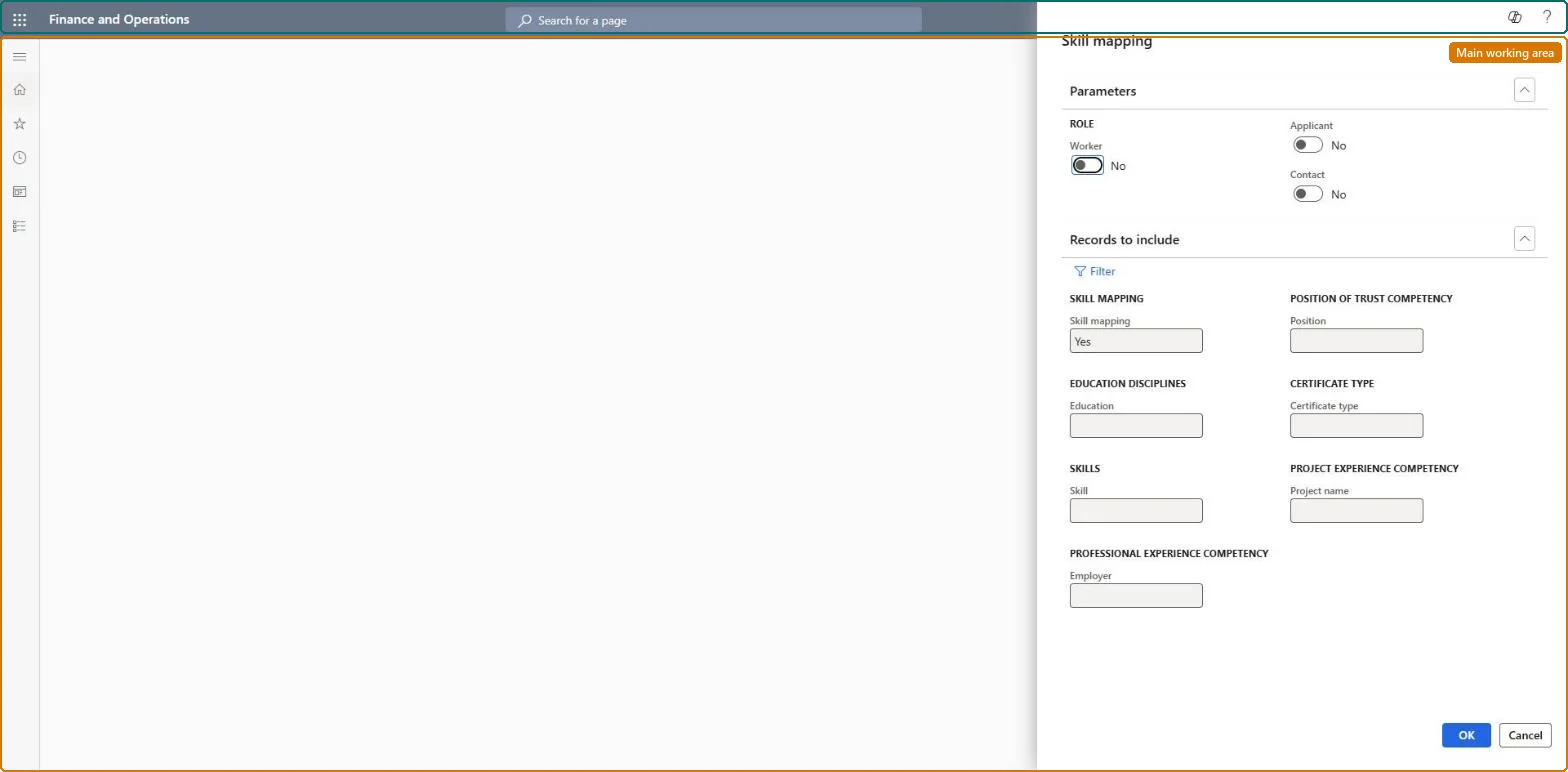
A page where you run a skill mapping search and view the workers, applicants and contacts whose skills, education, certificates, positions and project experience match the criteria you enter.
PAGE GUIDEWhat the page does and how to use it8 sections. Choose a role to highlight what matters to you.
Everyone
1What it is and why
What it is
A page where you run a skill mapping search and view the workers, applicants and contacts whose skills, education, certificates, positions and project experience match the criteria you enter.
What you do here
Use this page to search for qualified people and then open the competencies of a person in the results.
Example
For example, for a payroll specialist opening the recruiter searches for the certificate CPP with Applicant and Worker on; 3 people come back, 2 of them applicants from earlier projects, and the recruiter opens their competencies before inviting them.
The page in Dynamics 365. page title tab to open what to set or check
About the examples: Examples and screenshots in this guide use BEAT, a demo company in a Dynamics 365 test environment. Use your own company's codes and values instead of copying them.
Setup steps on this page
Search the talent pool before advertising
Look for qualified applicants and workers before a new project is advertised.
Steps from Microsoft
Go to Human resources > Recruitment > Skill analysis > Skill mapping.
Turn on Applicant and Worker under Role so that past applicants and internal candidates are both searched.
Enter what the opening needs: a skill, certificate type, education, position, project or employer, or pick a saved Skill mapping profile.
Run the search and read Person with the Worker, Applicant and Contact marks.
Open the competencies of a person before you invite them to apply.
Set the roles first (Applicant and Worker on), then one decisive criterion such as a certificate, and widen only if nothing is found.Skill mapping searches skills, education, certificates, positions and project experience, so past applicants and employees can be reached before paying for media.
Applicants are shared by all legal entities, so applicants who applied in any company can be found. Microsoft Learn
Can it be undone
Reversible: A skill mapping is a search over skills, education, certificates, positions and project experience. Running it again with other criteria only changes the result list. Microsoft Learn
If you change it later
Only people marked Include in skill mapping appear in the results. Microsoft Learn
Technical architect
6Technical
Menu item
HcmSkillMappingSearchChecked in Dynamics 365
Form
DialogChecked in Dynamics 365
Roles to set it up and use it
To use itHuman resource manager HcmHumanResourceManagerHuman resource assistant HcmHumanResourceAssistantRecruiter HcmRecruiterTraining manager HcmTrainingManagerGive people one of these roles. On this system, 4 roles can open this page.Checked in Dynamics 365
Load order: Skill mapping has no data entity in Data management, so it can't be loaded from a file or a configuration template. It searches the competencies already recorded; load worker and applicant competencies and set Include in skill mapping in each environment.Microsoft Learn