PAGE GUIDEWhat the page does and how to use it8 sections. Choose a role to highlight what matters to you.
Everyone
1What it is and why
What it is
A page where you create mass hire projects to create many positions at once and hire workers into them.
What you do here
Use this page to create a project with start and end dates, open it, create positions in bulk for a job, enter the people being hired, and hire them so that position and worker records are created together.
Example
For example, BEAT creates the project SummerInterns from 1 June to 31 August, opens it, creates 5 accountant, 5 order processor and 5 cashier positions, enters each student on a position and selects Hire: 15 positions and 15 workers are created, with 1 June as hire date and 31 August as termination date.
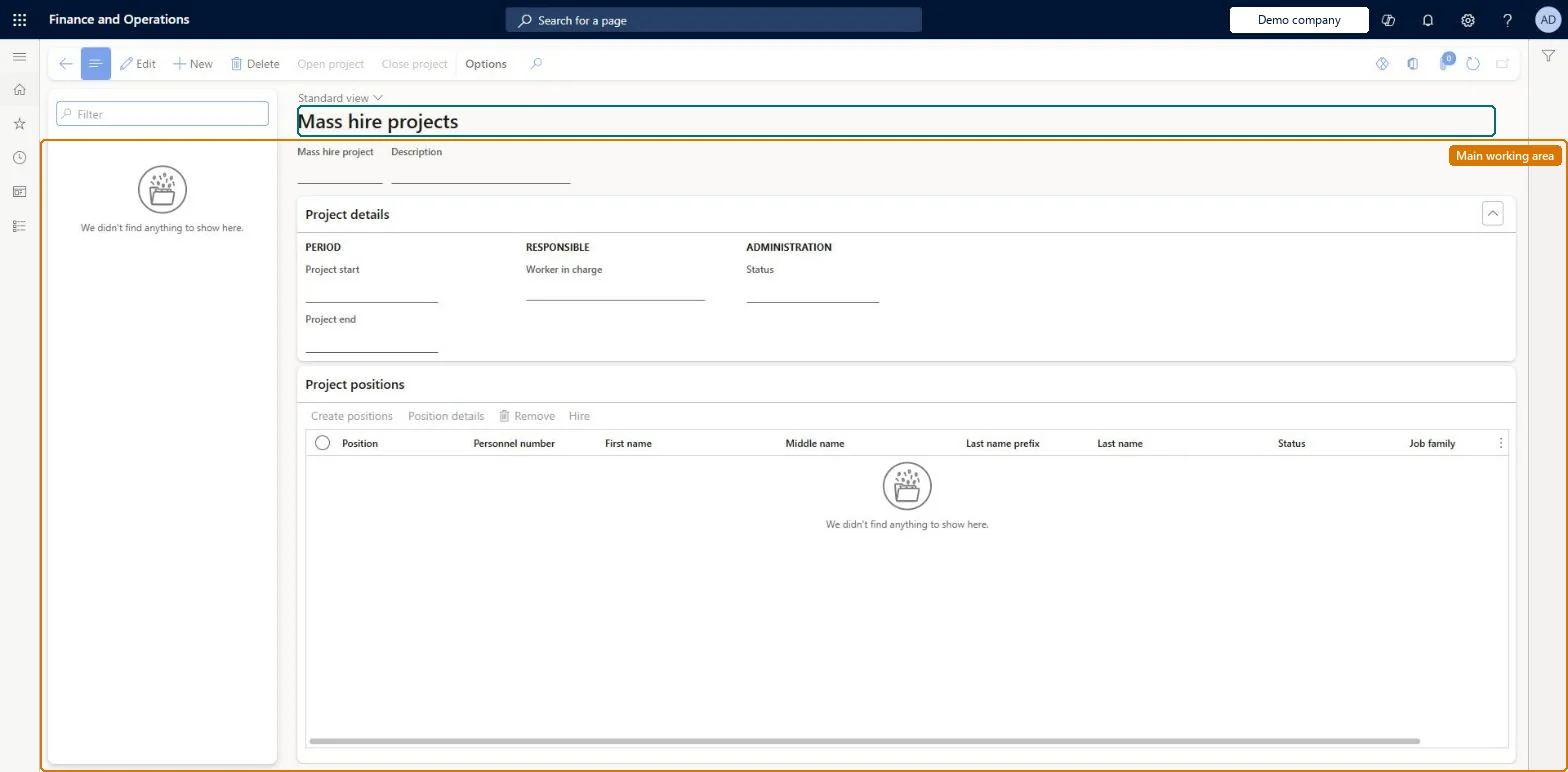
The page in Dynamics 365. page title tab to open what to set or check
About the examples: Examples and screenshots in this guide use BEAT, a demo company in a Dynamics 365 test environment. Use your own company's codes and values instead of copying them.
Setup steps on this page
Hire seasonal staff through a mass hire project
Create the positions and workers of a seasonal intake in one project.
Steps from Microsoft
Go to Human resources > Recruitment > Mass hire projects.
Select New and enter the Mass hire project, Description, Project start and Project end.
Select Open project, and then select Yes.
Select Create positions, enter the Quantity and select the Job.
Select OK.
For each position, select Position details, enter the worker's name, and select OK.
One project per intake with start and end dates equal to the season; create positions per job with the right Quantity, worker type and department, enter each person, then Hire; close the project when every position is hired or closed.The start and end dates become the hire and termination dates of the new workers, and Hire creates the position, the worker and the assignment together.
Recruiters and HR managers use it: the live security grants it to the Human resource manager and Recruiter roles. No Feature management feature is needed for this page.
Mass hire projects have no data entity, so Data management doesn't show whether the project itself is shared; what Hire creates is shared: Data management lists Positions V2 and Worker as shared entities. Checked in Dynamics 365
Can it be undone
Hard to reverse: Project details can be changed while the project is Created or Open. Hire is the step to treat with care: it creates a position record and a worker record for each person and assigns the worker to the position. A project can be closed only when all its positions are Created or Closed, and positions can't be added while it is Closed; reopen it to add more. Microsoft Learn
If you change it later
A project can be closed only when all its positions are Created or Closed, and positions cannot be added while it is closed. Microsoft Learn
Technical architect
6Technical
Menu item
HRMMassHireProjectChecked in Dynamics 365
Form
HRMMassHireProjectChecked in Dynamics 365
Table
HRMMassHireProjectShown as “MASS HIRE PROJECT” in Record infoKey field: hrmMassHireProjectIdChecked in Dynamics 365
Who can open it
PrivilegesMaintain mass hire projects HRMMassHireProjectMaintainView mass hire projects HRMMassHireProjectViewDutiesEnable recruitment process HcmRecruitmentProcessEnableInquire into recruitment process HcmRecruitmentProcessInquire2 security rolesHuman resource manager HcmHumanResourceManagerRecruiter HcmRecruiterChecked in Dynamics 365
Roles to set it up and use it
To set it up or change itRecruiter HcmRecruiterTo use itHuman resource manager HcmHumanResourceManagerGive people one of these roles. On this system, 2 roles can open this page.Checked in Dynamics 365
Actions on the page
(Action Pane without tabs): Open project, Close projectChecked in Dynamics 365
Developer
7Developer
Open it by URL
https://<your-environment>/?mi=HRMMassHireProject
Data migration
Load order: Mass hire projects has no data entity in Data management, so it can't be loaded from a file or a configuration template. Create open projects again on this page; the positions and workers they created load with the Jobs and positions and Worker data migration templates.Microsoft Learn