Compensation and benefits manager, Payroll administrator
Business process
Manage benefits enrollment
Menu item
HcmMassBenefitEnrollmentResult
Main table
HcmBenefitEnrollmentGrou
Setup steps
1 on this page
Show what matters for
PAGE GUIDEWhat the page does and how to use it8 sections. Choose a role to highlight what matters to you.
Everyone
1What it is and why
What it is
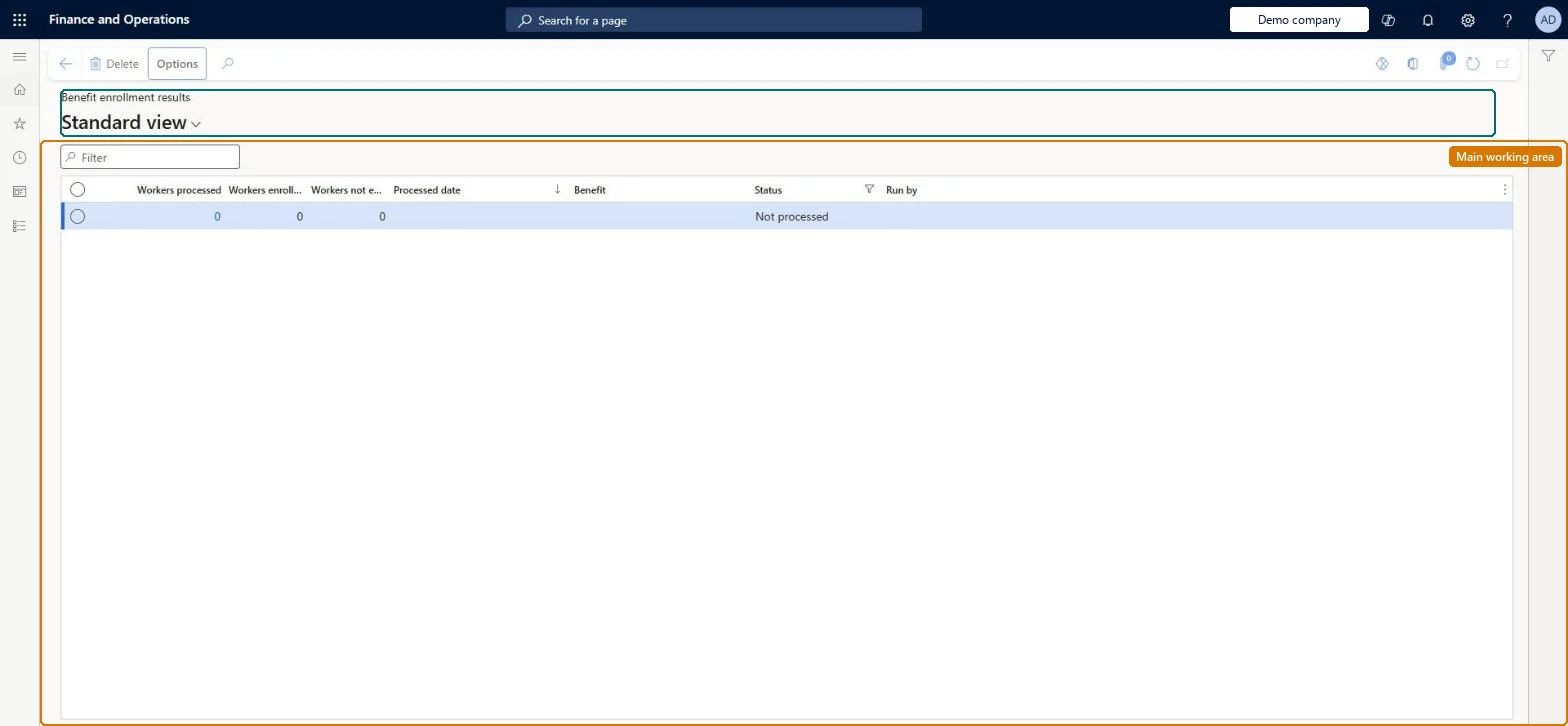
An inquiry page that shows the results of enrolling several workers in a benefit at one time.
What you do here
Use this page to see which employees were enrolled in the benefit and which were not.
Example
For example, BEAT marks 40 employees on Employees and enrolls them in Dental - Employee only from 1 January 2027 with Enroll in benefits; the result record of the run lists 38 workers enrolled and 2 not enrolled, and HR opens those 2 workers' Benefits pages to finish them by hand.
The page in Dynamics 365. page title tab to open what to set or check
About the examples: Examples and screenshots in this guide use BEAT, a demo company in a Dynamics 365 test environment. Use your own company's codes and values instead of copying them.
Setup steps on this page
Check every mass enrollment run
Confirm that all workers of a mass enrollment were enrolled.
Steps from Microsoft
Go to Human resources > Benefits > Enrollment > Benefit enrollment results.
Find the benefit results record you are looking for.
Select the link in the selected row to open it.
Review which employees were enrolled and which were not.
Open the worker's Benefits page, check eligibility for the benefit, and enroll the worker with New and the same coverage dates. Microsoft Learn
The page opens read-only and Edit isn't available
Benefits management is turned on, which makes the legacy Benefits pages read-only. It can be turned off only in a Sandbox environment; in Production keep working in the Benefits management workspace. Microsoft Learn
Test checklist
On Employees, mark two workers and select Enroll in benefits.
Select a benefit, a coverage start date and end date, and select Enroll.
Open Benefit enrollment results and open the record for the run.
Check which workers were enrolled and which weren't, and confirm on one worker's Benefits page.
Open the result record of the run by benefit right after Enroll in benefits, and go through the workers who were not enrolled first.Mass enrollment enrolls many workers in one benefit at once; this page is where the run shows who was and wasn't enrolled.
This page is part of the legacy Benefits workspace. Turning on Benefits management in Feature management makes it read-only, and in a Production environment Benefits management can't be turned off again; Microsoft recommends enabling and testing it in a Sandbox first. Compensation and benefits managers and payroll administrators run mass enrollment and read the results.
Reversible: This page only shows results. An enrollment made by mass enrollment can be edited or deleted on the worker's Benefits page. Microsoft Learn
If you change it later
The page records each mass enrollment run; the enrollments it made live on each worker's Benefits page, where they can be edited or deleted. Microsoft Learn
Technical architect
6Technical
Menu item
HcmMassBenefitEnrollmentResultChecked in Dynamics 365
Form
HcmMassBenefitEnrollmentResultsChecked in Dynamics 365
Table
HcmBenefitEnrollmentGrouShown as “BENEFIT ENROLLMENT GROUP” in Record infoChecked in Dynamics 365
Who can open it
PrivilegesMaintain worker mass enrollment HcmWorkerMassEnrollmentMaintainDutiesEnable benefits process HcmBenefitProcessEnable2 security rolesCompensation and benefits manager HcmCompensationAndBenefitsManagerPayroll administrator HcmPayrollAdministratorChecked in Dynamics 365
Roles to set it up and use it
To set it up or change itCompensation and benefits manager HcmCompensationAndBenefitsManagerPayroll administrator HcmPayrollAdministratorGive people one of these roles. On this system, 2 roles can open this page.Checked in Dynamics 365
Actions on the page
(Action Pane without tabs): DeleteChecked in Dynamics 365
Load order: Benefit enrollment results has no data entity in Data management, so it can't be loaded from a file or a configuration template. The results are written by Enroll in benefits on Employees; run the enrollment in each environment and check the workers' Benefits pages.Microsoft Learn