Inquiry page · General ledger
Cash position
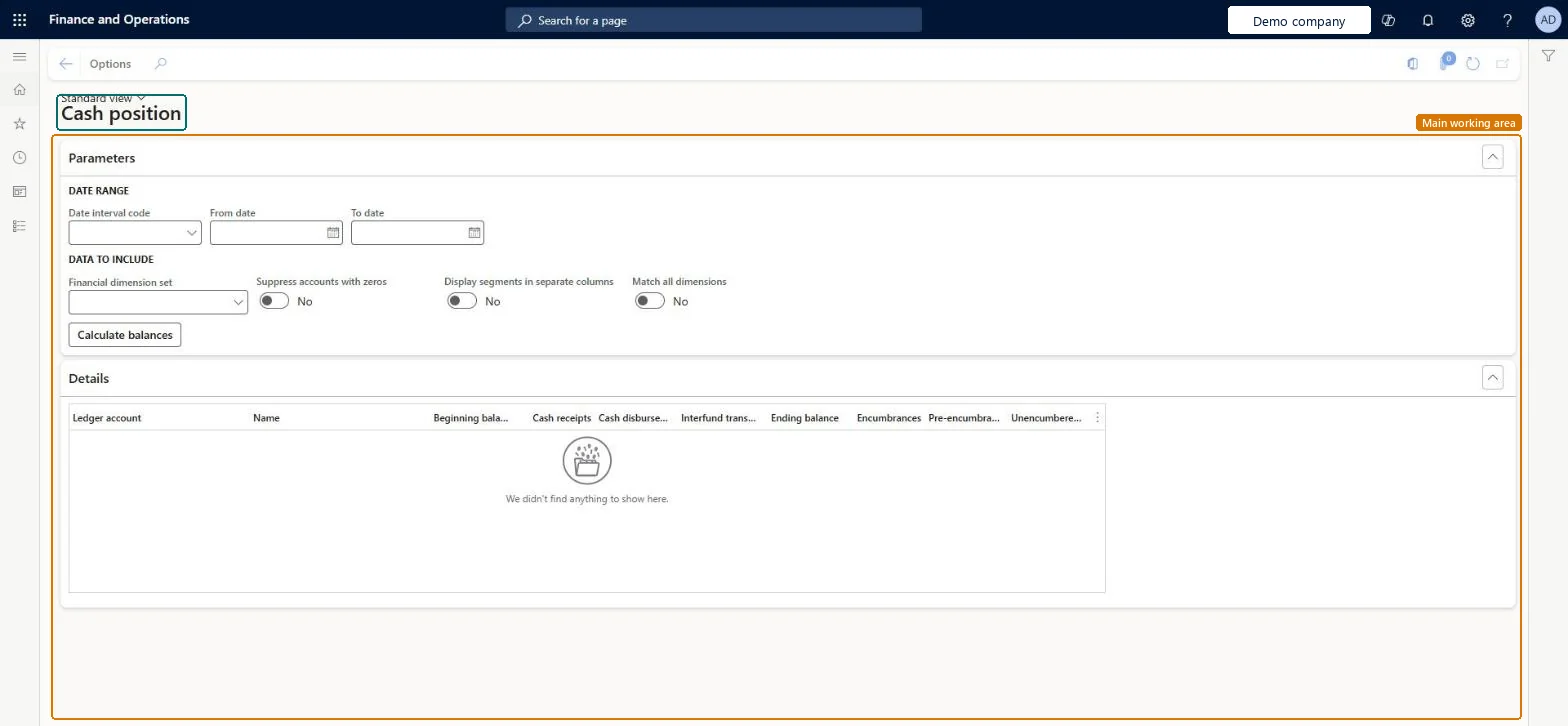
A public sector inquiry that determines cash positions for financial dimension sets that contain self-balancing dimensions.
- Used by
- Accountant, Accounting manager, Accounting supervisor and 12 more roles
- Business process
- —
- Menu item
PSNCashPositionInquiry- Main table
PSNTmpCashPositionSummary- Data entity
- —
- Setup steps
- —
Show what matters for
Everyone
1What it is and why
| What it is | A public sector inquiry that determines cash positions for financial dimension sets that contain self-balancing dimensions. |
|---|---|
| What you do here | Used to show the beginning cash balance, receipts, disbursements, and interfund transfers that lead to an ending balance, and then subtract budget reservations, encumbrances, or pre-encumbrances to get an unencumbered balance. |
| Example | Run the inquiry for a date interval and a financial dimension set, and suppress accounts that have all zero balances. |
Functional consultant · Solution architect
2Where it fits
| Business process | — |
|---|---|
| Menu path | General ledger › Inquiries and reports › Cash position |
| Set up first | Cash position parameters Microsoft Learn ↗ |
| Used next by | — |
| Related pages | — |
End user · Functional consultant
3How to do it
Microsoft's steps
- Go to General ledger > Inquiries and reports > Cash position.
- In the Date interval field, select a code, or enter a From date and To date.
- In the Financial dimension set field, select the dimension set.
- Optionally, set Suppress accounts with all zeroes to Yes.
- Optionally, set Display segments in separate columns to Yes.
- Select Calculate balances.
Source: Microsoft Learn ↗
Field guide
| Field | What it means | Worked example | Table column |
|---|---|---|---|
| Financial dimension set | The dimension set the cash positions are calculated for.Microsoft Learn ↗ | — | — |
| Suppress accounts with all zeroes | Leaves out accounts whose balances are all zero.Microsoft Learn ↗ | — | — |
| Display segments in separate columns | Shows each dimension in its own column.Microsoft Learn ↗ | — | — |
Functional consultant
4Setup decisions
| Setup step | Recommended value and why | Decision · common mistake · test |
|---|---|---|
| — No setup is made on this page. | ||
Solution architect
5Design impact
| Shared or per company | — |
|---|---|
| Can it be undone | — |
| Feature or country | — |
| If you change it later | — |
Technical architect
6Technical
| Menu item | PSNCashPositionInquiry Checked in Dynamics 365 |
|---|---|
| Form | PSNCashPositionInquiry Checked in Dynamics 365 |
| Table | PSNTmpCashPositionSummaryShown as “The summary balance temporary table” in Record infoChecked in Dynamics 365 |
| Data entities | — |
| Who can open it | PrivilegesCash Position Inquiry PSNCashPositionGenerateDutiesInquire into journals and transaction status LedgerJournalsTransactionStatusInquire15 security rolesAuditorAuditPolicyManagerBudget manager BudgetBudgetManagerChief executive officer CompanyChiefExecutiveOfficerChief financial officer CompanyChiefFinancialOfficerAccounts receivable clerk CustInvoiceAccountsReceivableClerkAccounts receivable manager CustInvoiceAccountsReceivableManagerTax accountant FBTaxAccountant_BRInventory accountant InventCostAccountantInventory accountant clerk InventCostCostClerkAccountant LedgerAccountantAccounting manager LedgerAccountingManagerAccounting supervisor LedgerAccountingSupervisorFinancial controller LedgerFinancialControllerAccounts payable clerk VendInvoiceAccountsPayableClerkAccounts payable manager VendInvoiceAccountsPayableManager |
| Actions on the page | — |
Developer
7Developer
| Open it directly | https://<your-environment>/?mi=PSNCashPositionInquiry |
|---|---|
| Integrate with | — |
| Table definition | — |
Everyone
8Sources and checks
- learn.microsoft.com/dynamics365/finance/public-sector/cash-position-inquiry
- learn.microsoft.com/dynamics365/finance/public-sector/cash-position-inquiry-setup
- Checked in a working Dynamics 365 system, version 10.0.49: the menu item, form, table and security, the page.