PAGE GUIDEWhat the page does and how to use it8 sections. Choose a role to highlight what matters to you.
Everyone
1What it is and why
What it is
A setup page where you create product owner groups (groups of workers responsible for specific products) and add their members.
What you do here
Use this page to define the groups whose members are allowed to release the products they own, and which can be used as approvers in engineering change management workflows. Product owners are global and apply to all legal entities.
Example
For example, if product X belongs to the Design cabinets group and is part of the BOM of product Y owned by the Design Speakers group, a Design Speakers user who releases product Y also releases product X with it.
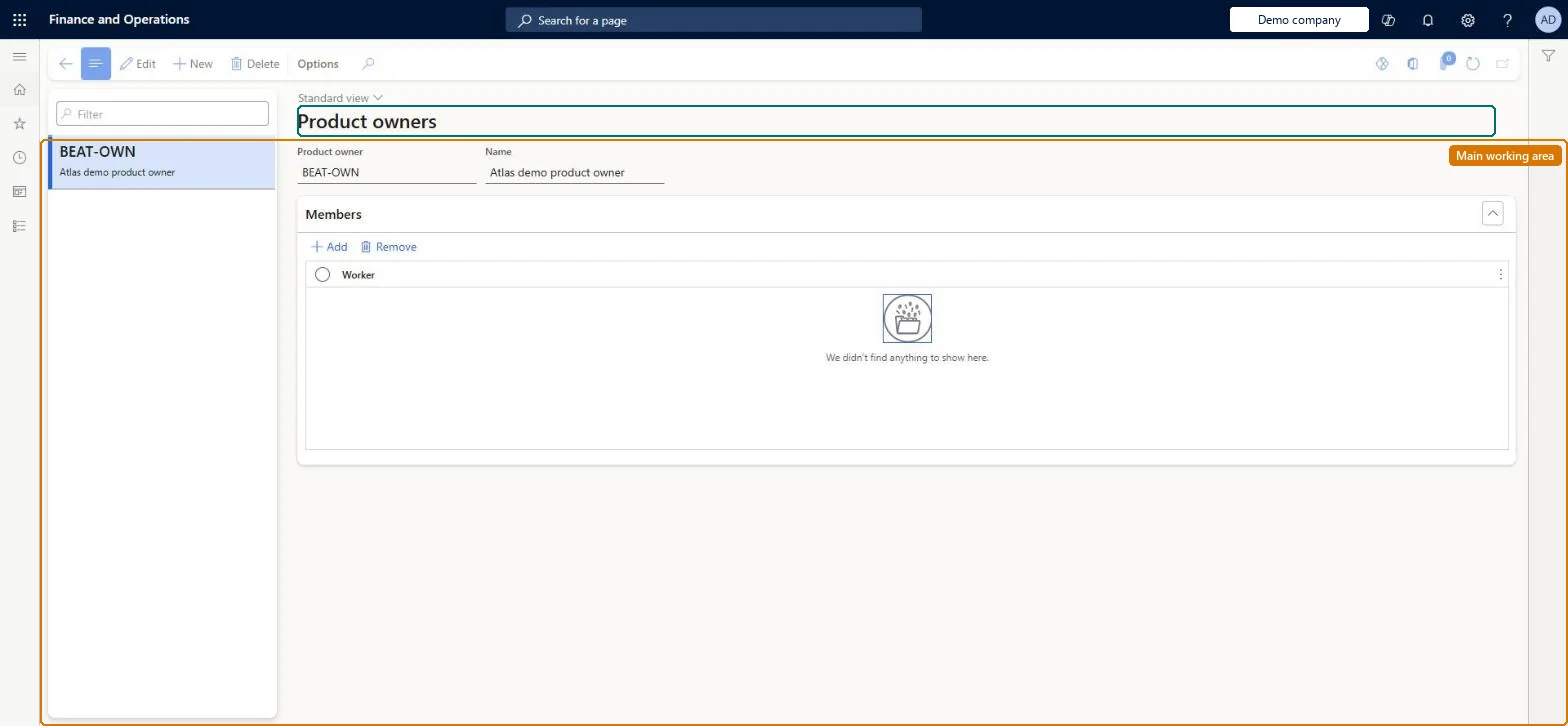
The page in Dynamics 365. page title tab to open what to set or check
About the examples: Examples and screenshots in this guide use BEAT, a demo company in a Dynamics 365 test environment. Use your own company's codes and values instead of copying them.
Setup steps on this page
Set up Product owners
Use this page to define the groups whose members are allowed to release the products they own, and which can be used as approvers in engineering change management workflows. Product owners are global and apply to all legal entities.
Steps from Microsoft
Go to Engineering change management > Setup > Product owners.
On the Action Pane, select New.
In the Product owner field, enter a name for the group.
In the Name field, enter a description of the group.
On the Members FastTab, add the workers who should be members of the group.
Relying on product owners to stop child items being released. When an owner releases a parent with its BOM, the child items are released without checking their own product owner.
Solution architect
5Design impact
Can it be undone
Reversible: Product owner groups are global. Members can be added or removed; reassigning a product's owner is limited to members of the currently assigned group. Microsoft Learn
If you change it later
Once a group is assigned to a product, only members of that group can change the product's owner or release the product directly; child items in a BOM are released with the parent without checking their own owner. Microsoft Learn
Technical architect
6Technical
Menu item
EngChgProductOwnerChecked in Dynamics 365
Form
EngChgProductOwnerChecked in Dynamics 365
Table
EngChgProductOwnerShown as “PRODUCT OWNER” in Record infoKey field: OwnerIdChecked in Dynamics 365
Data entities
EngChgProductOwnerEntityProduct owners Checked in Dynamics 365
Who can open it
PrivilegesMaintain product owners EngChgProductOwnerMaintainView product owners EngChgProductOwnerViewDutiesEnable the engineering change management process EngChgEngineeringChangeManagementProcessEnableInquire into engineering change management reference data EngChgEngineeringChangeManagementReferenceDataInquire2 security rolesProduct engineer EngChgProductEngineerProduct engineering manager EngChgProductEngineeringManagerChecked in Dynamics 365
Roles to set it up and use it
To set it up or change itProduct engineering manager EngChgProductEngineeringManagerTo use itProduct engineer EngChgProductEngineerGive people one of these roles. On this system, 2 roles can open this page.Checked in Dynamics 365
Developer
7Developer
Open it by URL
https://<your-environment>/?mi=EngChgProductOwner
Integrate with
EngChgProductOwnerEntity data entity Checked in Dynamics 365