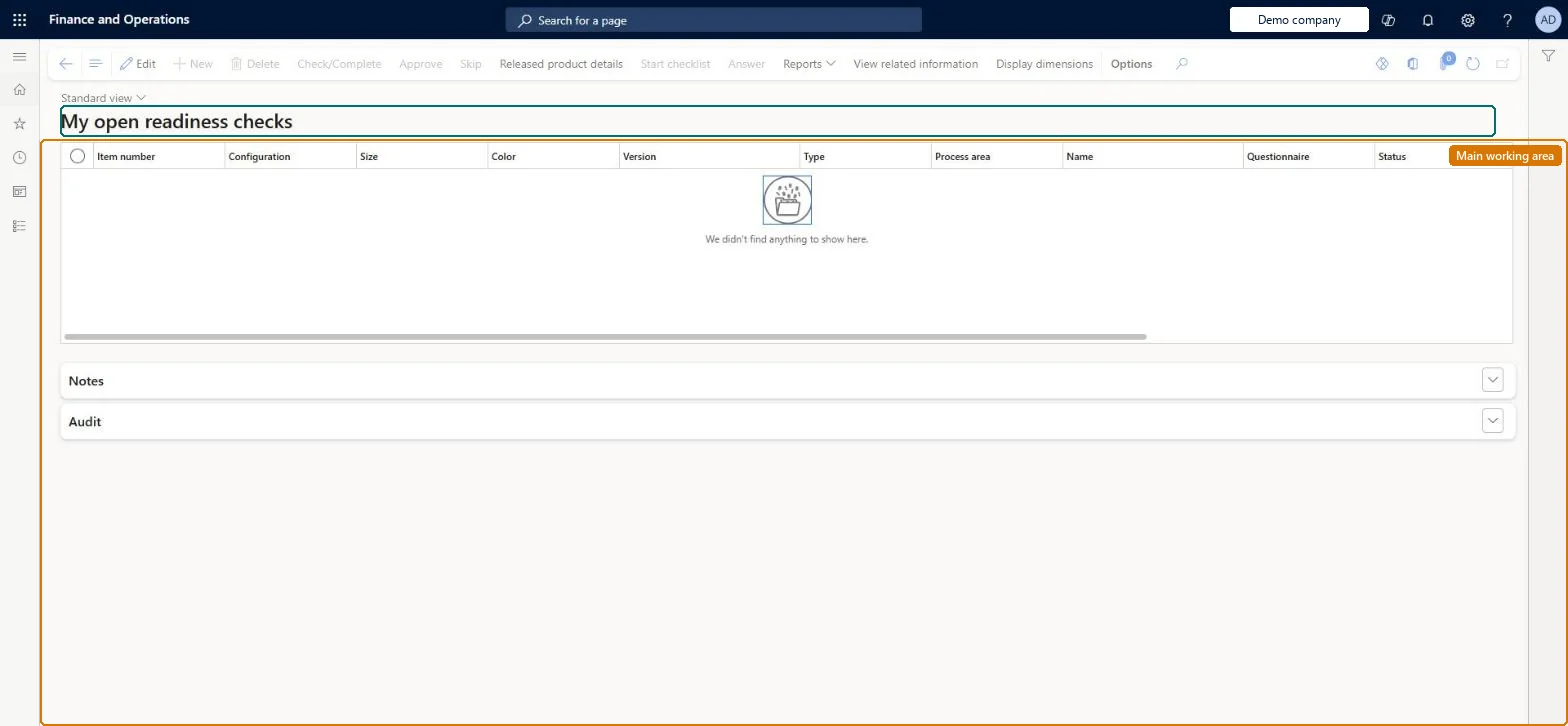
A list page showing the readiness checks (system, manual and checklist checks created by a readiness policy) that are assigned to you or your team and still have the status Pending.
Check product readiness in Dynamics 365 Supply Chain Management
Menu item
EngChgReadinessList_Assigned
Main table
EngChgProductReadinessCheck
Show what matters for
PAGE GUIDEWhat the page does and how to use it7 sections. Choose a role to highlight what matters to you.
Everyone
1What it is and why
What it is
A list page showing the readiness checks (system, manual and checklist checks created by a readiness policy) that are assigned to you or your team and still have the status Pending.
What you do here
Use this page to complete, skip or approve the readiness checks you are responsible for, so that a new engineering product, variant or version can become active and usable in transactions.
Example
For example, you skip a non-mandatory price-calculation check while the product is still in the design phase, and the check's status changes to Skipped.
The page in Dynamics 365. page title tab to open what to set or check
About the examples: Examples and screenshots in this guide use BEAT, a demo company in a Dynamics 365 test environment. Use your own company's codes and values instead of copying them.
Steps from Microsoft
Go to Engineering change management > Common > Product readiness > My open readiness checks.
Select a pending check and, on the Action Pane, select View related information to open the data it covers.
Complete or validate that data, then select Check/complete; the Status becomes Passed.
For a checklist-type check, select Start checklist and answer the questionnaire instead.
If the check is not mandatory and not needed yet, select Skip; the Status becomes Skipped.
If the policy requires it (always after a skip), select Approval to finish the check.
Hard to reverse: When the last open check is processed and approved, the product, variant or version becomes active automatically and can be used in transactions. Skipped checks always need approval. Microsoft Learn
If you change it later
Completing and approving the last open check makes the product, variant or version active automatically; until then the engineering version stays inactive and the product is blocked from use. Microsoft Learn
Technical architect
5Technical
Menu item
EngChgReadinessList_AssignedChecked in Dynamics 365
Form
EngChgReadinessList_AssignedChecked in Dynamics 365
Table
EngChgProductReadinessCheckShown as “PRODUCT READINESS CHECK” in Record infoChecked in Dynamics 365
Who can open it
PrivilegesProcess product readiness status EngChgProductReadinessProcessDutiesMaintain product readiness check execution EngChgProductReadinessCheckExecutionMaintain1 security roleProduct engineer EngChgProductEngineerChecked in Dynamics 365
Roles to set it up and use it
To set it up or change itProduct engineer EngChgProductEngineerGive people one of these roles. On this system, 1 role can open this page.Checked in Dynamics 365
Actions on the page
(Action Pane without tabs): Check/Complete, Approve, Skip, Released product details, Start checklist, Answer, Reports, View related information, Display dimensionsChecked in Dynamics 365