PAGE GUIDEWhat the page does and how to use it6 sections. Choose a role to highlight what matters to you.
Everyone
1What it is and why
What it is
A workspace where collections staff view, manage and act on collections information, activities and cases for customers in one place.
What you do here
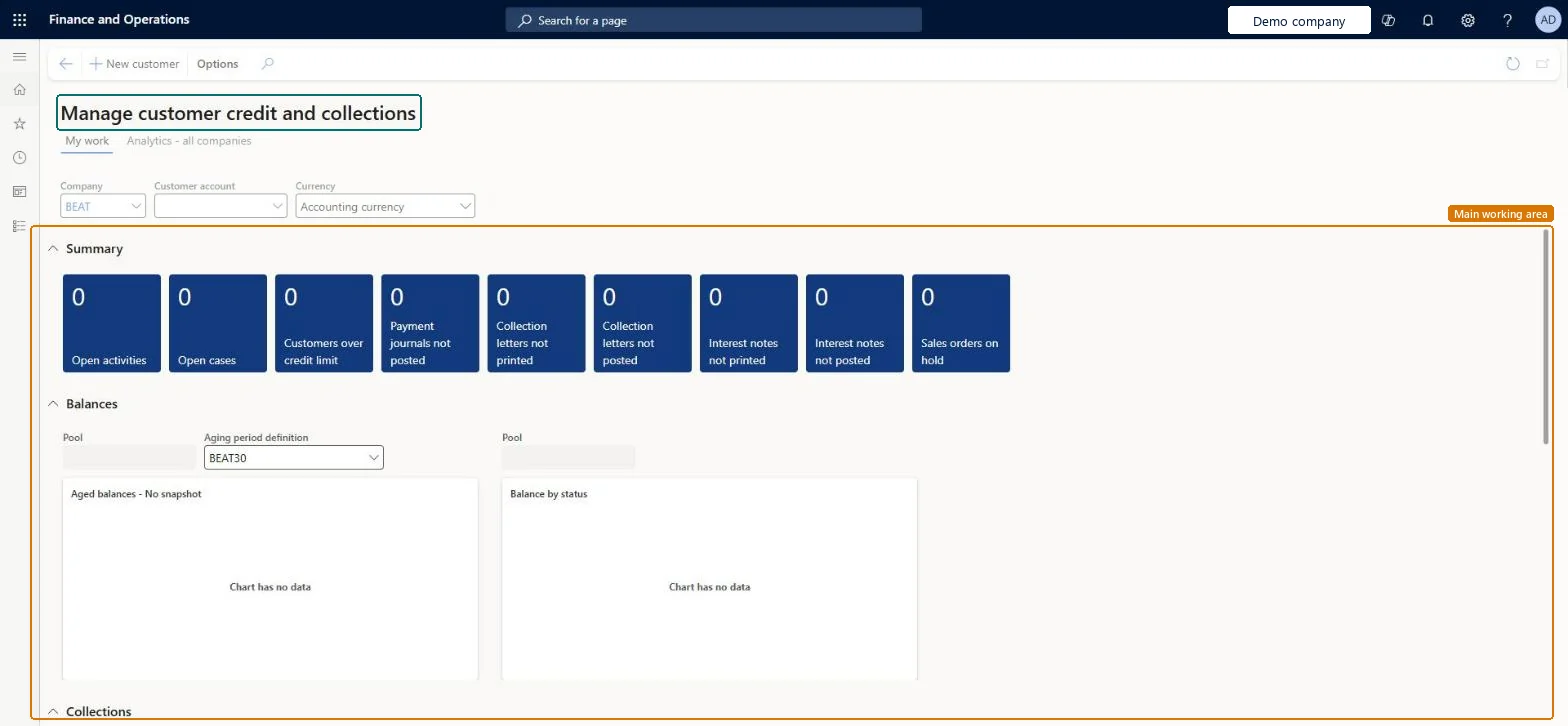
Use this workspace to follow summary tiles and charts for open activities, open cases, customers over their credit limit and aged balances, and drill into the details behind them.
The page in Dynamics 365. page title tab to open what to set or check
Credit and collections management Power BI content Microsoft Learn
End user · Functional consultant
3How to do it
About the examples: Examples and screenshots in this guide use BEAT, a demo company in a Dynamics 365 test environment. Use your own company's codes and values instead of copying them.
How to use it
Go to Credit and collections > Workspaces > Customer credit and collections.
On the My work tab, choose the Company, Customer account and Currency at the top.
In Summary, review the tiles such as Open activities, Open cases, Customers over credit limit and Sales orders on hold.
In Balances, choose the Aging period definition and review the Aged balances and Balance by status charts.
Scroll down to the Collections section.
Select New customer to add a customer, or open the Analytics - all companies tab.
Source: Checked in Dynamics 365
Fields on the page
Field
What it means
My work
Tab where the agent sees their own activities and customers.Microsoft Learn
Summary tiles
Tiles with counts such as open activities, open cases and customers over their credit limit; select a tile to see the details.Microsoft Learn
Technical architect
4Technical
Menu item
CustomerCollectionManagerWorkspaceChecked in Dynamics 365
Form
CustomerCollectionManagerWorkspaceChecked in Dynamics 365
Who can open it
PrivilegesCustomer credit and collections CustomerCollectionManagerWorkspaceViewDutiesCustomer credit and collections CustomerCollectionManagerWorkspaceView2 security rolesCollections agent CollectionLetterCollectionsAgentCollections manager CollectionLetterCollectionsManagerChecked in Dynamics 365
Roles to set it up and use it
To use itCollections manager CollectionLetterCollectionsManagerCollections agent CollectionLetterCollectionsAgentGive people one of these roles. On this system, 2 roles can open this page.Checked in Dynamics 365
Actions on the page
Options: Personalize, Page options, ShareChecked in Dynamics 365