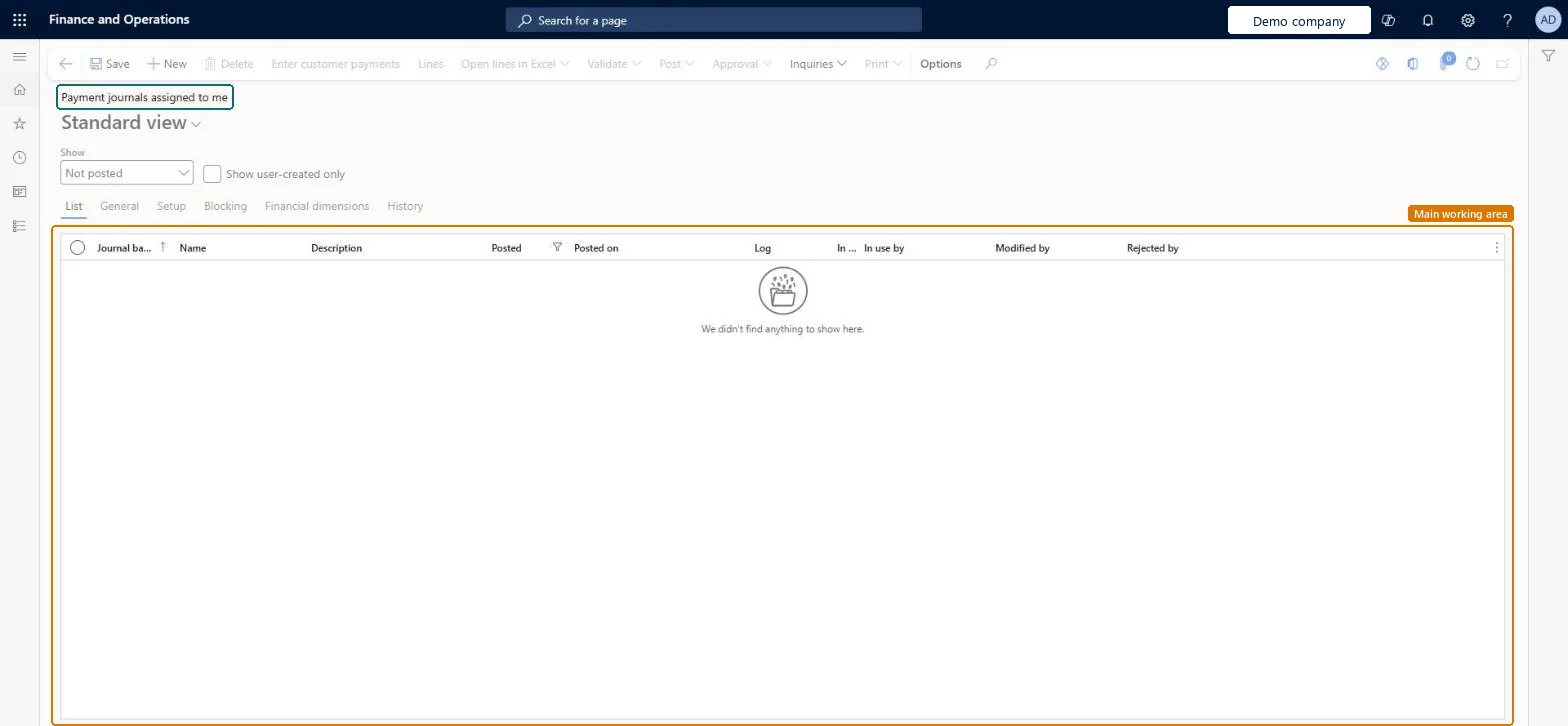
A list page that shows payment journals that are assigned to the current user, with the journal batch number, name, description, posted status, posted date and who last modified or rejected each journal.
Record a customer payment in a journal using Dynamics 365 Finance
Menu item
CustPaymentAssignedToMeListPage
Data entity
CustomerPaymentJournalEntity
Show what matters for
PAGE GUIDEWhat the page does and how to use it6 sections. Choose a role to highlight what matters to you.
Everyone
1What it is and why
What it is
A list page that shows payment journals that are assigned to the current user, with the journal batch number, name, description, posted status, posted date and who last modified or rejected each journal.
What you do here
Use this page to find your payment journals, filter them by posting status, and open the journal lines to enter customer payments, validate, post or send for approval.
The page in Dynamics 365. page title tab to open what to set or check
Credit and collections › Payments › Payment journals assigned to me
End user · Functional consultant
3How to do it
About the examples: Examples and screenshots in this guide use BEAT, a demo company in a Dynamics 365 test environment. Use your own company's codes and values instead of copying them.
How to use it
Go to Credit and collections > Payments > Payment journals assigned to me.
Choose a value in the Show list, and select Show user-created only if you want only your own journals.
Check the Journal batch number, Name, Description, Posted, Posted on and Modified by columns on the List tab.
Select New to add a journal, or select an existing journal.
Select Enter customer payments or Lines to open the journal lines.
Select Save.
Source: Checked in Dynamics 365
Technical architect
4Technical
Menu item
CustPaymentAssignedToMeListPageChecked in Dynamics 365
Form
LedgerJournalTableChecked in Dynamics 365
Data entities
CustomerPaymentJournalEntityCustomer payment journal Checked in Dynamics 365
Roles to set it up and use it
To set it up or change itRental manager RentalManagerAccounts receivable payments clerk PaymAccountsReceivablePaymentsClerkTo use itCollections manager CollectionLetterCollectionsManagerCollections agent CollectionLetterCollectionsAgentAccounts receivable manager CustInvoiceAccountsReceivableManagerAccounting manager LedgerAccountingManagerAccounting supervisor LedgerAccountingSupervisorGive people one of these roles. On this system, 14 roles can open this page.Checked in Dynamics 365
Actions on the page
Options: Personalize, Page options, Edit, ShareChecked in Dynamics 365